
OxygenOS
Add any app to OxygenOS Parallel Apps space on OnePlus devices


Add any app to OxygenOS Parallel Apps space on OnePlus devices.
Parallel App helps users to securely create and log on to multiple accounts for the same apps. Users can easily switch between multiple accounts by using only one mobile device.OnePlus introduced Parallel App feature in an OxygenOS Open Beta for the Oneplus 3 and 3T devices.
Supported apps for this feature include Facebook, Facebook Messenger, Instagram, Whatsapp, Twitter, LinkedIn, and many more. Parallel Apps creates a new user profile with the ID “999” for the supported apps.OxygenOS integrates these apps onto the main user profile and also hides them from the lock screen.
Parallel Apps are not supported by the Google play store due to a bug with the Play Store. The Google Play store won’t allow already installed apps to be installed again. In order to have parallel apps we need to install “Aurora Store” app, which is a fully open-source unofficial client of the Google Play Store.
To install the Aurora Store app-
- Download the APK file for the Aurora Store from XDA Thread.
- Set up ADB shell access.
- Run the following ADB command:
adb install --user 999 <aurora_store_apk_name>.apk - This will install the Aurora Store to user profile 999, which is the profile for Parallel Apps. Now you can simply open the Aurora Store and download whatever other apps you want.
- Alternatively, you can download the APK file for whatever app you want to be cloned and run the command in step #3
If you don’t want to go down this route, you can also use a third-party app like Shelter (open source sandboxing app to isolate apps from your data) or Island (clone selected apps and isolate them from )to create a work profile on your device and then install whatever app you want.
Also read: How To Enable 960FPS Slow Mode and Macro Mode on Oneplus 7 Pro
For the latest TechNews and Reviews, follow Techibee on Twitter, Facebook, and subscribe to our Youtube channel.
For More Such Updates Follow Us On – Telegram, Twitter, Google News, WhatsApp and Facebook









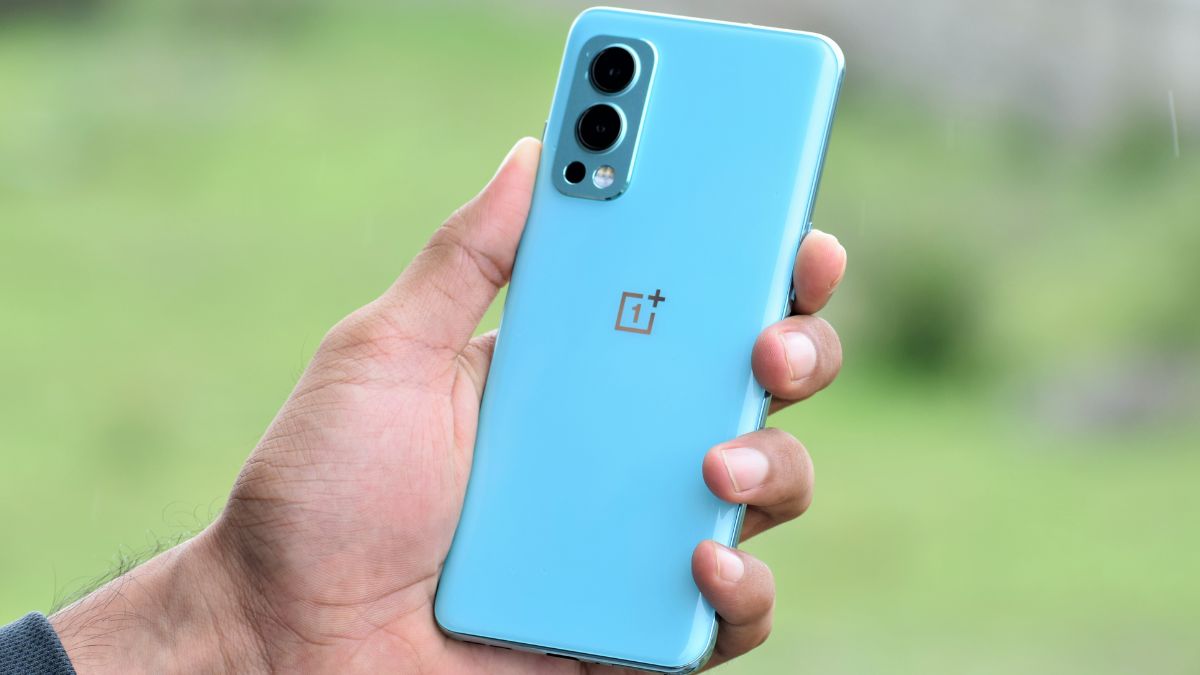
OnePlus, a Chinese Tech Giant has started rolling out the OxygenOS 13 F.50 update for the OnePlus Nord 2 5G in India. This update is based on the January 2024 security patch. As like the previous F.49 update, this new F.50 is also based on OxygenOS 13 which is based on Android 13.
If we talk about the build number. So, the build number of the update is identified as OxygenOS 13 DN2101_11_F.49. Also, the size of the update is 323.46 MB.
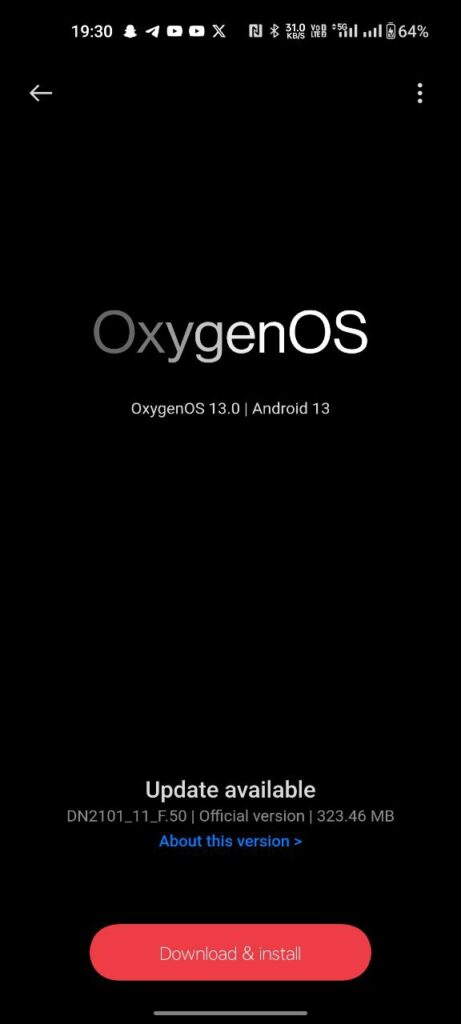
Also, the changelog for this update is listed below:
System
- Integrates the January 2024 Android security patch to enhance system security.
- The Background Stream feature in the Smart Sidebar has been removed.
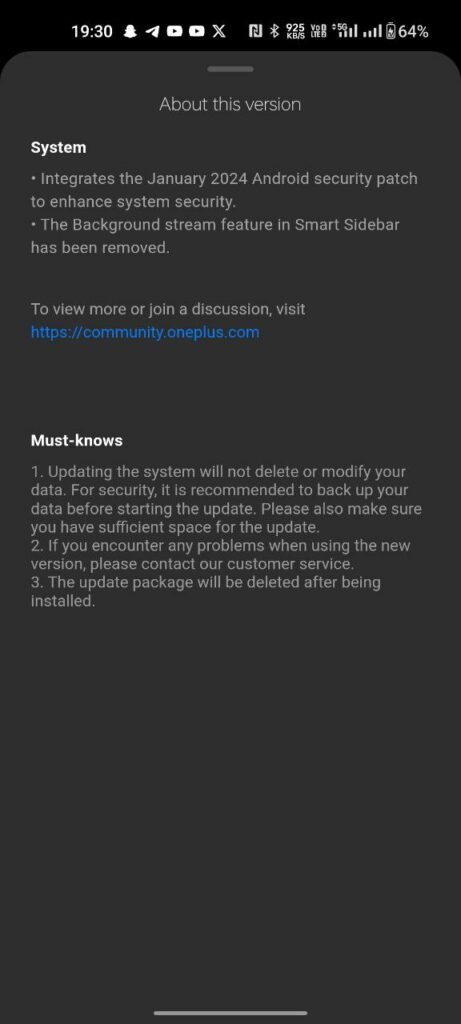
With this new F.50 update, OnePlus has removed the background stream feature from the Smart Sidebar. As you can see clearly in the above image the update size is 323.46 MB which is less. So, don’t expect many changes or add-ons. This update only improves the system stability and performance with the new January 2024 security patch.
Note: If you want to know why Background Stream was removed from the Smart Sidebar, then check out this.
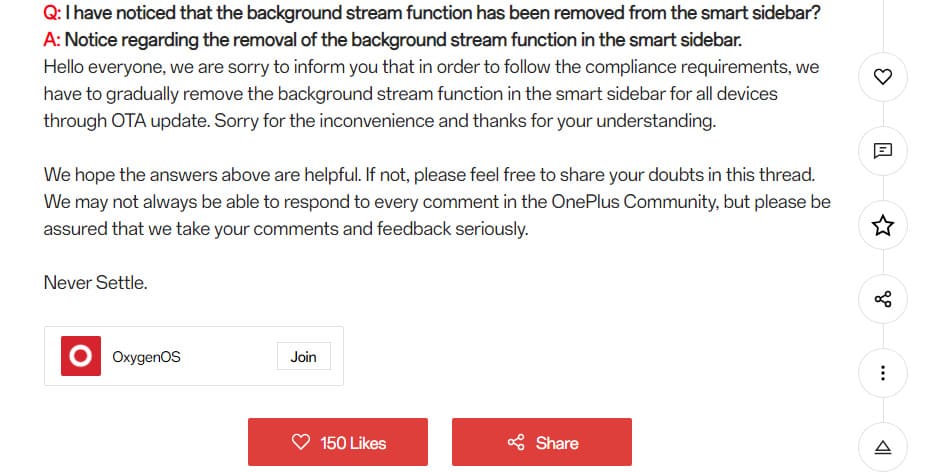
How to Update?
To update your OnePlus Nord 2 5G to OxygenOS 13 F.49. Whenever you get the update notification, click on it. You can also check manually by going into Settings> About Device> Click on Blue Color OxygenOS Box. Click On Download and then, click on Install.
Note: You have to make sure that your device is sufficiently charged, i.e. 50% of its storage, before installing the update.
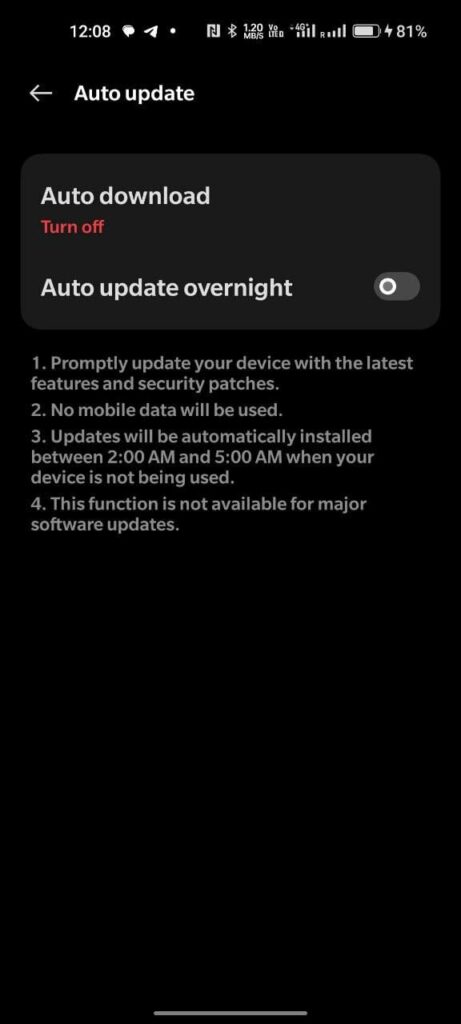
Also, if you don’t want to update your phone after downgrading. Then do keep in mind to change Auto Update to Turn Off and also toggle off the Overnight option.
For More Such Updates Follow Us On – Telegram, Twitter, Google News, WhatsApp and Facebook
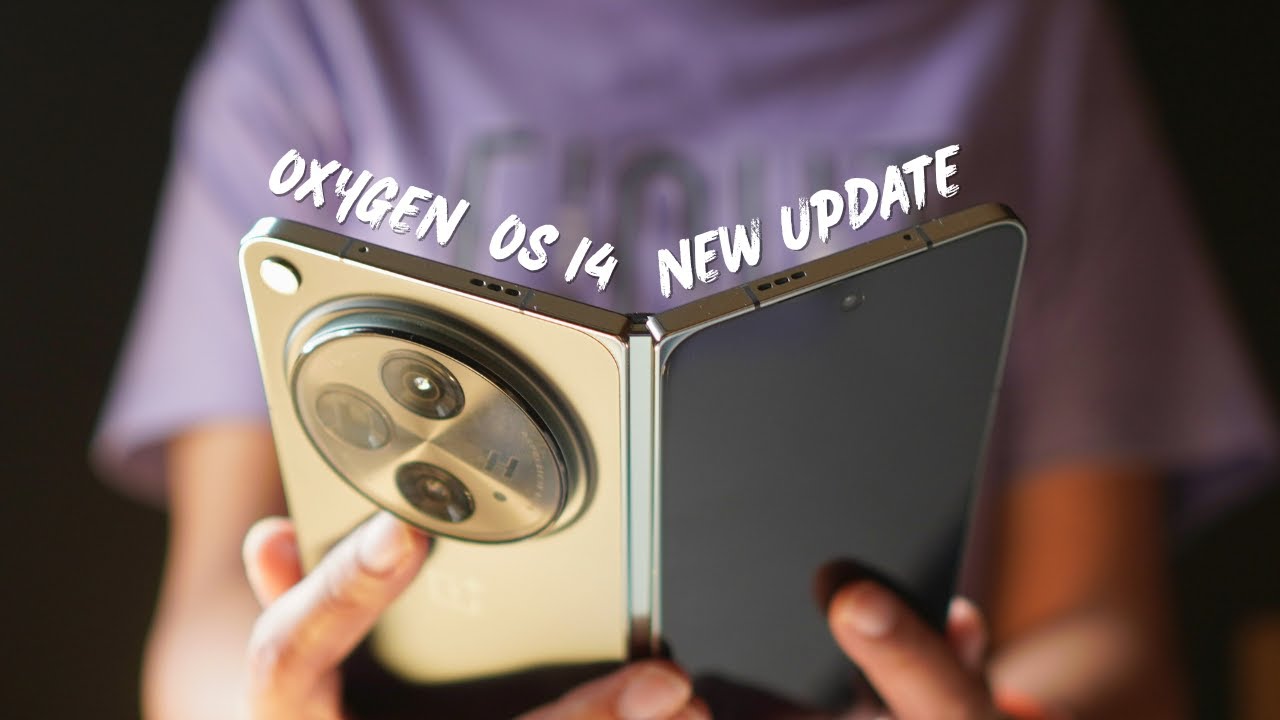
After beta builds, OnePlus has started rolling out stable OxygenOS 14 based on the Android 14 update for its foldable phone, i.e. OnePlus Open. The stable update is first given to those OnePlus Open owners who have participated in Open or Closed Beta versions, and after that, it will be available for all OnePlus Open users. If we talk about the changelog and
What are the changes and new add-ons to this update?
First, let’s talk about the build version. So, the build number of this update is identified as CPH2551_14.0.0.400(EX01). The changelog for this update is listed below:
Changelog:
- Adds Aqua Dynamics, a way of interaction with morphing forms that allows you to view up-to-date information at a glance.
Smart efficiency
- Adds File Dock, where you can drag and drop to transfer content between apps and devices.
- Adds Content Extraction, a feature that can recognize and extract text and images from the screen with one tap.
- Adds Smart Cutout, a feature that can separate multiple subjects in a photo from the background for copying or sharing.
Cross-device connectivity
- Improves Shelf by adding more widget recommendations.
Security and privacy
- Improves photo and video-related permission management for safer access by apps.
Performance optimization
- Improves system stability, the launch speed of apps, and the smoothness of animations.
Aquamorphic Design
- Upgrades Aquamorphic Design with a natural, gentle, and clearer color style for a more comfortable color experience.
- Adds Aquamorphic-themed ringtones and revamps the system notification sounds.
- Improves system animations by making them even smoother.
User Care
- Adds a carbon tracking AOD that visualizes the carbon emissions you avoid by walking instead of driving.
How to Update?
To update your OnePlus Open, first, you have to Open Settings > About Device > Click on Blue Colored OxygenOS Version Box > Click on Download.
If you have not received the OxygenOS 14 stable update on your OnePlus Open, and you want to update it instantly, then check that your phone is running on the CPH2551_13.2.0.301 version. If you are on this version, then Go to Settings > About device > tap up to date > tap icon on the top right > beta program > follow the steps to apply > check for updates.
Note: This will only work for the Indian (IN) users.
Have you got the OxygenOS 14 stable update on your OnePlus Open? Do let us know in the comment box. Also, tell us whether you like this post or not.
Note: Before updating your phone, do keep in mind that your phone must be charged above 30%. Also, do remember that at least 5GB of space must be available on your phone for this update.
How to Rollback OnePlus Open from OxygenOS 14 to OxygenOS 13?
If you want to roll back to OxygenOS 13, then first you have to download the rollback/downgrade file by clicking here.
After downloading the rollback/downgrade, you have to enable the developer option by going into Settings > About device > Version > Click Build number 7 times and enter the password; now you are in developer mode.
Then, to do a local update, Go back to Settings > About device > Up to date > Click the top right button > Local install > Click on the corresponding rollback package > Extract > Upgrade > System upgrade completed to 100%.
For More Such Updates Follow Us On – Telegram, Twitter, Google News, WhatsApp and Facebook

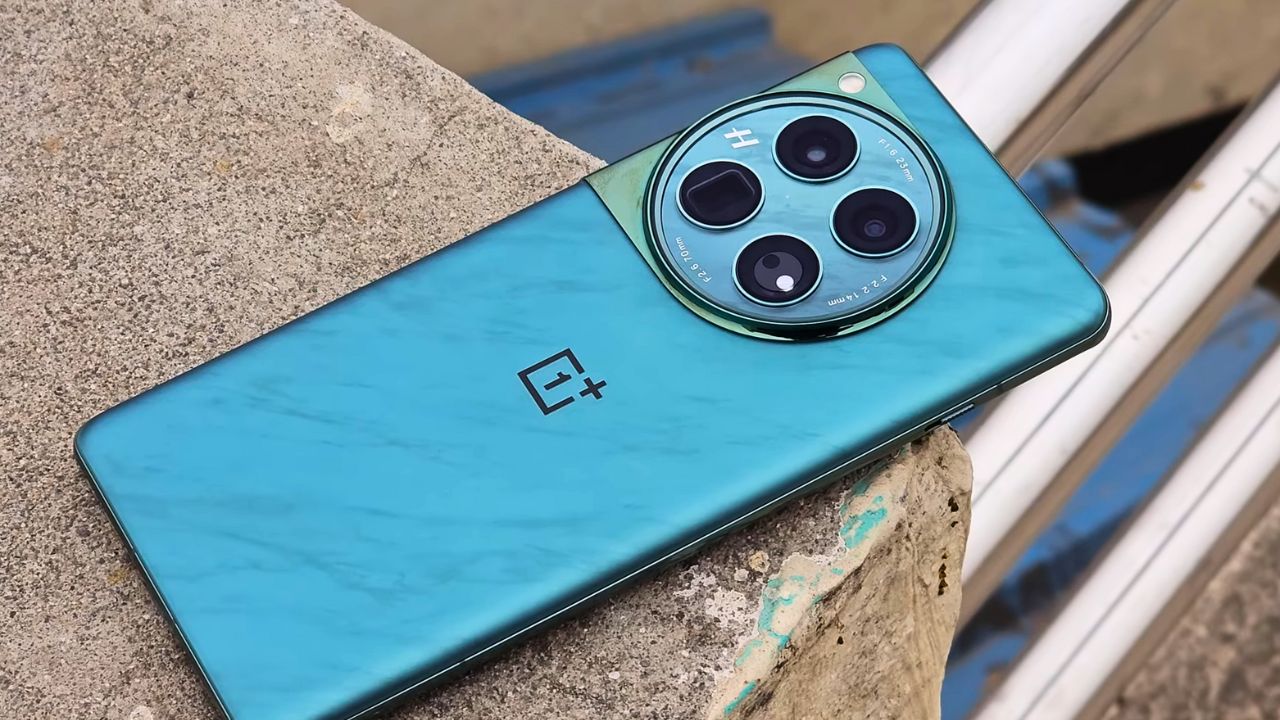
The OnePlus 12, the latest flagship smartphone from the OnePlus company has just received its first major update since launch. This update brings improvements and new features to enhance the overall user experience of the device. It also integrates the January 2024 Android security patch for better system security.
This update can be identified for the OnePlus 12 with its firmware version CPH2573_14.0.0.404(EX01) and its size is 1.40 GB. This update will be rolling out it in stages, so it will take some time to reach all the users.
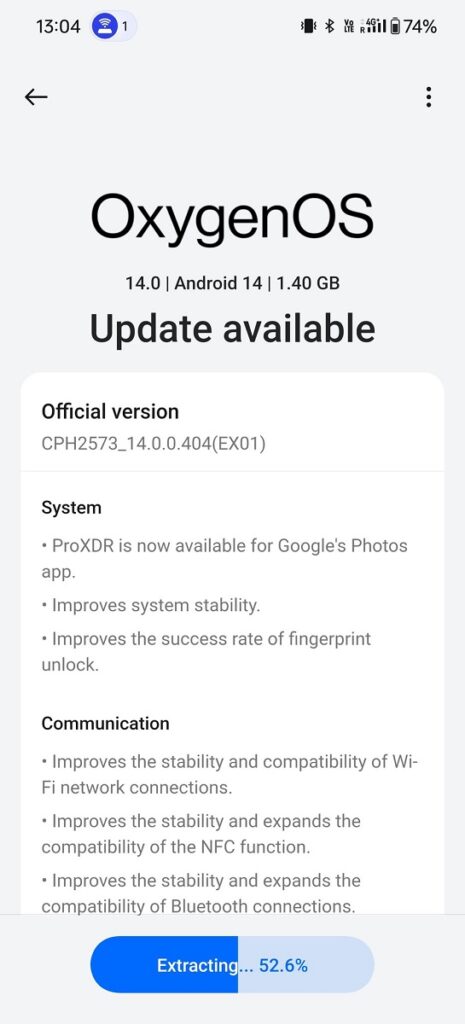
OxygenOS 14.0.0.404 for OnePlus 12
The OxygenOS 14.0.0.404 update for OnePlus 12 brings ProXDR compatibility to the Google Photos app, enhancing the viewing experience with more vivid and dynamic colors. There are improvements in the overall stability of the system, ensuring smoother performance. The success rate of the fingerprint unlock feature has been improved, offering a more reliable and faster unlocking experience.
This update also enhances the stability and compatibility of Wi-Fi connections, ensuring a more consistent and reliable internet experience. The NFC functionality has seen improvements in both stability and compatibility, expanding its range of use. The Bluetooth connectivity has been improved, offering a more stable and broader range of compatibility with devices.
A significant addition to the camera features is the Master mode, which now includes Hasselblad color tuning. This mode is designed to enhance photos with more natural and vibrant colors, bringing professional-grade color accuracy and quality to everyday photography.
Changelog:
System
- ProXDR is now available for Google’s Photos app.
- Improve system stability.
- Improves the success rate of fingerprint unlock.
Communication
- Improves the stability and compatibility of Wi-Fi network connections.
- Improves the stability and expands the compatibility of the NFC function.
- Improves the stability and expands the compatibility of Bluetooth connections.
Camera
- Adds Master mode that features Hasselblad color tuning to enhance your photos with more natural and vibrant colors.
For More Such Updates Follow Us On – Telegram, Twitter, Google News, WhatsApp and Facebook