
Laptops
Asus New ROG Strix Scar 17 SE and Flow X16 2-in-1 Laptops Announced

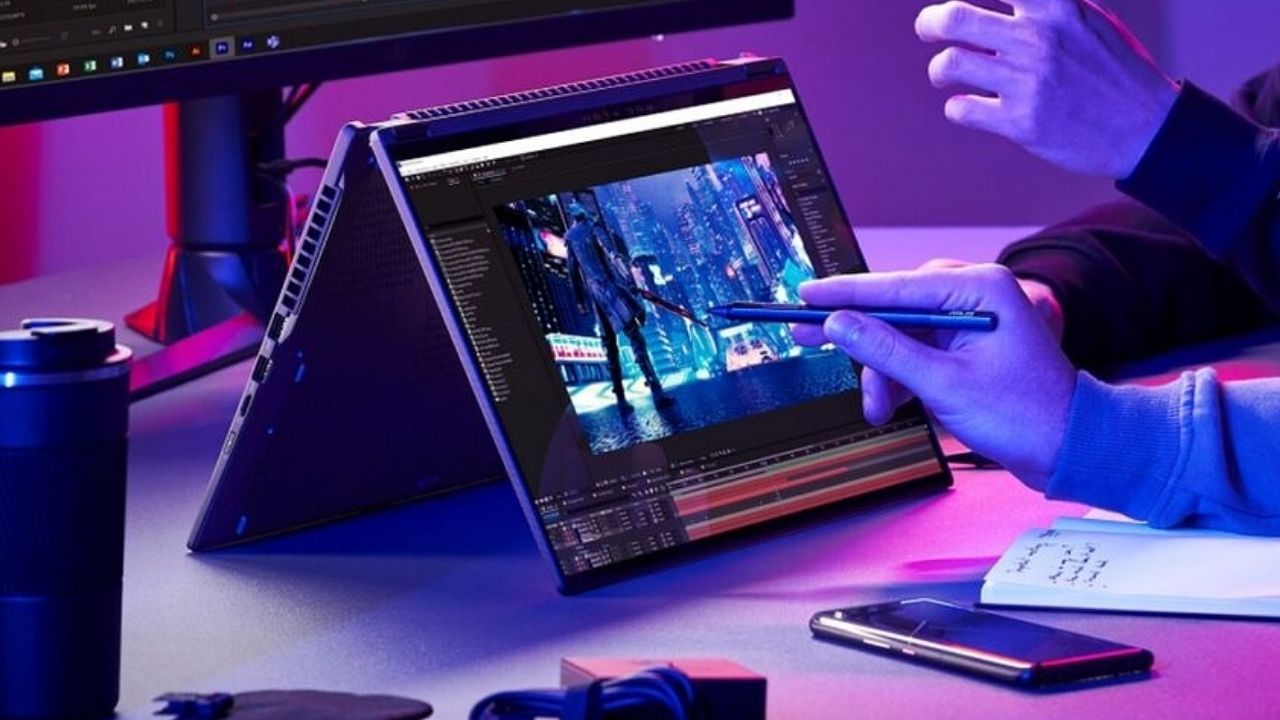
Asus has introduced two new premium laptops, after the relaunch of its ROG Strix and TUF gaming laptops with the newest Intel and AMD components earlier this year. The new ROG Flow X16 and Strix Scar 17 SE (Special Edition) have the newest AMD and Intel processors, as well as RTX GPUs and other features. So, let’s have a look at the specifics.
Asus ROG Strix Scar 17 SE: Specifications and Features
At CES earlier this year, Asus unveiled the ROG Strix Scar 17 2022 Edition. In comparison to the previous model, the Strix Scar 17 SE or Special Edition has even more powerful internals and upgraded features.
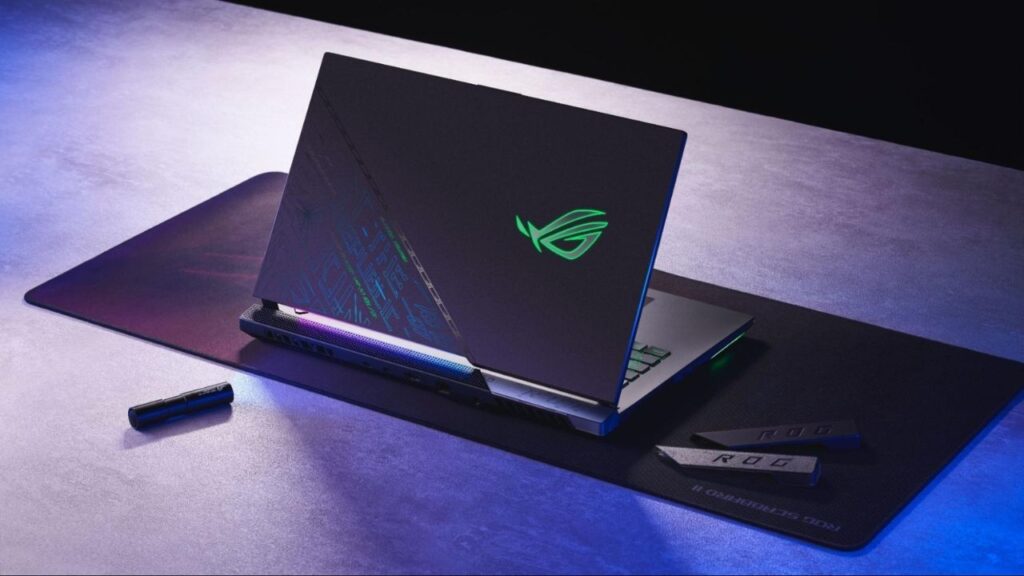
Asus ROG Strix Scar 17 SE
Starting with the design, Asus has always been innovative with the exteriors of their premium laptops, and the Strix Scar 17 SE is no exception. On the top lid, there is a text-based design created by Asus using a spot of special invisible ink. The pattern appears muted in normal lighting, but it shines in a green-blue colour theme when exposed to a blue LED or UV light. The special edition Strix Scar 17 will also come with a little UV torch from Asus. Users can also find a secret message for a mini-game called SCAR Runner by looking at the design closely.
It has a 17.3-inch Full HD 360Hz display or a QHD 240Hz panel when it comes to the display. The Strix Scar 17 is powered by Intel’s latest 12th-Gen Core i9-12950HX processor, which was announced earlier this month for multimedia makers. It has a TDP of 55W and 16 cores and 24 threads, allowing it to give a tremendous performance with up to 175W of power.
Asus has also included a more powerful RTX 3080 Ti GPU, which can now use up to 175W of power when utilising Dynamic Boost, as well as a MUX switch to switch to the discrete GPU and disable the CPU’s integrated graphics processor. Up to 64GB of DDR5 4800 MHz RAM and 4TB of PCIe 4.0 SSD storage are supported.
Asus had to come up with a new cooling solution for the Strix Scar 17 SE because of all the strong and power-hungry components within. As a result, it collaborated with Thermal Grizzly to develop a unique thermal compound called “Conductonaut Extreme.” This substance is administered to the device’s CPU and GPU to keep them cool during intense tasks. When compared to the regular Thermal Grizzly paste, Asus claims that the new thermal paste can save up to 15 degrees.
Furthermore, the 330W power adapter of the gadget has been revamped by the business to be 34% smaller and 27% lighter than the adapter of the Strix Scar 17 2022 Edition. The laptop’s battery lasts 90 minutes. A Thunderbolt 4 port, an HDMI 2.1 port, a 2.5Gb Ethernet port, two USB-A ports, and a 3.5 mm combo audio jack are among the ports. It also has four Dolby Atmos speakers, a backlit keyboard, and other features.
The ROG Strix Scar 17 will run Windows 11 Pro and have Asus software such as the feature-rich Armory Crate software and Asus support. The base model will cost £4,000 (Rs 3,84,250) and will be available in the third quarter of 2022.
Asus ROG Flow X16: Specifications and Features
The ROG Flox X16 is the successor to the ROG Flow X13 from last year, and it has a larger 16-inch screen with a 16:10 aspect ratio. It’s a 2-in-1 gadget with a 360-degree hinge and a variety of physical modes, including tent mode, tablet mode, and regular laptop form.
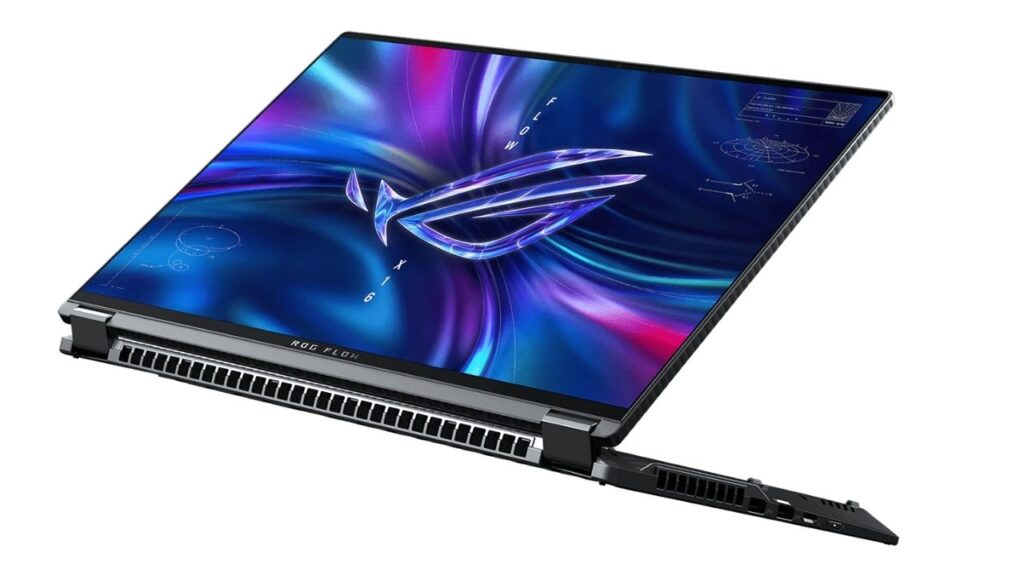
Asus ROG Flow X16
Starting with the display, Asus has fitted the new Flow X16 with its ROG Nebula HDR display, which is the company’s name for a Mini-LED panel. It’s a QHD+ panel with a refresh rate of 165Hz and a brightness of 1,100 bits. The panel also offers 512 local dimming zones, a DCI-P3 colour gamut of 100 percent, and is Pantone-validated. Touch and stylus input is also supported. There’s also a 16-inch QHD 165Hz variant with the Mini-LED component and 500-bit brightness support.
The Flow X16 is powered by an AMD Ryzen 9 6900HS CPU and up to an Nvidia GeForce RTX 3070 Ti GPU. Users can also use Asus’ ROG XG mobile eGPU to boost the device’s graphics performance. There’s also a MUX switch that disables the integrated GPU and shifts all graphics rendering work to the separate GPU.
To keep the Flow X16 cool during intense operations and long-session gaming, Asus has included a new “Frost Force” cooling system with a Thermal Grizzly-made liquid metal thermal compound. Three cooling fans, a big heatsink that runs the length of the laptop, and many heat pipes all work together to keep the heat away from the internal components.
To keep the Flow X16 cool throughout intense activities and lengthy sessions of gaming, Asus has included a new “Frost Force” cooling system with a Thermal Grizzly-made liquid metal thermal compound. Three cooling fans, a big heatsink that runs the length of the laptop, and various heat pipes that direct heat away from the internal components are all included.
The laptop also includes up to 64GB DDR5 4800 MHz RAM, up to 2TB PCIe Gen 4 SSD storage, four Dolby Atmos speakers, a backlit keyboard, Wi-Fi 6E, Bluetooth 5.2, and a 90Whr battery. USB Type-C, two USB Type-A, HDMI compatibility, a 3.5mm audio connector, and a microSD card reader are among the I/O ports. It is powered by Windows 11 Pro.
The price and availability of the new ROG Flow X16 have yet to be announced by Asus. We anticipate receiving the equipment by the end of the year.
Read More: Asus has released the ZenBook 14X OLED Space Edition featuring a ZenVision display
For More Such Updates Follow Us On – Telegram, Twitter, Google News, WhatsApp and Facebook











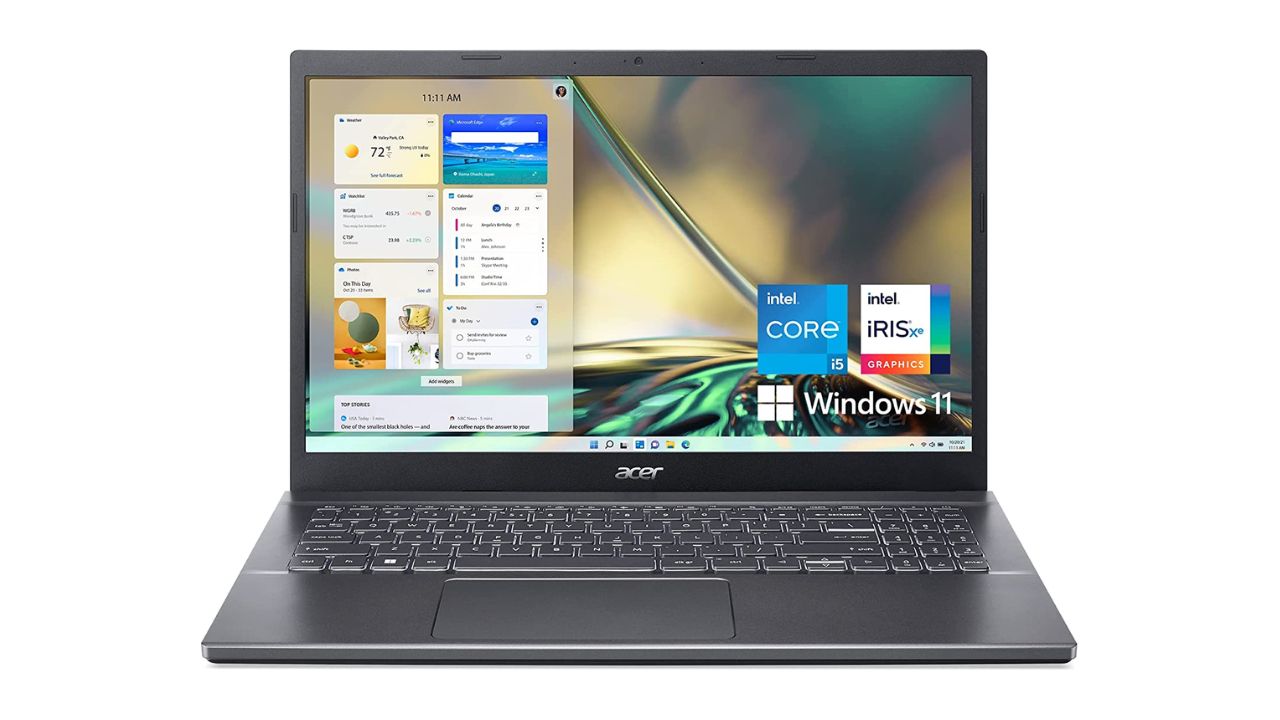
The latest 12th Gen Intel Core i5 processors and NVIDIA GeForce RTX graphics for enhanced gaming performance have been revealed by Acer India for the introduction of the Aspire 5. The new Aspire 5 offers broad connectivity choices and performance-grade cooling solutions for an improved user experience.
Amazon, Croma Stores, Acer Exclusive Stores, and store.acer.com all have the Aspire 5 Gaming Laptop starting at Rs 62,990.
Acer Aspire 5 (A515-57G): Specs and Features
Aspire 5 (A515-57G) has a slim bezel, ComfyView, and a 15.6-inch IPS display with full-HD (1920 x 1080 pixels) resolution. Acer Color Intelligence, Acer BlueLightShield, and an 81.18 percent screen-to-body ratio are all included with the display. It is equipped with an Nvidia GeForce RTX 2050 GPU and an Intel Core i5-1240P processor from the 12th generation.
The gaming laptop has 8GB of DDR RAM as primary memory, which can be expanded to 32GB. The laptop features a 512GB SSD for storage, which can be upgraded to two SSDs with a maximum capacity of 2TB. The operating system of the laptop is Windows 11.
Read More: Moto G42 Launching in India on July 4: Check Specs, expected price
The gaming laptop has two fans that support cooling in various modes, as well as two copper thermal pipes that can remove up to 10% more heat through the air-inlet keyboard. On the gaming laptop, users also receive support for Acer PurifiedVoice with AI noise reduction, which actively muffles surrounding sounds for them.
A fingerprint scanner and a 720p HD webcam are also included. The Aspire 5 A515-57G has Wi-Fi 6E, Bluetooth 5.2, one HDMI 2.0 port, three USB Type-A ports, and one Thunderbolt 4 port for connecting two 4K displays.
Also read: HP Spectre x360 2-in-1 Laptops Launched with 12th-Gen CPUs, 4K 120Hz Displays in India
If you like our article then follow us on Google news, and Instagram or join our Telegram Group. For the latest TechNews and Reviews, follow Techibee on Twitter and Facebook, and subscribe to our Youtube channel.
For More Such Updates Follow Us On – Telegram, Twitter, Google News, WhatsApp and Facebook
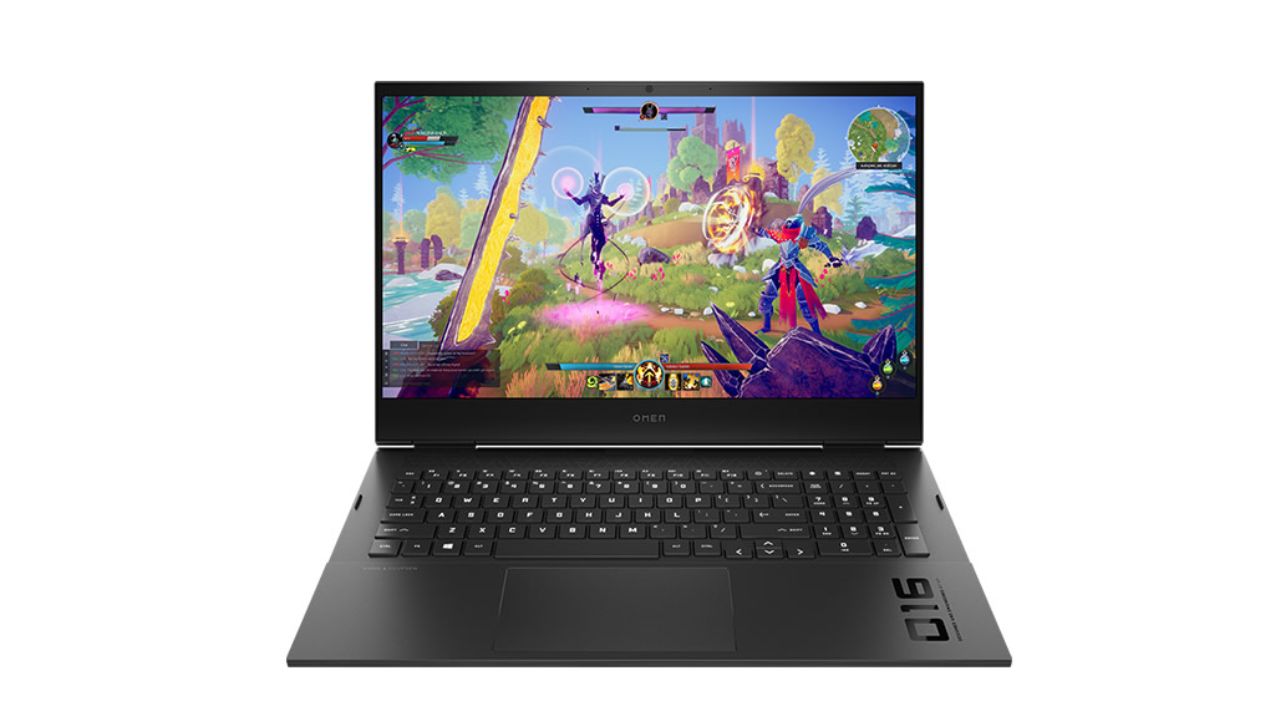
The new OMEN 16, OMEN 17, and Victus 15 & Victus 16 laptops with Intel Core 12th Gen and AMD Ryzen 6000 series Processor cores, OMEN and Victus desktops, and a number of other improvements to the OMEN Gaming Hub make up HP’s most recent gaming lineup in India. A 16.1-inch IPS screen with a QHD (25601440 pixels) resolution and 165Hz refresh rate is included on the HP Omen 16 (2022).
HP Omen 16 (2022), Omen 17 (2022): Specifications and Features
Additionally, the display features a 3ms response time, and a 100% sRGB colour gamut, and has been certified as an Eyesafe display by Germany’s TÜV Rheinland. The Omen 17 has the same features with a larger 17.3-inch display.
There are two processor options available for the laptops: one has an Intel Core i9-12900H processor and the other has an AMD Ryzen 9 6900HX processor. The AMD-processed variant has AMD Ryzen RX 6650M graphics whereas the Intel-processed model has Nvidia GeForce RTX 3070 Ti graphics.
The CPUs can be combined with up to 2TB PCIe Gen4x4 SSD and up to 32GB DDR5 4800MHz RAM. A built-in IR thermopile sensor is also included with the HP Omen 16 (2022). On a full charge, the laptop is said to last up to 9 hours of use.
HP claims that the improved thermal system in the Omen 16 (2022) and Omen 17 (2022) gaming laptops adds a fifth heat pipe in addition to a fourth outflow vent. Together, these changes are said to have reduced GPU temperature by 3%, bottom SSD temperature by 14%, and running noise by 5%.
Also read: HP Spectre x360 2-in-1 Laptops Launched with 12th-Gen CPUs, 4K 120Hz Displays in India
A 15.6-inch IPS screen with up to full-HD (1920 x 1080 pixels) resolution, 144 Hz refresh rate, and Eyesafe low-blue light technology is featured in the HP Victus 15 (2022) gaming laptop. On the other hand, the 16.1-inch panel on the Victus 16 (2022) offers a maximum QHD resolution and a maximum refresh rate of 165 Hz.
The laptops have GPUs as powerful as the Nvidia GeForce RTX 3050 Ti. According to HP, the HP Victus 15 (2022) has a four-way airflow system and a two-heat pipe design that sends the heat out through large back vents.
A backlit keyboard, an HP camera, and dual speakers tuned by B&O are additional features. One SuperSpeed USB Type-C 5Gbps signalling rate (DisplayPort 1.4, HP Sleep and Charge), one SuperSpeed USB Type-A 5Gbps signaling rate, and one HDMI 2.1, one RJ-45, one AC smart pin, and one headphone/microphone combo are available for connectivity. The laptop runs Windows 11 Home and is powered by a 70Wh battery.
| Model | Availability & Pricing |
| OMEN 16 | Available in in the color Shadow Black, starting at 1,09,999 Rs |
| OMEN 17 | Available from August 2022, starting 1,99,999 Rs |
| Victus 15 | Available from July 2022, starting 67,999 Rs |
| Victus 16 | Available now starting 84,999 Rs |
| OMEN 45L, 40L and 25L desktops | Available now starting at 1,49,999 Rs |
| Victus 15L desktop | Available now starting at 93,999 Rs |
HP Omen 45L, Omen 40L, and 25L: Specifications and Features
The OMEN 45L, 40L, and 25L desktops are powered by Intel processors with up to 12 cores and up to 10GB of memory, as well as HyperX 32GB (2x16GB) DDR4 3733 XMP RGB for the 40L model and up to 10GB of memory for the 45L model.
Omen 45L desktops have cooling technology that uses outside air to maintain the proper temperature inside the system. The gadgets have full metal panels, tool-free entrances, tempered glass panels, and comprehensive RGB control. While HP also offers users the option to customise BIOS access, RAM frequency, and RBG with the OMEN gaming hub, users can also intelligently overclock the SW-based fan control.
HP Victus 15L Specifications
The Victus 15L is powered by an Intel i7-12700F with 12 cores and an AMD Ryzen 7 5700G with 8 CORES or NVIDIA GeForce RTX 3060 Ti. It has a small footprint and a changeable RBG logo. A lot of customization is also possible with the new line of desktop PCs.
Also read: Asus ROG Phone 6 First Look Revealed: Here’s what specs it will have
If you like our article then follow us on Google news, and Instagram or join our Telegram Group. For the latest TechNews and Reviews, follow Techibee on Twitter and Facebook, and subscribe to our Youtube channel.
For More Such Updates Follow Us On – Telegram, Twitter, Google News, WhatsApp and Facebook
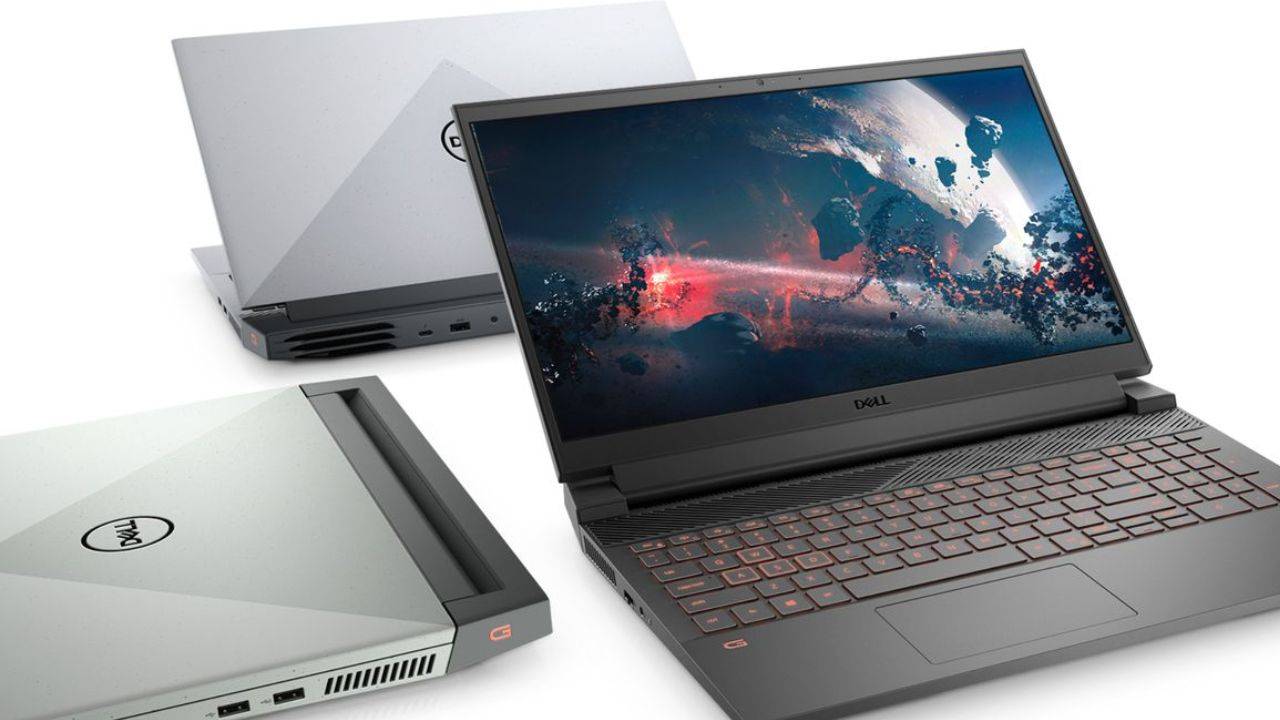
Dell has announced a new G15 gaming laptop with AMD’s latest processors in India, after the debut of its G15 Gaming Laptops with 12th-Gen Intel CPUs earlier this year. The new Dell G15 AMD Edition comes with Ryzen 6000-series processors, Nvidia’s RTX 3060 GPU, and other high-end features. Take a look at the details down below.
Dell G15 AMD Edition: Specifications and Features
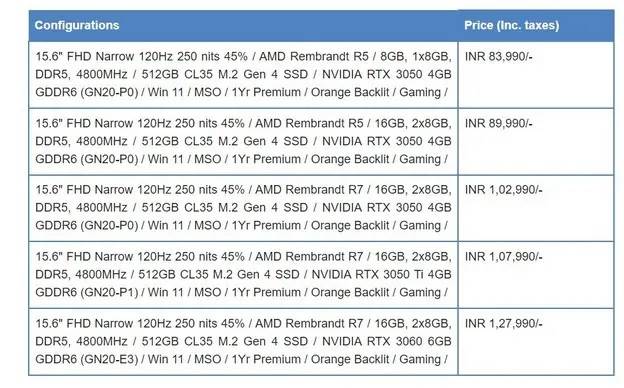
The new Dell G15 AMD Edition (model 5525) is available in five different configurations, each with AMD’s Ryzen 6000-series processors. The Ryzen 5 6600H CPU and Nvidia RTX 3050 GPU are included in the base model, while the Ryzen 7 6800HX processor and Nvidia’s RTX 3060 GPU with 6GB of graphics memory are included in the greater option.
In terms of memory, the laptop supports up to 16GB of 4,800MHz DDR5 RAM and 512GB of M.2 Gen 4 SSD. Dell also claims that the laptop includes an Alienware-inspired thermal design that allows it to give excellent performance while maintaining low temperatures. A dual air-intake design, copper pipes, ultra-thin fan blades, and four outward outlets to convey hot air are all included.
The Alienware Command Center software, which allows users to modify fan speeds and other performance features of the laptop, is also pre-installed on the G15. Users can also enable a dynamic performance mode appropriate for high-performance gaming by pressing the Function + Game Shift button (F9).
A 15.6-inch Full HD screen with a 120Hz refresh rate and a peak brightness of 250 nits is standard on all Dell G15 AMD Edition models. Users can, however, pay a little extra to upgrade to a 165Hz display for the device.
Also read: HP Spectre x360 2-in-1 Laptops Launched with 12th-Gen CPUs, 4K 120Hz Displays in India
Three USB-A ports, one USB-C port with Display output, an HDMI 2.1 port, an RJ45 ethernet port, and a 3.5mm audio jack are among the laptop’s I/O ports. Aside from these features, the Dell G15 AMD Edition includes dual speakers with Dolby Audio compatibility, an orange backlit keyboard with highlighted WASD keys, and Windows 11. Dark Shadow Grey and Phantom Grey with Speckles are the two colour possibilities.
Dell G15 AMD Edition: Price and Availability
In India, the new Dell G15 AMD Edition costs Rs 83,990 for the base model and Rs 1,27,990 for the top-tier variant. The costs of each of the device’s configurations may be found in the image attached below.
The Dell G15 5525 is presently available for purchase on Dell’s official website, Dell Exclusive Stores, large-format retailers such as Croma and Reliance Digital, as well as various multi-brand retail outlets in India.
Also Read: ColorOS 12.1 C.29 Released For OnePlus 8, 8 Pro & 8T with Some system Changes – Download Here
If you like our article then follow us on Google news, and Instagram or join our Telegram Group. For the latest TechNews and Reviews, follow Techibee on Twitter and Facebook, and subscribe to our Youtube channel.
For More Such Updates Follow Us On – Telegram, Twitter, Google News, WhatsApp and Facebook