
Apps
Latest OnePlus Orbit App v1.2.0 update New features – Download now

Latest OnePlus Orbit App v1.2.0 update New features – Download now.
OnePlus Community has been together with its users for more than 7 years, creating countless engaging co-creation stories and memories. During this time, Oneplus received constructive feedback and valuable suggestions from you regarding your Community product experience. Over the past few months, Oneplus have been in close discussion with our Community, iterating and improving the overall product experience. On 20th Oct Oneplus unveiled the result of that two-way process – Orbit.
The name ‘Orbit’ was suggested by our long-standing community expert @cdnfarmer. The term “orbit” is often used to describe the path that a satellite travels around the earth, to continuously provide people with better services.
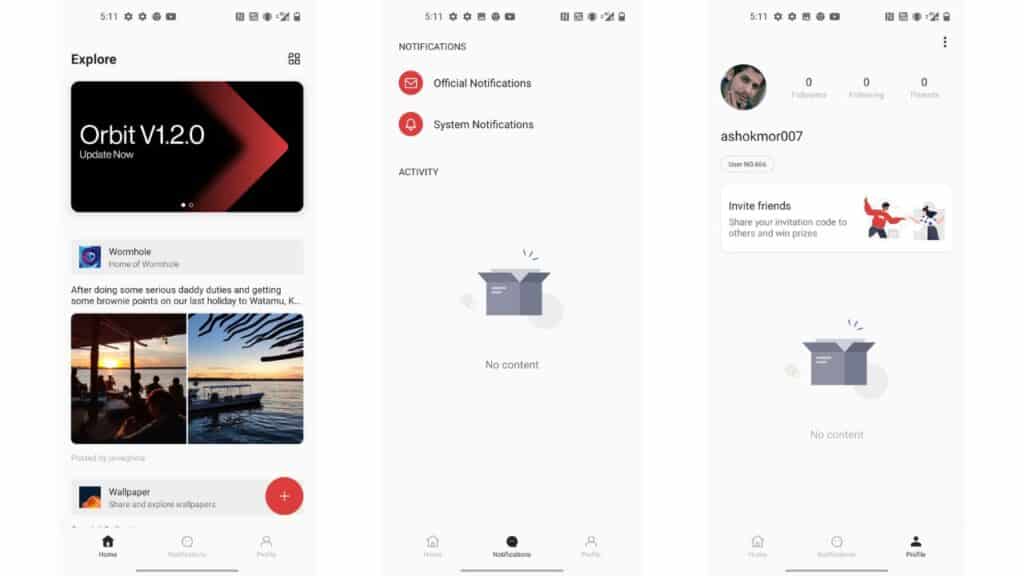
What’s new:
New Feature
- Editing threads & comments
- Sticking post in thread (for mods & staffs only)
- Double-tap to go back to the top
- Uploading GIFs directly from Gboard
- Manual refreshing a thread when you want to see new comments
Improvements
- Thread creation experience
- Order of replies
- Number of likes in thread
- UX of closing the app
Fix
- Bugs related to profile page, comments, visual display, comment, typos
Must-knows
- The release of V.1.2.0 might cause errors or crashes in V1.1.0. For a better experience, please update to the latest version right after
the release. Click “check for updates” in Orbit, or download a new app here in the community. - For issues that haven’t been fixed in this update (spoil alert: search function), please stay tuned to the new product roadmap in Orbit.
V1.3.0 is coming by Dec 17th.
Download Orbit 1.2: Telegram group – Gdrive
Also read: Oneplus Stock Dialer for Oneplus Smartphones running OxygenOS 12
If you like our article then follow us on Google news, Instagram or join our Telegram Group. For the latest TechNews and Reviews, follow Techibee on Twitter, Facebook, and subscribe to our Youtube channel.
For More Such Updates Follow Us On – Telegram, Twitter, Google News, WhatsApp and Facebook



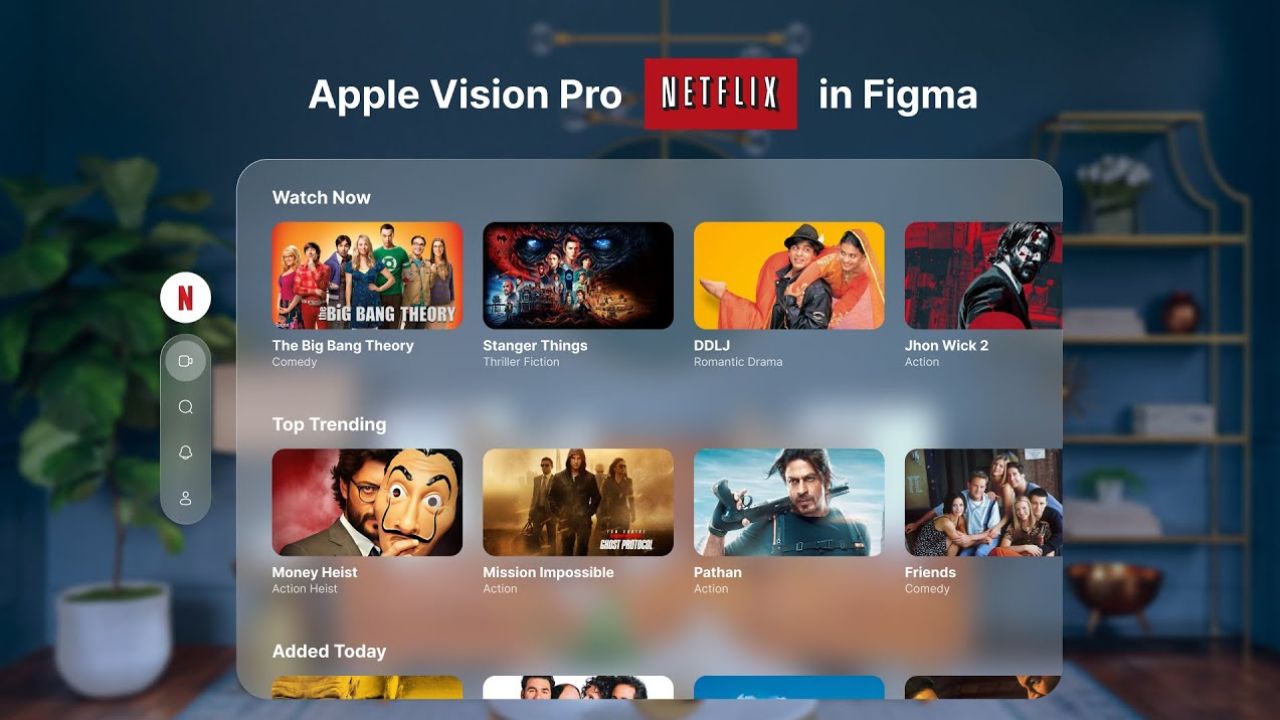
Recently, pre-orders for the Apple Vision Pro were started. According to Ming-Chi Kuo, an analyst has reported sales of around 160,000 to 180,000 units of the Vision Pro. In context to the sales of Apple Vision Pro, Netflix Co-CEO Greg Peters revealed in an interview that there is no need for the Netflix app in Apple’s VR headset.
In that interview, Peters also defined that the number of subscribers can’t justify the attempts to port an app for a platform. In the future, there may be a Netflix app for Apple’s VR headset, but currently, Netflix is adopting a wait-and-see approach. For now, YouTube and Spotify have no plans for dedicated apps.
As we also mentioned in the recent post of the Apple Vision Pro, you can use the apps via the browser in the Vision Pro. Apple’s own Apple TV+ streaming services are available on the Apple Vision Pro, which features “Apple Immersive Video” with Spatial Audio and 180° 3D footage in 8K resolution.
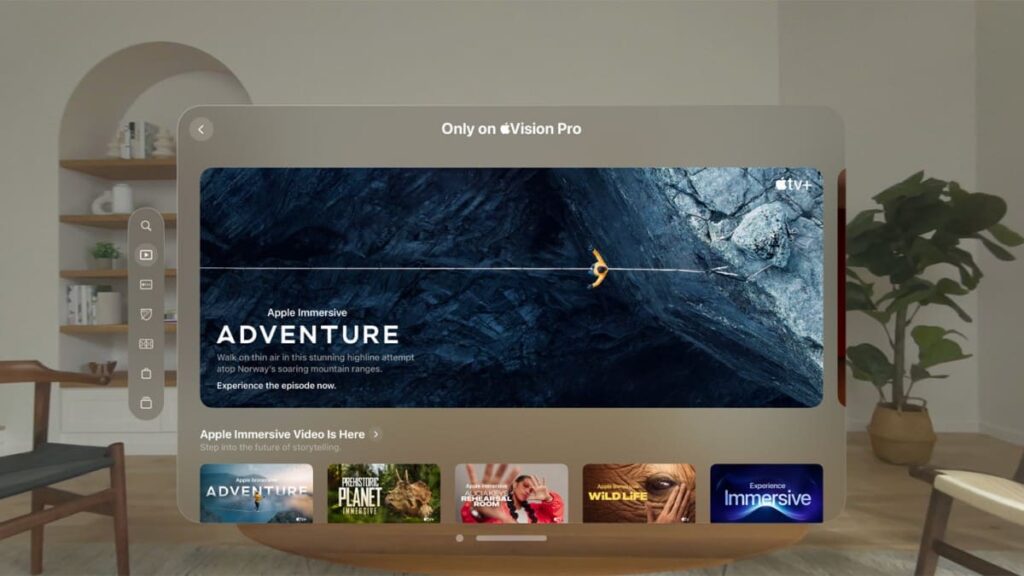
Similarly, Netflix has also a VR app which was launched in back 2015, that also offers VR Content and includes a 360° video for the Stranger Things Series, but for now, it’s not available in Apple Vision Pro. Netflix has a ton of VR movies that you can also check out.
Featured Image Courtesy: Average Design Dude (YouTube)
For More Such Updates Follow Us On – Telegram, Twitter, Google News, WhatsApp and Facebook


WhatsApp has undergone notable changes, introducing new colors and status updates for both its website and app. Whatsapp is currently in the process of rolling out a fresh update through the TestFlight beta program, named version 24.1.10.76. Within the app’s settings, the version is identified as 2.24.1.76, while the TestFlight build stands at 24.1.10(555067882).
WhatsApp beta for Android, in its 2.24.2.11 version, is rolling out a significant feature. Users can now create and share polls within their channels, fostering interactive engagement by collecting feedback, opinions, and preferences directly from their followers. The latest WhatsApp beta test for iOS, marked as version 24.1.10.76, is also geared up to incorporate this polling feature.
WhatsApp ensures that the choices made by channel followers during voting remain secure and anonymous. Currently available to beta testers, the feature to share polls in channels can be accessed by installing the latest version of WhatsApp beta for iOS and other Android phones via the TestFlight app. It will be available to everyone in the coming days.
While polls on various platforms often disappear within 24 hours, it remains to be seen whether WhatsApp will adopt a similar approach or introduce its own unique twist.
For More Such Updates Follow Us On – Telegram, Twitter, Google News, WhatsApp and Facebook

X (formerly Twitter) is going to introduce voice and video calls on Android. The Audio and Video Calls feature has already been available for iOS users since October last year, and now the feature is going to be available for Android users. But you need X premium subscription to make calls. You can receive calls for free.
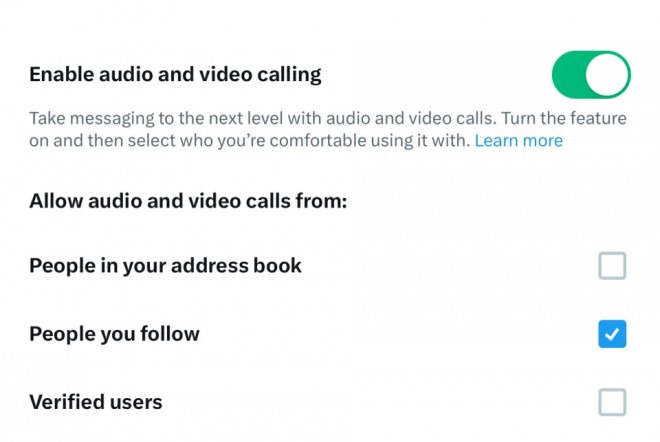
You can see the Audio and Video Calls option in the settings tab of DM. Users can also control privacy settings from the settings page by selecting from the three options of who can call them: accounts they follow, people in their contact book, verified users, etc. If you want to know more about audio and video calls on X, then you can read more by clicking here.
Will you purchase a premium subscription from X for audio and video calls? Do let us know in the comment box. Also, do tell us whether you like our post or not.
For More Such Updates Follow Us On – Telegram, Twitter, Google News, WhatsApp and Facebook