
Mobiles
Lava Agni 2 5G Goes Out of Stock on Amazon: Overwhelming Demand Surprises Manufacturer


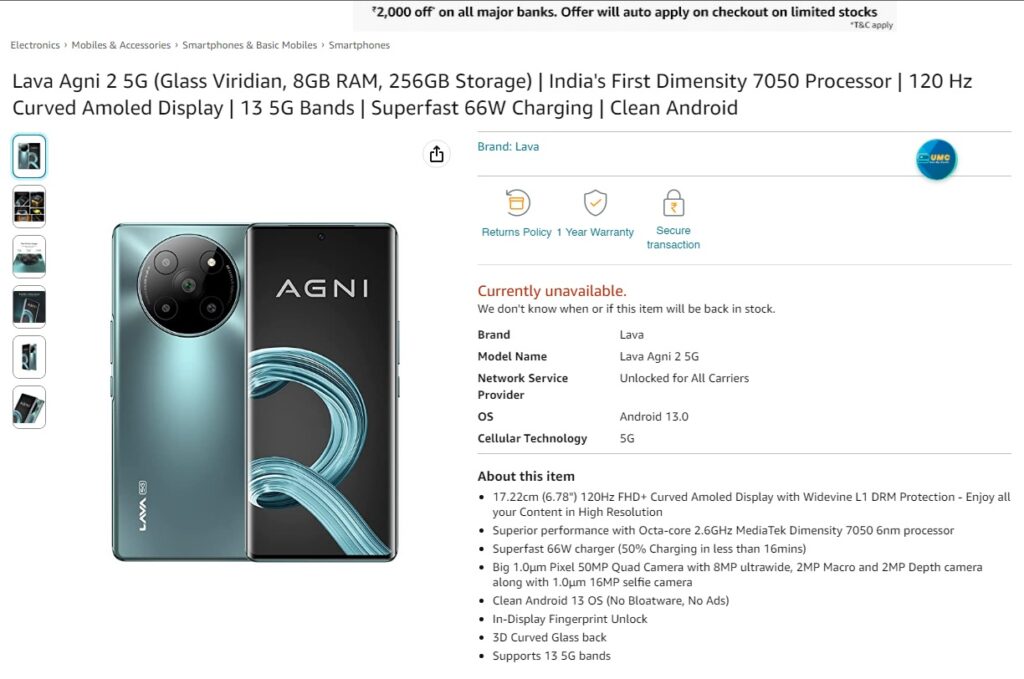
In a surprising turn of events, the highly anticipated Lava Agni 2 5G smartphone went out of stock on Amazon shortly after its sale commenced this morning at 10 am. Within the span of just an hour, eager customers were met with disappointment as the product vanished from the online marketplace. However, a few fortunate individuals were able to successfully place their orders before stocks were depleted.
Lava Agni 2 5G: A Smartphone in High Demand
Renowned tech reviewer Geekyranjit took to Twitter to express his satisfaction, stating, “Finally was able to purchase the Lava Agni 2 smartphone, it became listed on Amazon again after initial glitches. But looks like it will come sometime next week.” Despite initial hiccups, it appears that Lava managed to rectify the situation and resume sales, albeit with a delay in delivery.
Gizmoddict, a popular gadget-centric Twitter account, humorously compared Lava’s situation to “The Full Xiaomi Strategy,” implying that the smartphone brand created a hype similar to Xiaomi’s marketing tactics. Several consumers shared their experiences on social media, expressing their disappointment at being unable to secure the sought-after device. One such tweet from Gizmoddict read, “Lava pulling the Full Xiaomi Strategy😂 Phone is out of stock since 10 am. Did anyone manage to buy it?”
Lava Company Acknowledging the Rush and Promising More Stock
Responding to the overwhelming response, Sunil Raina, President and Business Head at Lava International Limited, acknowledged the immense interest in the Lava Agni 2 5G and assured customers that production would be increased to meet the unexpectedly high demand. He tweeted, “Sensing the huge interest in #LavaAgni2, we increased production to meet the expected demand. But, to be honest, we did not anticipate such an overwhelming rush on sale day. We are ramping up production to make more stocks available. Grateful for your love and support 🙏.”
The Lava Agni 2 5G, priced at Rs. 19,999 in India, garnered significant attention for its competitive features and affordability. It was speculated that discounts might be available for the device during the sale. However, due to the swift depletion of stock, some customers might have missed out on potential savings.
As the buzz surrounding the Lava Agni 2 5G continues to grow, customers eagerly await the restocking of this in-demand smartphone. Lava’s prompt response to the situation and their commitment to increasing production signifies their dedication to meeting the needs of their loyal customer base.
While disappointed customers patiently wait for their orders to be fulfilled, it remains to be seen how Lava International Limited will manage future sales and stock availability to ensure a seamless shopping experience for consumers eager to get their hands on the Lava Agni 2 5G smartphone.
For More Such Updates Follow Us On – Telegram, Twitter, Google News, WhatsApp and Facebook












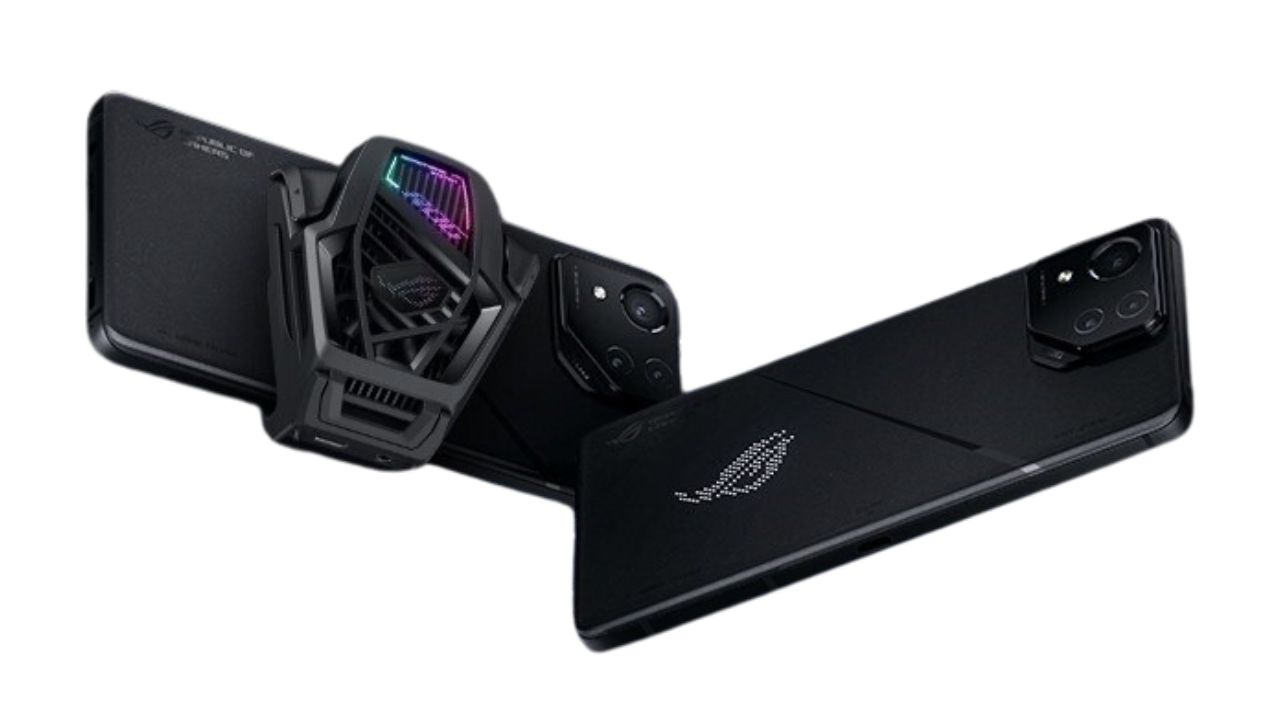
Asus has recently launched the much-awaited ROG Phone 8 Pro in India. Unveiled earlier this month, the smartphone is now available for purchase on Asus’ official Indian website and through Vijay Sales.
The ROG Phone 8 Pro comes in an exclusive Phantom Black color. It offers two memory configurations for potential buyers. The first option includes 16GB of RAM with 512GB of storage, priced at Rs 94,999 (approximately $1,140 or €1,055). The second, more advanced option is the 24GB/1TB model, priced at Rs 119,999 (around $1,445 or €1,330). This model is notably branded as the Asus ROG Phone 8 Pro Edition and comes with an added perk – the ROG AeroActive Cooler X. This accessory, aimed at enhancing the gaming experience, can also be purchased separately for Rs 5,999 (about $70 or €65).
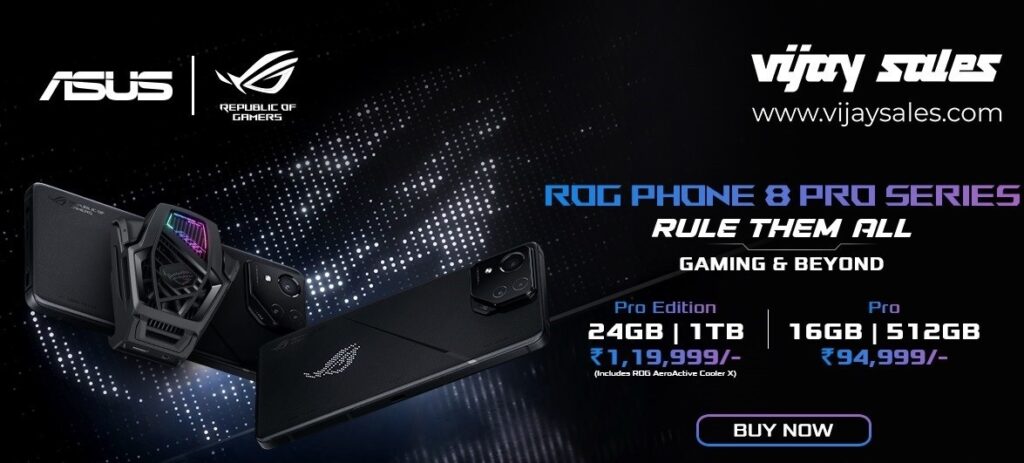
At the core of the Asus ROG Phone 8 Pro is the powerful Snapdragon 8 Gen 3 processor. The phone operates on Android 14, enhanced with Asus’ ROG UI, tailored for an immersive gaming experience. The device flaunts a 6.78-inch 165Hz FullHD+ LTPO AMOLED display, which includes an integrated fingerprint reader for added security.
Battery life is a strong suit for the ROG Phone 8 Pro, equipped with a 5,000 mAh battery. It supports 65W wired charging, although in India, the charging capability is limited to 30W.
Photography enthusiasts will be excited about the ROG Phone 8 Pro’s camera setup. It features a 50MP primary camera with Optical Image Stabilization (OIS), a 32MP telephoto lens (also with OIS and 3x optical zoom), a 13MP ultrawide lens, and a 32MP selfie camera. A unique addition to the phone is a customizable 341 Mini-LED matrix on the back, allowing users to personalize their device further.
For More Such Updates Follow Us On – Telegram, Twitter, Google News, WhatsApp and Facebook

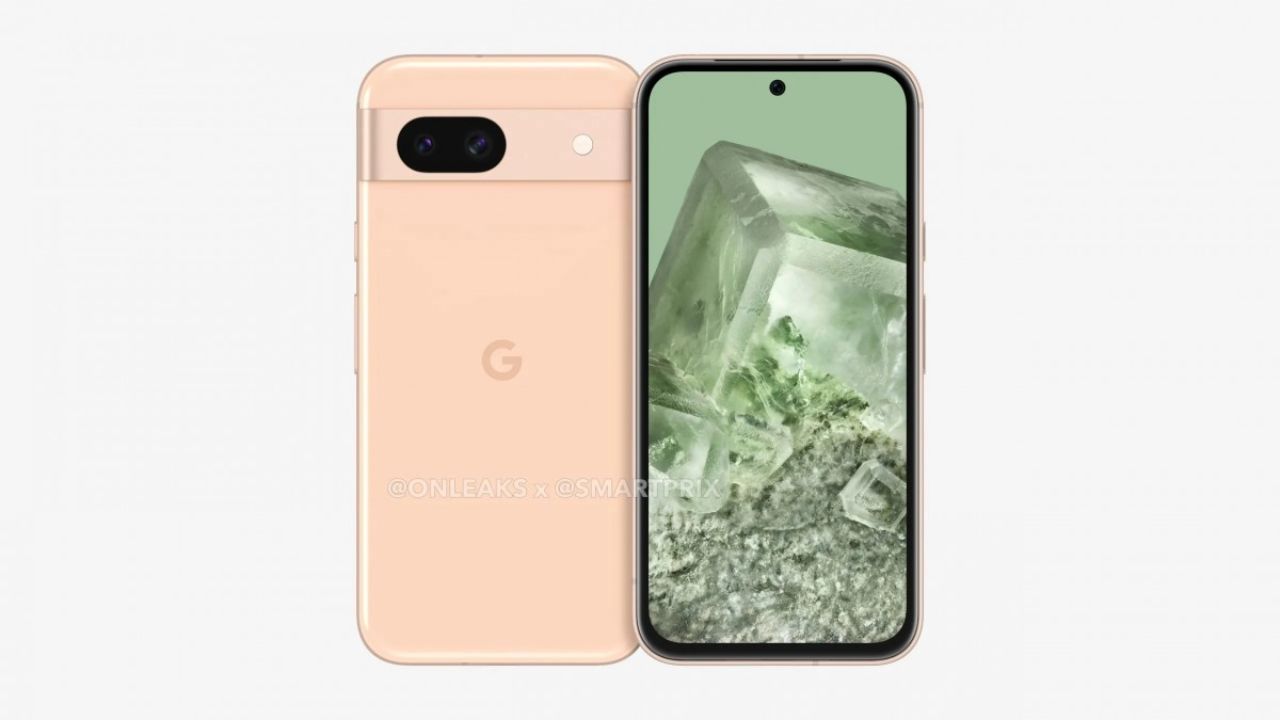
Google’s Pixel 8 lineup, i.e. Google Pixel 8 and Google Pixel 8 Pro, was launched in October 2023. But if we talk about the Google Pixel 8a, then it is expected to be launched in May this year. As we know, the Google Pixel 7a was launched in May last year.
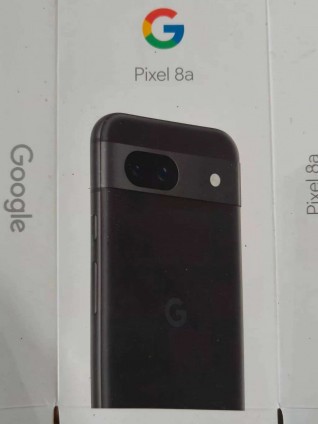
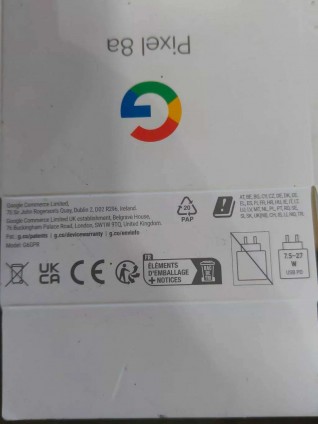
Recently, the box for the Google Pixel 8a has leaked. The recent leak includes the retail box of the new Pixel 8a. On the box, we have an Obsidian Black color variant. The Google Pixel 8a will come in 3 colors, i.e. Obsidian Black, Porcelain, and Bay.
If we see the second picture, then it’s visible that this time as well, we have to buy the charger separately (it isn’t included in the box). Also, the new Google Pixel 8a will support 27W charging, which can be a good upgrade from 18W. But still, it won’t compete with 65W, 80W, 100W, and 150W fast charging phones. The phone is expected to come in two storage variants i.e. 8GB RAM /128GB ROM and 8GB RAM/256GB ROM.
The Google Pixel 8a with model number G6GPR, comes with a dual-back camera setup like the Google Pixel 7a and a little underclocked Tensor G3 chipset. Pixel 8a will also be a mid-range phone and is expected to cost $500 (Rs. 42,999) in India like Google Pixel 7a or $50 more i.e. $550 (Rs. 45716.91).
What are your thoughts about the Google Pixel 8a? Do let us know in the comment box. Also, tell us whether you like this post or not.
Featured Image courtesy: Smartprix
For More Such Updates Follow Us On – Telegram, Twitter, Google News, WhatsApp and Facebook
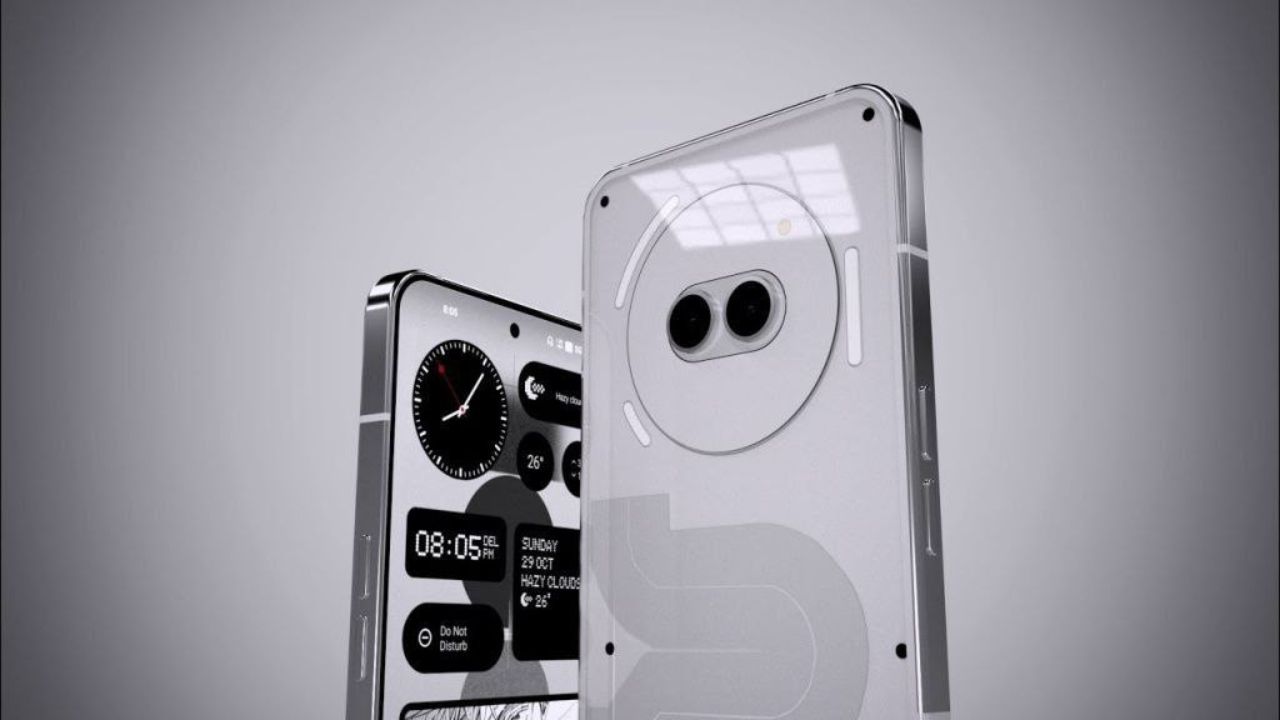
Carl Pei, CEO of Nothing, has hinted at a new smartphone launch this year, sparking speculation that this could be the much-anticipated Nothing Phone (2a). Adding to the intrigue, a follow-up post by the company revealed “Aerodactyl” as a possible codename for this new device.

This mid-range smartphone has been at the center of numerous stories and rumors, drawing significant public interest. Previously, “Pacman” was rumored to be the codename for the Phone (2a). However, a recent report suggests a more nuanced approach with regional codenames – “PacmanIND” for India, “PacmanJPN” for Japan, “PacmanEEA” for Europe, and “Pacman” for the global market.
Adding credibility to these speculations, authorities like the TDRA in the UAE and the BIS in India have certified the smartphone. In the last few days, the company has been generous with details, releasing information about PVT unit photos, expected specs, storage options, color schemes, official wallpapers, and even the launch date and price.
The Phone (2a) is anticipated to feature a MediaTek Dimensity 7200 CPU and a 6.7-inch 1084 x 2412 pixels 120Hz AMOLED display. Camera-wise, it’s equipped with a 50 MP + 50 MP dual-back camera setup, complemented by a 32 MP selfie camera. A robust 4920 mAh battery powers the device. It’s expected to come in two RAM/storage configurations: 8GB/128GB and 12GB/256GB. Color options are likely to be classic – White and Black.
As for the launch, it’s expected next month, with rumors pointing to February 27, 2024, as a potential date. The Phone (2a) is expected to be priced around $400, €400, or Rs 30,000, making it an attractive option in the mid-range market.
For More Such Updates Follow Us On – Telegram, Twitter, Google News, WhatsApp and Facebook