
Android
Lineage OS 19! Based On Android 12 is Officially Released Finally – Check the Supported Devices

Lineage OS is always among the top picks for custom rom enthusiasts . It is well known for its stability and minimal user experience . Now Finally official lineage OS 19 based on Android 12 is now rolling out.
Read more : Top 10 Android 12 Custom Roms
Lineage Team have been working extremely hard since Android 12’s release last October to port their features to this new version of Android. Thanks to their hard work adapting to Google’s fairly large changes in Android 11, they were able to rebase their changes onto Android 12 much more efficiently. This led to a lot of time to spend on cool new features, as well as adapt their additions to Android 12’s new Material You design language!
Features of Lineage OS 19!
- Security patches from March 2021 to April 2022 have been merged to LineageOS 16.0 through 19.
- 19 builds are currently based on the android-12.1.0_r4 tag, which is the Pixel 6 series tag.
- WebView has been updated to Chromium 100.0.4896.58.
- We have completely redone the volume panel introduced in Android 12, and instead made it a side pop-out expanding panel.
- Our fork of the AOSP Gallery app has seen a large number of fixes and improvements.
- Our Updater app has seen a large number of bug-fixes and improvements.
- Our web browser, Jelly has seen a number of bug fixes and improvements!
- We have contributed a number of changes and improvements back upstream to the FOSS Etar calendar app we integrated some time back!
- We have contributed a number of changes and improvements back upstream to the Seedvault backup app.
- Our Recorder app has seen numerous bug fixes, improvements, and features added.
- Android TV builds now ship with an ad-free Android TV launcher, unlike Google’s ad-enabled launcher.
- Android TV builds now ship with a key-handler that enables us to support custom-keys on a wide-array of bluetooth and IR remotes.
- Our
adb_rootservice is no longer tied to the build type property. - Our extract utilities now support extracting from most types of factory images/packed OTA images, simplifying device-bring up and blob-extraction greatly.
- Support for high-touch polling rate has been added to our SDK, allowing it to be enabled on supported devices.
- The AOSP Clang toolchain is now the default toolchain we use to compile our kernels.
- Qualcomm’s Snapdragon Camera has been dropped, and devices that used it previously will now use Camera2.
- Dark mode is now enabled by default.
- We have an entirely new Setup Wizard, with all new Android 12 styled icons, animations, and ton of new configurable pages!
- We have a brand new set of icons for almost all apps, even system ones!
- (18.1 too) We have a whole new default wallpaper, and a full set of wallpapers to choose from, check them out! These wallpapers are designed with Android 12’s Monet theming features in mind, so go try them out and see what accent color you like best!
- (18.1 too) Wi-Fi display is available for all devices which choose to opt-in, via either the Qualcomm proprietary interface or the newly restored legacy Miracast interface!
- (18.1 too) We now support custom charging sounds for different types of charging, cabled or wireless.
Supported Devices For Lineage OS 19
Build roster
Added 19 devices
| Device name | Wiki | Maintainers | Moved from |
|---|---|---|---|
| ASUS Zenfone 5z (ZS620KL) | Z01R | rohanpurohit, Jackeagle, ThEMarD | 18.1 |
| ASUS Zenfone 8 | sake | ZVNexus, cryptomilk | 18.1 |
| F(x)tec Pro¹ | pro1 | BadDaemon, bgcngm, intervigil, mccreary, npjohnson, tdm | 18.1 |
| Google Pixel 2 | walleye | Eamo5 | 18.1 |
| Google Pixel 2 XL | taimen | Eamo5 | 18.1 |
| Google Pixel 3 | blueline | razorloves, cdesai, intervigil, mikeioannina | 18.1 |
| Google Pixel 3 XL | crosshatch | razorloves, cdesai, intervigil, mikeioannina | 18.1 |
| Google Pixel 3a | sargo | cdesai, mikeioannina, npjohnson | 18.1 |
| Google Pixel 3a XL | bonito | cdesai, mikeioannina, npjohnson | 18.1 |
| Google Pixel 4 | flame | cdesai, Eamo5, mikeioannina, npjohnson | 18.1 |
| Google Pixel 4 XL | coral | cdesai, Eamo5, mikeioannina, npjohnson | 18.1 |
| Google Pixel 4a | sunfish | PeterCxy, cdesai, mikeioannina | 18.1 |
| Google Pixel 4a 5G | bramble | aleasto, mikeioannina | 18.1 |
| Google Pixel 5 | redfin | aleasto, mikeioannina | 18.1 |
| Google Pixel 5a 5G | barbet | aleasto, mikeioannina | 18.1 |
| Lenovo Z5 Pro GT | heart | ThEMarD, optionaltoast | 18.1 |
| Lenovo Z6 Pro | zippo | Lucchetto, ThEMarD | 18.1 |
| Moto G6 Plus (XT1926-2/3/5/6/7/8/9) | evert | Jleeblanch | 18.1 |
| Moto G7 (XT1962-1/4/5/6) | river | erfanoabdi, npjohnson, SyberHexen | 18.1 |
| Moto G7 Power (XT1955-1/2/4/5/7) | ocean | erfanoabdi, npjohnson, SyberHexen | 18.1 |
| Moto G7 Plus (XT1965-2/3/6) | lake | Jleeblanch, npjohnson | 18.1 |
| Moto One Power | chef | Hasaber8 | 18.1 |
| Moto One Action | troika | Stricted, npjohnson | 18.1 |
| Moto One Vision/Motorola P50 | kane | Stricted, npjohnson | 18.1 |
| Moto X4 | payton | erfanoabdi, ThEMarD | 18.1 |
| Moto Z2 Force (XT1789-02/3/4/5/6/7) | nash | npjohnson, erfanoabdi | 18.1 |
| Moto Z3 Play | beckham | Jleeblanch | 18.1 |
| Nokia 6.1 (2018) | PL2 | npjohnson, theimpulson | 18.1 |
| Nokia 6.1 Plus | DRG | npjohnson, theimpulson | 18.1 |
| OnePlus 6 | enchilada | LuK1337 | 18.1 |
| OnePlus 6T | fajita | EdwinMoq | 18.1 |
| Razer Phone 2 | aura | mikeioannina, npjohnson | 18.1 |
| Samsung Galaxy Tab S5e (LTE) | gts4lv | bgcngm, LuK1337 | 18.1 |
| Samsung Galaxy Tab S5e (Wi-Fi) | gts4lvwifi | bgcngm, LuK1337 | 18.1 |
| SHIFT SHIFT6mq | axolotl | amartinz, joey | 18.1 |
| Sony Xperia XA2 | pioneer | LuK1337, Stricted, cdesai | 18.1 |
| Sony Xperia XA2 Plus | voyager | LuK1337 | 18.1 |
| Sony Xperia XA2 Ultra | discovery | LuK1337 | 18.1 |
| Sony Xperia 10 | kirin | LuK1337 | 18.1 |
| Sony Xperia 10 Plus | mermaid | LuK1337 | 18.1 |
| Xiaomi Poco F1 | beryllium | bgcngm, warabhishek | 18.1 |
These devices are officially supported now for Lineage OS 19 . Other devices will be added officially according to the availabiity of Official Maintainers.
Apply for Official Device Maintainer Here
Download Lineage os 19 Here
As Android has moved onto the quarterly maintenance release model, this release will be “LineageOS 19”, not 19.0 or 19.1.
source – link
If you like our article then follow us on Google news, and Instagram, or join our Telegram Group. For the latest TechNews and Reviews, follow Techibee on Twitter and Facebook, and subscribe to our Youtube channel.
For More Such Updates Follow Us On – Telegram, Twitter, Google News, WhatsApp and Facebook




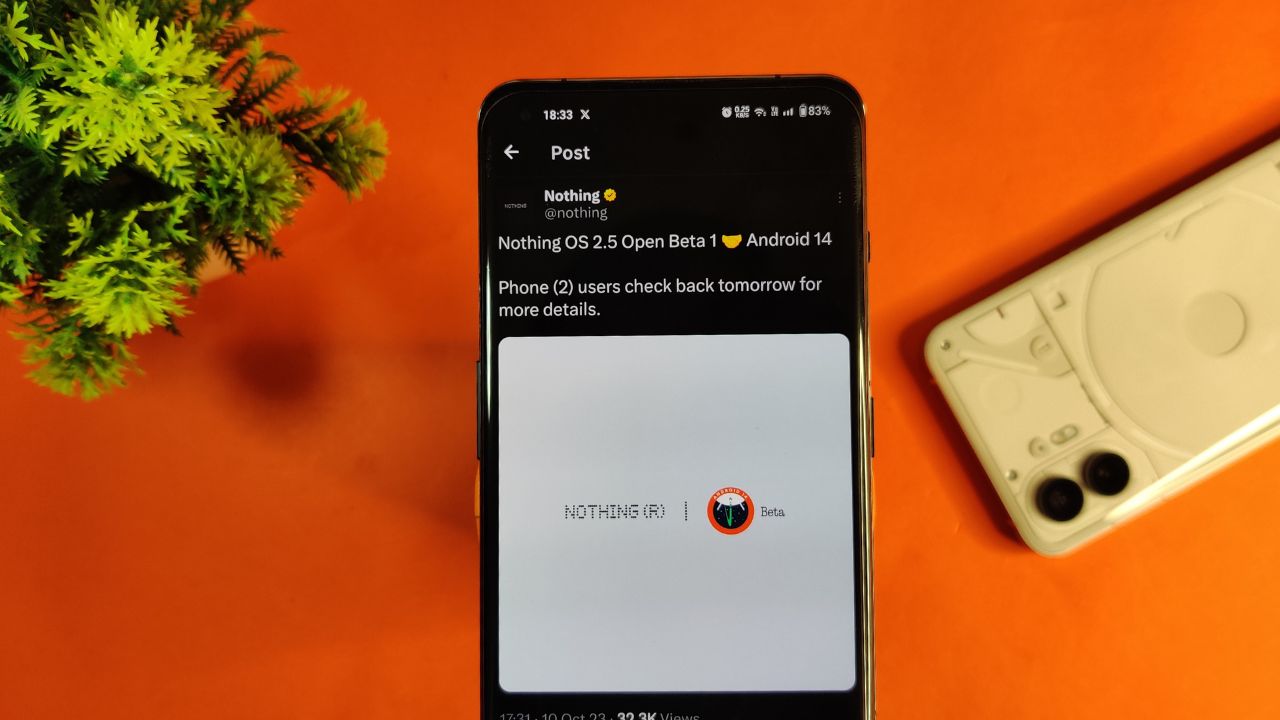
Nothing company has announced its next significant update “Nothing OS 2.5 Open Beta 1” for Nothing Phone (2) users. This new update is based on Android 14. Starting tomorrow, users of the Phone (2) can expect this update on their devices. If there are any special steps needed to install it, the company promises to provide guidance.
The announcement about Nothing OS 2.5 Open Beta 1 came via the company’s official X handle, which used to be known as Twitter. According to their post, more details about this update will be shared on October 11.
However, there’s a bit of a wait on the specifics. Nothing hasn’t yet confirmed the exact time the update will be released. So for now Phone (2) users have to wait for a little while until the next announcement from the company.
For More Such Updates Follow Us On – Telegram, Twitter, Google News, WhatsApp and Facebook
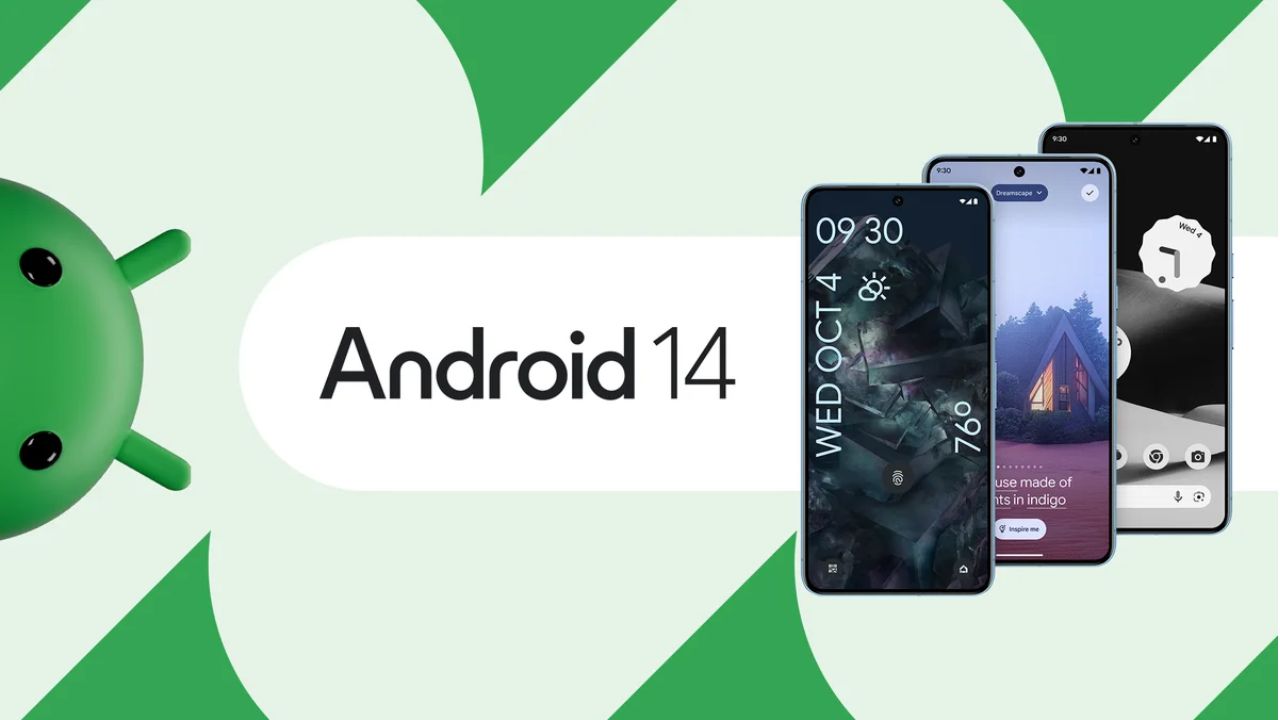
Google’s Pixel devices are now receiving the much-awaited Android 14 update. This follows a preview program that began in February, where several previews and betas were issued. If you own a Pixel 4a 5G or a later model, you can download this latest Android version.
It’s not just Pixel users who can look forward to this update. Companies like Samsung, iQOO, Nothing, OnePlus, Oppo, Realme, Sharp, Sony, Tecno, vivo, and Xiaomi plan to release Android 14 updates for their devices soon.
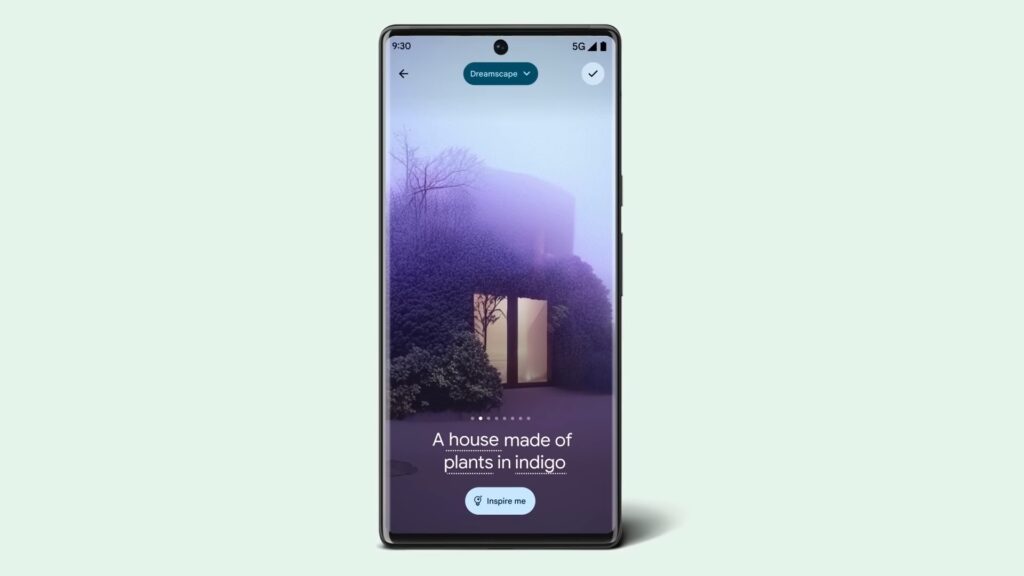
A highlight of Android 14 is its customization features. Google had hinted at these earlier, and now they are a reality. Generative AI wallpapers are making their debut on Pixel 8 and Pixel 8 Pro, backed by advanced text-to-image diffusion models.
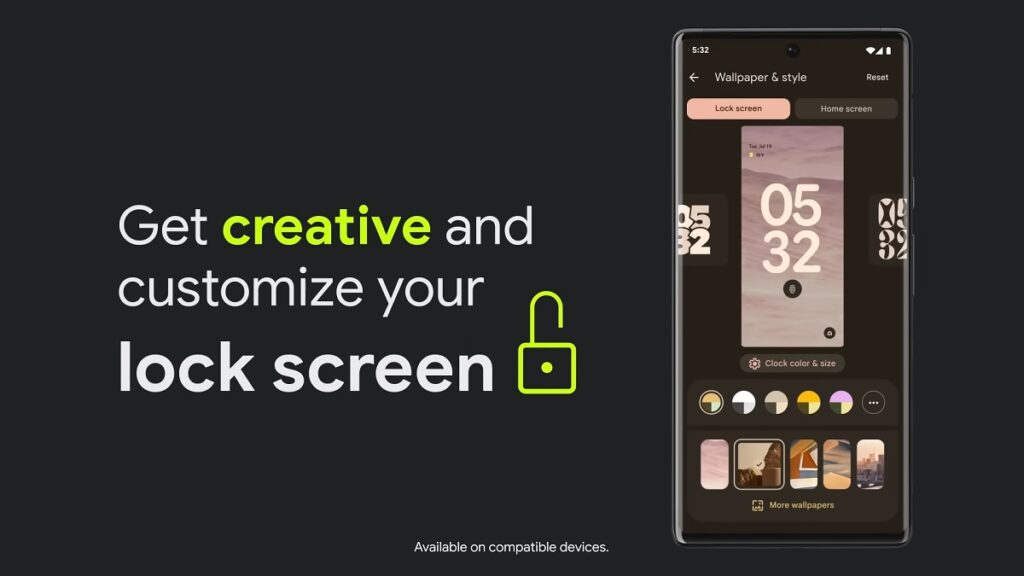
Lock screen personalization has also leveled up. Users can change font styles, choose from different color palettes, and add custom widget shortcuts. This makes it quick and easy to access tools like the QR reader or the Google Home app. There’s even a new feature where the home screen templates adjust dynamically. For instance, if there’s a storm approaching, the weather app widget becomes more noticeable.
Photography enthusiasts will appreciate Android 14’s support for HDR images. The Ultra HDR feature enhances photo quality, making pictures look more vibrant. Audio enhancements are also part of the package, with the inclusion of native spatial audio support, a new media player, and a cross-device copy/paste function.
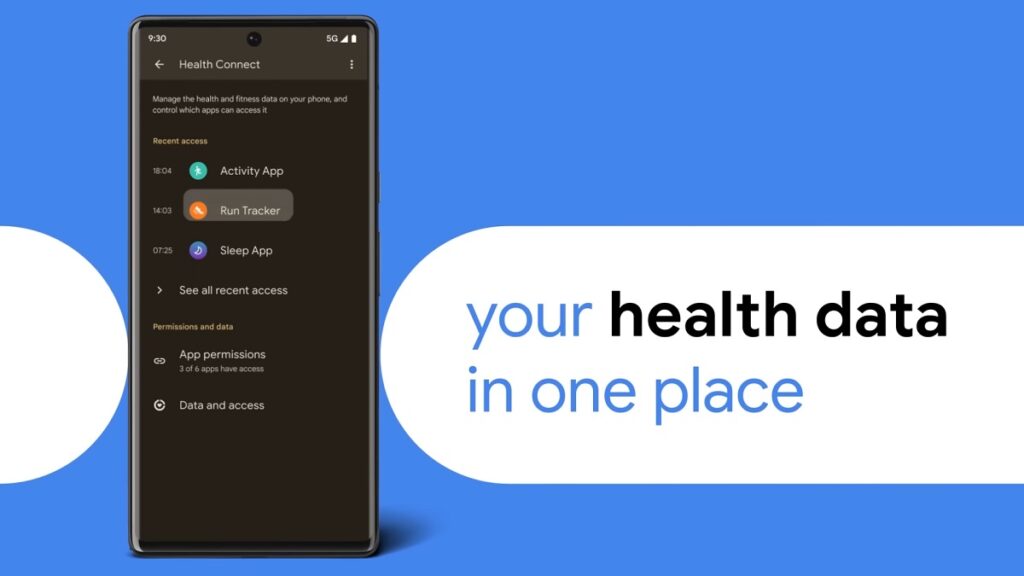
Prioritizing user privacy and security, Android 14 introduces Health Connect. This feature securely stores and encrypts personal health data directly on the device. Users will now also receive alerts if apps want to share location data with third parties, and they have the option to decline such requests.
Improvements extend to passkey features. Android 14 offers enhanced support for fingerprint authentication in external apps. Additionally, there’s a revamped 6-digit PIN lockscreen option.
Accessibility has also been a focus for this update. Users can now magnify content more effectively using the pinch-to-zoom feature and select from various magnification sizes. The quick settings menu offers faster font size adjustments using nonlinear scaling, which makes text easier to read. Hearing aid users will find the dedicated setup in the Accessibility settings beneficial, along with expanded options to direct audio to different outputs.
For More Such Updates Follow Us On – Telegram, Twitter, Google News, WhatsApp and Facebook
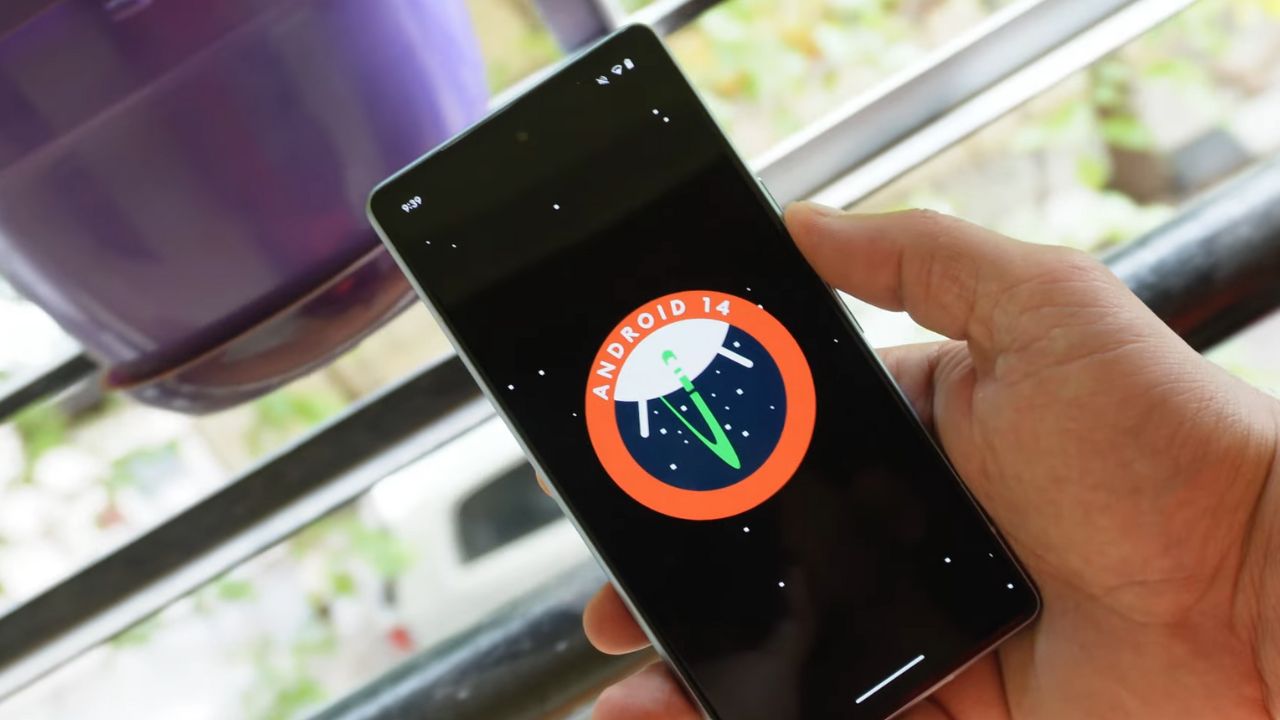
The release of Google’s Android 14 has been much awaited. The latest buzz suggested that it would be unveiled on the same day as the Pixel 8 and Pixel 8 Pro announcement on October 4. While this was initially just a rumor the latest information seems to add some weight to it.
Canadian carrier Telus has provided a clue. They listed software update start dates for the devices they sell. For all Pixel devices beginning with the Pixel 4a the name “Android U” was set for an October 4 rollout.
The term Android U stands for Android Upside Down Cake. This is the inside name for Android 14. Interestingly this detail on Telus’s list was later removed. This change might be because Google noticed the details circulating online and asked Telus to take the information down. This is just a guess. It’s not clear what really happened. There’s a small chance that the initial information was not correct.
But there’s not much waiting left. In less than one day everything will be clear. If Android 14 is set to release on October 4 it is likely that Google will announce it at its big event. So everyone should watch out for that. We will keep you updated on any new developments.
Update: Droid-life.com has updated their article, saying that the information has been removed from the Telus listing as of now.
For More Such Updates Follow Us On – Telegram, Twitter, Google News, WhatsApp and Facebook