Connect with us

Apps

Oneplus 11 Gallery app version 13.3.11 new update – Download Now

Published

on

Oneplus 11 new gallery app

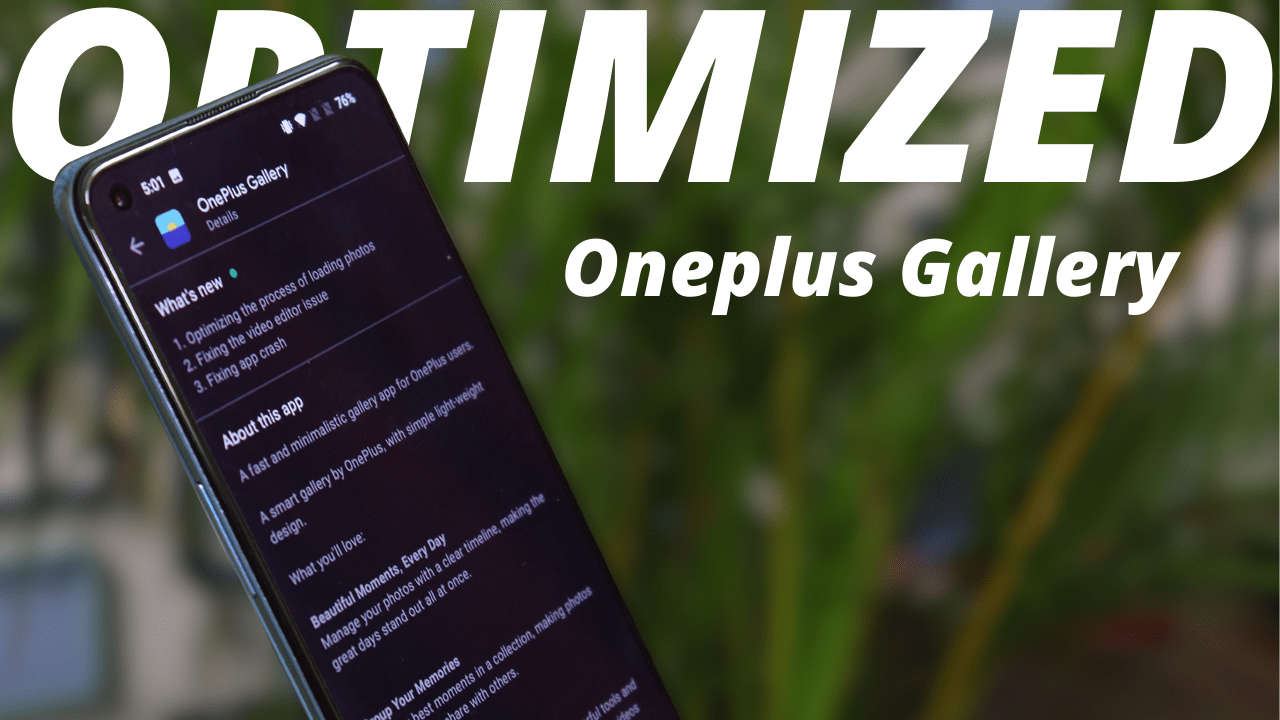
All OnePlus smartphones have the OnePlus Gallery app, which is a built-in gallery program. Users can save, view, and manage all of their photographs and videos using this feature-rich software in one location. Oneplus 11 Gallery app version 13.3.11 new update – Download Now.

The OnePlus Gallery app offers a straightforward user interface that is simple to use. There are many areas in the app, including Pictures, Collections, and Recycle Bin. All of the pictures and videos on your device are chronologically ordered in the Pictures section. Your photographs may be seen in grid or list mode, with the ability to organize them by date, place, or album.
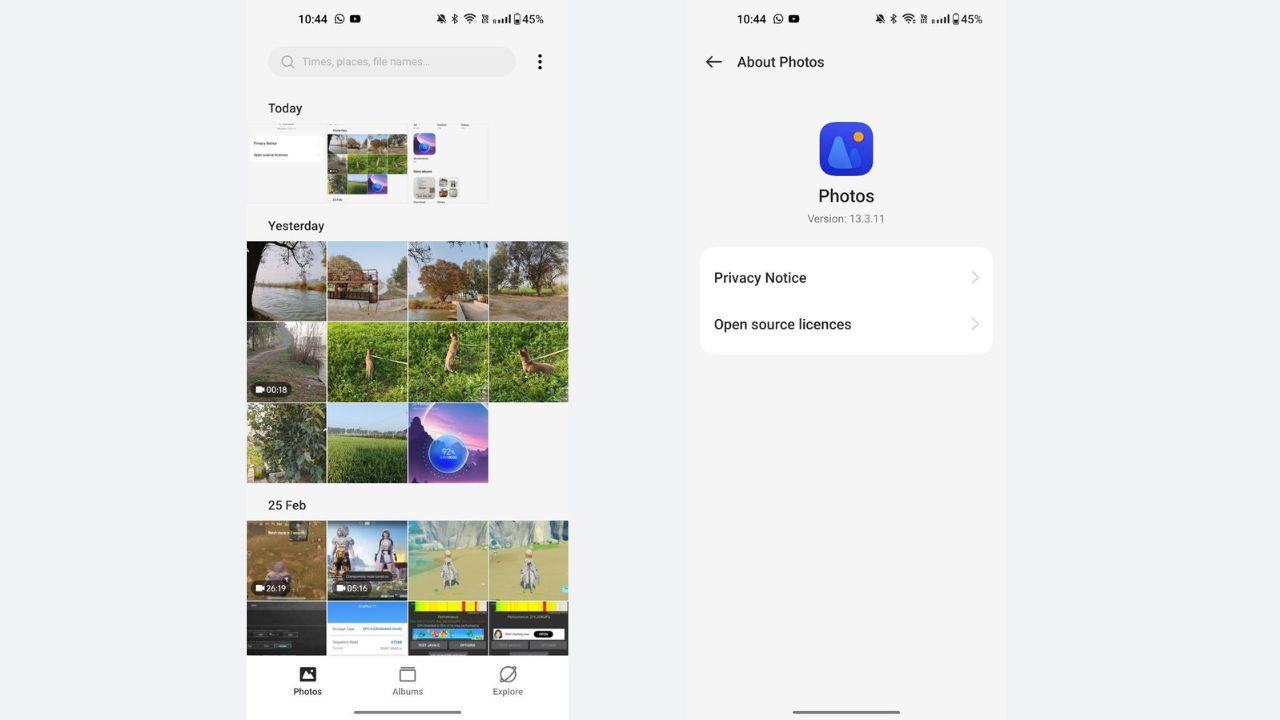
Oneplus 11 Gallery

You may create your own albums by grouping your photographs in the Collections area. This function makes it simple to arrange your photographs and locate particular photos quickly. Also, you may make “smart albums” that automatically classify photos according to date or place. Users may improve their photographs and videos using the numerous editing options included in the OnePlus Gallery app. Basic editing tools like cropping, rotating, and modifying brightness, contrast, and saturation are included in the app. Also, you may edit your photographs with filters and effects.

How to Install Oneplus Gallery?

  • Download the Oneplus Gallery V13.3.11: Download
  • Locate the file you downloaded
  • Tap on the app & allow all permission
  • Tap Install.
  • Note: This app will only work with OxygenOS 13. (Not tested on Other Android versions)

Also Read: Finally New Update of Odialer

If you like our article then follow us on Google News, and Instagram, or join our Telegram Group

Ashok Mor (also known as TechiBee) owns a YouTube channel named TechiBee. He has been providing various tips, tricks and latest tech videos in the world of smartphones.

Click to comment

Leave a Reply

Your email address will not be published. Required fields are marked *

OnePlus

OxygenOS 16.1 June Update Brings AI Features, Audio Sharing and Useful Upgrades for OnePlus Users

Published

on

OnePlus smartphone displaying the Audio Sharing feature in OxygenOS 16.1 alongside the text "OxygenOS 16.1 June Features," highlighting the latest June software update for OnePlus phones.

OxygenOS 16.1 June Update is rolling out to eligible OnePlus smartphones with several practical features that improve the overall user experience. Instead of introducing major visual changes, this update focuses on AI-powered tools, better connectivity, gaming enhancements, improved privacy, and system optimization.

OxygenOS 16.1 June Update Introduces AI Sports Widget

One of the biggest additions in the June update is the new AI-powered Sports Widget. Users can enable it from the OnePlus AI settings and place it on the home screen. The widget displays live football scores, upcoming fixtures, tournament standings, and match results without opening a separate sports application.

This feature is especially useful for sports fans who want real-time updates directly on their home screen.

OxygenOS 16.1 June Update Brings Layer 2 Audio Sharing

The update also introduces Layer 2 Audio Sharing, allowing two wireless earbuds to connect to a single OnePlus smartphone simultaneously. Users can stream music or videos together while independently controlling the volume for each connected earbud.

This feature makes sharing entertainment much more convenient without requiring additional accessories.

OxygenOS 16.1 June Update Improves Outdoor Mode

Outdoor Mode has also received a useful improvement. Users can now customize the dock by adding their preferred applications, including communication, navigation, entertainment, and utility apps. This makes switching between essential apps much faster while using the phone outdoors.

OxygenOS 16.1 June Update Enhances Gaming Experience

Gamers will notice a welcome addition inside Game Space. The Game Capture feature now supports 2K resolution screenshots, allowing players to capture sharper in-game moments compared to the previous standard resolution.

Although it’s a small feature, it benefits users who frequently share gaming content on social media.

Weather and App Drawer Improvements

The Weather application now displays additional information such as moonrise, moonset, and moon phases. While minor, it adds more detailed weather insights.

Meanwhile, the App Drawer has been improved with properly working Suggested Apps, making frequently used applications easier to access.

OxygenOS 16.1 June Update Adds Better Privacy Protection

Another important addition is an enhanced privacy feature. If a third-party application attempts a potentially risky action, OxygenOS now displays a warning and allows users to revoke sensitive permissions with a single tap. This provides better protection, especially for users who install apps from outside the Play Store.

OxygenOS 16.1 June Update Delivers Performance and Battery Improvements

Besides the visible features, the June update also includes better system optimization. Many users have reported smoother performance, improved battery backup, and noticeable camera enhancements after installing the latest software update. While improvements may vary by device, the overall experience appears more refined than previous builds.

Should You Install the OxygenOS 16.1 June Update?

The OxygenOS 16.1 June Update may not be a massive redesign, but it delivers several practical improvements that enhance daily usability. From AI-powered sports updates and dual audio sharing to gaming, privacy, and performance optimizations, the update offers meaningful additions that OnePlus users are likely to appreciate. Users with eligible devices are recommended to install the latest update to enjoy these new features and system improvements.

Also Read: OnePlus Nord Buds 4 Review: Big Bass, Strong ANC and Excellent Battery Life at Rs 3,299

Continue Reading

Tech News

Firefox Android Webpage Summaries Get a Major Upgrade With 5 Exciting AI Features

Published

on

Firefox Android browser interface showcasing Mozilla's new AI-powered webpage summaries feature on a smartphone screen

Firefox Android Webpage Summaries is Mozilla’s latest AI-powered feature designed to help users quickly understand lengthy articles without reading every word. The company has started rolling out this new capability for Firefox on Android, aiming to make web browsing faster, smarter, and more convenient.

Firefox Android Webpage Summaries: Mozilla Introduces AI-Powered Browsing

Mozilla has announced a new feature for Firefox on Android that can automatically generate concise summaries of web pages. The feature is powered by artificial intelligence and is intended to help users save time while browsing articles, blogs, news stories, and other online content.

With the increasing amount of information available online, many users struggle to find the key points in long-form content. Firefox’s new summarization tool addresses this issue by providing a quick overview of important details before users decide whether to read the entire page.

How Firefox Android Webpage Summaries Work

The AI-powered summarization feature analyzes the content of a webpage and generates a short summary highlighting the most important information. Users can access the summary directly within the Firefox browser on Android devices.

Mozilla says the feature is designed with user privacy in mind. Unlike many cloud-based AI tools, the company continues to focus on maintaining transparency and protecting user data while introducing advanced AI capabilities.

The rollout is currently being made available to Android users and may expand further as Mozilla gathers feedback and improves the experience.

Benefits of Firefox Android Webpage Summaries

Artificial intelligence is becoming a major part of modern web browsers. Several companies are already integrating AI features into their products to improve productivity and browsing efficiency.

By adding webpage summaries, Firefox aims to compete with other browsers that are increasingly adopting AI-powered tools. The feature can be especially useful for students, researchers, professionals, and users who regularly consume large amounts of online content.

Instead of spending several minutes reading lengthy articles, users can quickly review a summary and determine whether the content is relevant to their needs.

Why Firefox Android Webpage Summaries Matter for Mobile Users

Mozilla has been gradually introducing AI-focused features across its ecosystem. The addition of webpage summaries on Android reflects the company’s effort to modernize Firefox while maintaining its long-standing focus on privacy and user control.

As AI continues to reshape the browsing experience, Firefox users can expect more intelligent tools that simplify how information is discovered and consumed online.

Source: gadgets360.com

Also Read: Nothing Phone 3 June Update Brings Depth Effect and Camera Improvements

Continue Reading

Google

Google Pixel Drop Teases Screen Reactions, Gemini Omni and AI Music Generation

Published

on

Google Pixel Drop promotional image featuring Gemini Omni with Google's Pixel Drop branding and a mascot holding an umbrella, teasing upcoming AI-powered features for Pixel devices.

Google Pixel Drop is once again making headlines after Google teased several upcoming features expected to arrive in a future Pixel update. The teaser highlights new AI-powered tools, including Screen Reactions, Gemini Omni, and AI Music Generation, signaling Google’s continued focus on enhancing creativity and productivity for Pixel users.

Google Pixel Drop Update Brings New AI Features

Google recently released promotional material showcasing a range of upcoming Pixel features. While the company has not officially confirmed a release date, the teaser provides a glimpse of what users can expect in the next Pixel Drop update.

Among the most talked-about additions is Screen Reactions, a feature designed for content creators and everyday users who frequently record their smartphone screens. The tool appears to allow users to record their screen while simultaneously displaying their front camera feed, creating a more interactive and engaging recording experience.

Google Pixel Drop Could Introduce Screen Reactions for Creators

The Screen Reactions feature is expected to simplify the process of creating reaction videos, tutorials, app demonstrations, and gameplay recordings. Instead of relying on third-party applications, Pixel users may soon have a built-in solution for combining screen capture with face-cam recordings.

This addition could be particularly useful for creators who regularly share content on platforms such as YouTube, Instagram, and TikTok.

Gemini Omni Expands Google’s AI Ambitions

Another feature highlighted in the teaser is Gemini Omni, which appears to focus on AI-powered video creation. Although Google has not revealed full details, early indications suggest that the tool could enable users to generate or enhance video content using artificial intelligence directly from their Pixel devices.

Gemini Omni represents another step in Google’s broader strategy of integrating advanced AI capabilities across its ecosystem.

AI Music Generation Also Spotted

The teaser also references AI Music Generation, a feature that may allow users to create custom music tracks using artificial intelligence. Such a tool could benefit creators looking for original background music without relying on external editing software or music libraries.

What to Expect Next

While Google has yet to announce an official rollout schedule, the teaser strongly suggests that these features will be part of an upcoming Pixel Drop release. If launched as expected, Screen Reactions, Gemini Omni, and AI Music Generation could significantly enhance the Pixel experience, especially for content creators and users who frequently leverage AI-powered tools.

As anticipation builds, Pixel users will be watching closely for Google’s official announcement and detailed feature breakdown in the coming weeks.

Source: droid-life.com

Also Read: Xiaomi AI Strategy Explained: How MiMo, MiClaw, and OmniVoice Are Powering Xiaomi’s Next-Generation Ecosystem

Continue Reading