Connect with us

Apps

OnePlus 6 & 6T working Google Camera APK with XML – Download it Here

Published

on

Oneplus 6 and 6T scaled 2 11zon

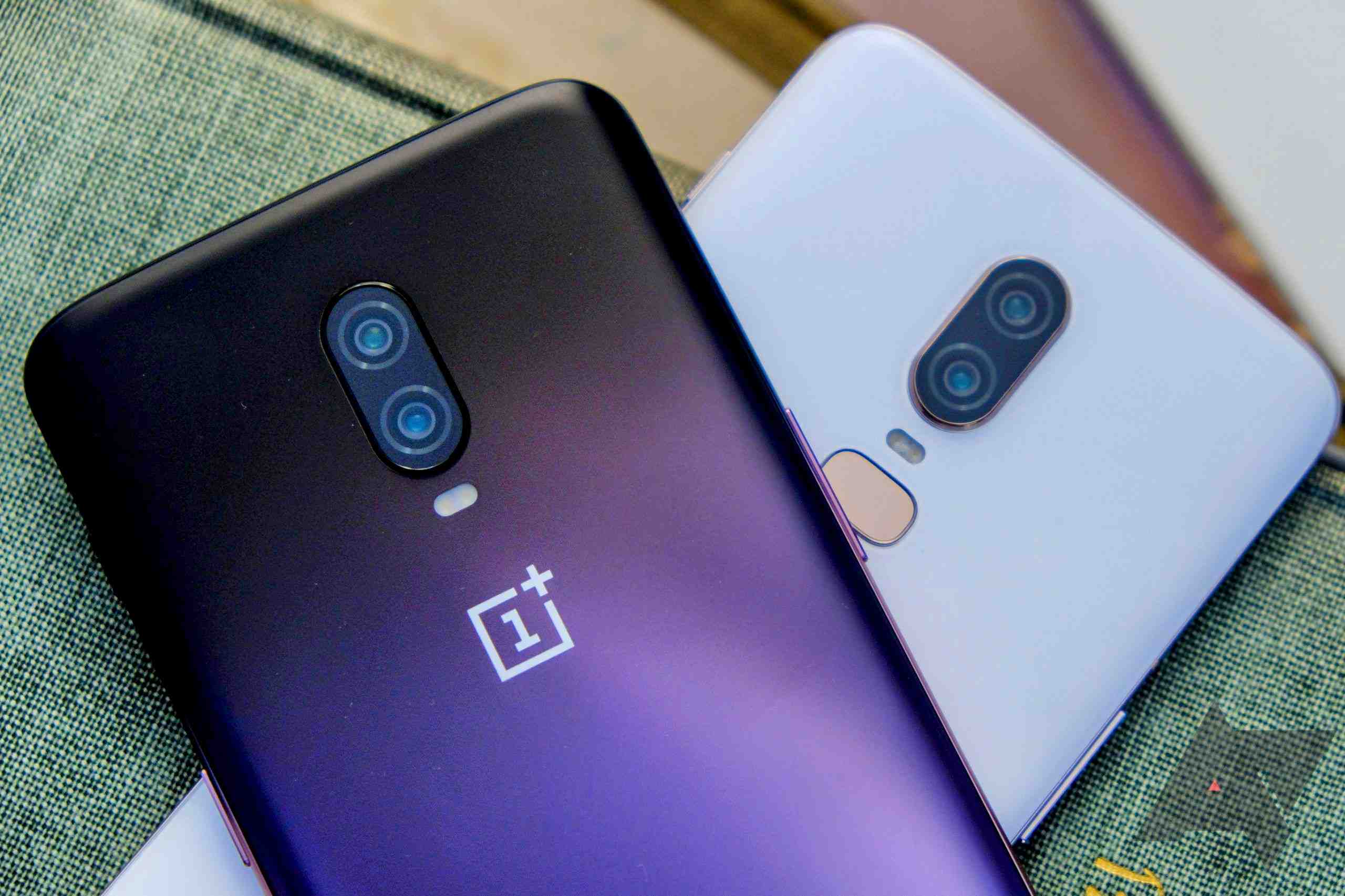
Oneplus 6T was released way back in 2018. It is one of the favorite devices in the android world. The camera setup of Oneplus 6T with the stock camera is good enough for daily use. But still, people want a working Gcam with good tuning of colors and natural Google photo processing. Here is the Working Google camera for both Oneplus 6 and the OnePlus 6T.
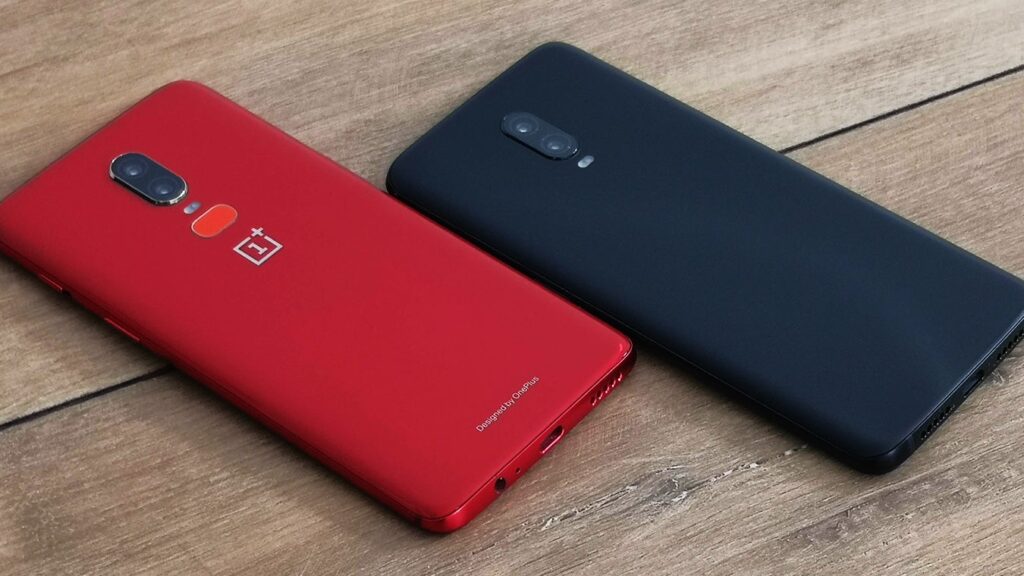
OnePlus 6T Midnight Black and OnePlus 6 red

Oneplus 6 and 6T Camera

Cameras:

  • Main – 16MP Sony IMX519 sensor with f/1.7
  • Secondary Camera – 20MP with f/1.7
  • Selfie cam: 16MP IMX371 f/2.0

Oneplus 6&6T Gcam Download

How to load XML File:

1) Download XML
2) Open your Downloaded GCam and save the config in settings with a random name.
3) Then you will see a folder named Gcam in the file manager, copy the downloaded XML to that gcam<configs8 folder
4) Then Double Tap the empty space between the camera shutter and camera switch button, select your XML, and Apply

NOTE: Slowmotion, OISmay not work. check this website frequently for updated GCAMs.

Also read: Xiaomi announced a Xiaomi Fan Sale on May 1 for its Xiaomi 12 Pro – Check Special Offer

If you like our article then follow us on Google news, and Instagram, or join our Telegram GroupFor the latest TechNews and Reviews, follow Techibee on Twitter and Facebook, and subscribe to our Youtube channel.

Ashok Mor (also known as TechiBee) owns a YouTube channel named TechiBee. He has been providing various tips, tricks and latest tech videos in the world of smartphones.

Click to comment

Leave a Reply

Your email address will not be published. Required fields are marked *

iOS

iOS 27 Beta 5 Is Now Rolling Out: Here Are the Most Useful Changes

Published

on

iOS 27 Beta 5 update screen displayed on an iPhone alongside iOS 27 Beta 5 text

iOS 27 Beta 5 has started rolling out to eligible iPhone models, and this latest test build brings several small but useful changes across the system. While this is not a major feature-packed update, Apple has made noticeable improvements to Siri, screenshots, system icons, status bar behaviour and a few stock applications.

iOS 27 Beta 5 Update Size and Modem Changes

On the iPhone 17, the iOS 27 Beta 5 update weighs around 4.59GB. The update also includes a modem firmware change, moving from version 2.09.00 to 2.10.01.

This could be particularly relevant for users who have been experiencing connectivity-related problems. While the update may help with modem or network stability, its real-world impact will depend on the device and network.

Siri Gets Several Interface Changes

Siri receives some of the more noticeable changes in iOS 27 Beta 5. Apple has updated the Siri icon in different parts of the system, including the Siri settings page and interface.

The Siri interface also gets subtle animation improvements. A new pill appears towards the bottom of the Siri interface, replacing the previous “Show More” option. The animation when opening, pulling down or closing the Siri pop-up also feels slightly refined.

Apple has also changed some Siri settings. Users can now choose between Spoken Response and Silent Response, while a new Automatic Visual Lookup option has been added. The update also introduces additional suggestion controls.

More Screenshot Markup Changes

The screenshot editing interface has received another small redesign. In iOS 27 Beta 5, the Markup tools can appear inside a compact pill instead of taking up the same amount of space as before.

The pill can be moved around the screen, and positioning it in the centre expands the available controls. It is a small change, but it makes the screenshot editing interface feel cleaner.

Changes to Status Bar and Stock Apps

Apple has also changed how network information appears in the status bar. Previously, users could see both 5G and Wi-Fi information. In this build, when Wi-Fi is connected, only the Wi-Fi indicator is shown. When Wi-Fi is disconnected, the 5G indicator appears instead.

There are also minor visual changes to several Apple apps, including Safari, Settings, App Store, Preview, Remote and Siri. Some stock applications also receive updated splash screens.

Clock App Gets a Font Update

The Clock app now features slightly larger and bolder text in areas such as the Alarm and Timer sections. The difference is subtle, but it is noticeable compared with the previous build.

Overall, iOS 27 Beta 5 focuses mainly on refinements rather than major new features. Apple has made several interface adjustments that improve consistency and usability while also changing some system behaviour.

Also Read: OPPO Find X9 Ultra Long-Term Review: Why ColorOS Became My Favorite Android Experience

Continue Reading

OxygenOS

OxygenOS 16.1 July Update: Every New Feature, Eligible Devices, and Missing Features Explained

Published

on

OxygenOS 16.1 July Update displayed across multiple OnePlus smartphones, showcasing the new Control Center, Contact Poster, AI Photos features, About Device screen, and Gaming Dashboard enhancements.

The OxygenOS 16.1 July Update has started rolling out to several flagship OnePlus smartphones, introducing a range of new AI features, UI refinements, camera improvements, and gaming enhancements. While the update delivers noticeable improvements across supported devices, not every OnePlus smartphone receives the same set of features.

OxygenOS 16.1 July Update Brings Several New Features

OnePlus has introduced a refreshed experience with the July update. One of the most noticeable additions is the Contact Poster feature, allowing users with the OnePlus Dialer to create customized caller images with depth effects and adjustable positioning. Devices using Google’s Phone app will not receive this functionality.

Notification management has also improved. Users can now simply swipe down on supported notifications to expand them instantly without opening the application. In addition, Quick Settings tiles now automatically switch to a darker appearance whenever Dark Mode is enabled, creating a more consistent user interface.

AI Features Expand Inside the Photos App

The Photos application now includes a dedicated Create section that houses several AI-powered tools. These include AI Portrait Glow, AI Eraser, AI Detail Boost, AI-powered collage recommendations, video editing tools, and slow-motion playback suggestions.

Another useful addition is App Call Identification, which can identify unknown callers from supported third-party applications. However, this feature is only available on devices using the OnePlus stock dialer.

Camera and Gaming Receive Meaningful Upgrades

The Camera app now introduces two new filters—Prime Rose and Bold B&W. However, these filters are limited to select devices including the OnePlus 13, OnePlus 13S, and OnePlus 15, while the OnePlus 12 and OnePlus 15R miss out on them.

Gaming enthusiasts also receive improvements. Depending on the device, users can access Gaming Filters for enhanced visuals, Sound Boost for better footstep detection, and Equalizer controls for supported games such as BGMI. Feature availability varies between different OnePlus models.

Device-Specific Limitations

While OnePlus has added customizable fingerprint icons, fingerprint animations, PC Unlock support, and Backup Face recognition to several devices, not every smartphone receives the complete package.

The OnePlus 12, for example, does not receive the Backup Face feature or the latest gaming enhancements. Meanwhile, older devices including the OnePlus 11 series and Nord lineup continue receiving July security updates but do not receive the OxygenOS 16.1 feature set.

Final Thoughts

The OxygenOS 16.1 July Update is one of the most feature-rich monthly updates from OnePlus in recent months. Although feature availability differs depending on the device, supported smartphones gain several quality-of-life improvements, smarter AI tools, camera enhancements, and better gaming capabilities. Users should verify their device eligibility before expecting every feature included in the latest rollout.

Also Read: OnePlus ColorOS Update: Everything OnePlus Users Will Gain and Lose After OxygenOS

Continue Reading

OnePlus

OxygenOS 16.1 June Update Brings AI Features, Audio Sharing and Useful Upgrades for OnePlus Users

Published

on

OnePlus smartphone displaying the Audio Sharing feature in OxygenOS 16.1 alongside the text "OxygenOS 16.1 June Features," highlighting the latest June software update for OnePlus phones.

OxygenOS 16.1 June Update is rolling out to eligible OnePlus smartphones with several practical features that improve the overall user experience. Instead of introducing major visual changes, this update focuses on AI-powered tools, better connectivity, gaming enhancements, improved privacy, and system optimization.

OxygenOS 16.1 June Update Introduces AI Sports Widget

One of the biggest additions in the June update is the new AI-powered Sports Widget. Users can enable it from the OnePlus AI settings and place it on the home screen. The widget displays live football scores, upcoming fixtures, tournament standings, and match results without opening a separate sports application.

This feature is especially useful for sports fans who want real-time updates directly on their home screen.

OxygenOS 16.1 June Update Brings Layer 2 Audio Sharing

The update also introduces Layer 2 Audio Sharing, allowing two wireless earbuds to connect to a single OnePlus smartphone simultaneously. Users can stream music or videos together while independently controlling the volume for each connected earbud.

This feature makes sharing entertainment much more convenient without requiring additional accessories.

OxygenOS 16.1 June Update Improves Outdoor Mode

Outdoor Mode has also received a useful improvement. Users can now customize the dock by adding their preferred applications, including communication, navigation, entertainment, and utility apps. This makes switching between essential apps much faster while using the phone outdoors.

OxygenOS 16.1 June Update Enhances Gaming Experience

Gamers will notice a welcome addition inside Game Space. The Game Capture feature now supports 2K resolution screenshots, allowing players to capture sharper in-game moments compared to the previous standard resolution.

Although it’s a small feature, it benefits users who frequently share gaming content on social media.

Weather and App Drawer Improvements

The Weather application now displays additional information such as moonrise, moonset, and moon phases. While minor, it adds more detailed weather insights.

Meanwhile, the App Drawer has been improved with properly working Suggested Apps, making frequently used applications easier to access.

OxygenOS 16.1 June Update Adds Better Privacy Protection

Another important addition is an enhanced privacy feature. If a third-party application attempts a potentially risky action, OxygenOS now displays a warning and allows users to revoke sensitive permissions with a single tap. This provides better protection, especially for users who install apps from outside the Play Store.

OxygenOS 16.1 June Update Delivers Performance and Battery Improvements

Besides the visible features, the June update also includes better system optimization. Many users have reported smoother performance, improved battery backup, and noticeable camera enhancements after installing the latest software update. While improvements may vary by device, the overall experience appears more refined than previous builds.

Should You Install the OxygenOS 16.1 June Update?

The OxygenOS 16.1 June Update may not be a massive redesign, but it delivers several practical improvements that enhance daily usability. From AI-powered sports updates and dual audio sharing to gaming, privacy, and performance optimizations, the update offers meaningful additions that OnePlus users are likely to appreciate. Users with eligible devices are recommended to install the latest update to enjoy these new features and system improvements.

Also Read: OnePlus Nord Buds 4 Review: Big Bass, Strong ANC and Excellent Battery Life at Rs 3,299

Continue Reading