
Tech News
Oppo Pad Air Launched with Snapdragon 680, 2K Display in China

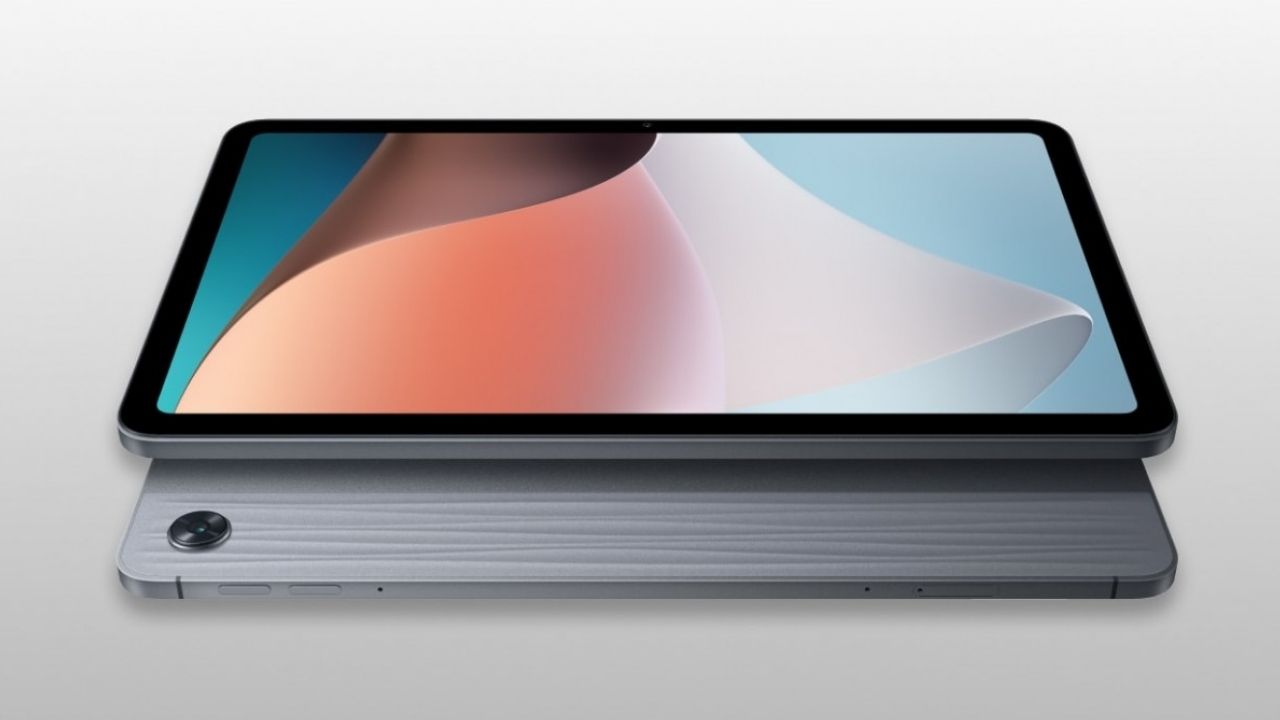
Oppo joined the tablet market earlier this year with the release of the Oppo Pad in February. Along with the Oppo Reno 8 series, the Chinese manufacturer has now expanded its tablet line with the launch of the Oppo Pad Air in China. The tablet has a 120Hz display, a Snapdragon CPU, a big battery, and other features. Let’s take a look at the Pad Air’s specifications and pricing:
Oppo Pad Air: Specifications and Features
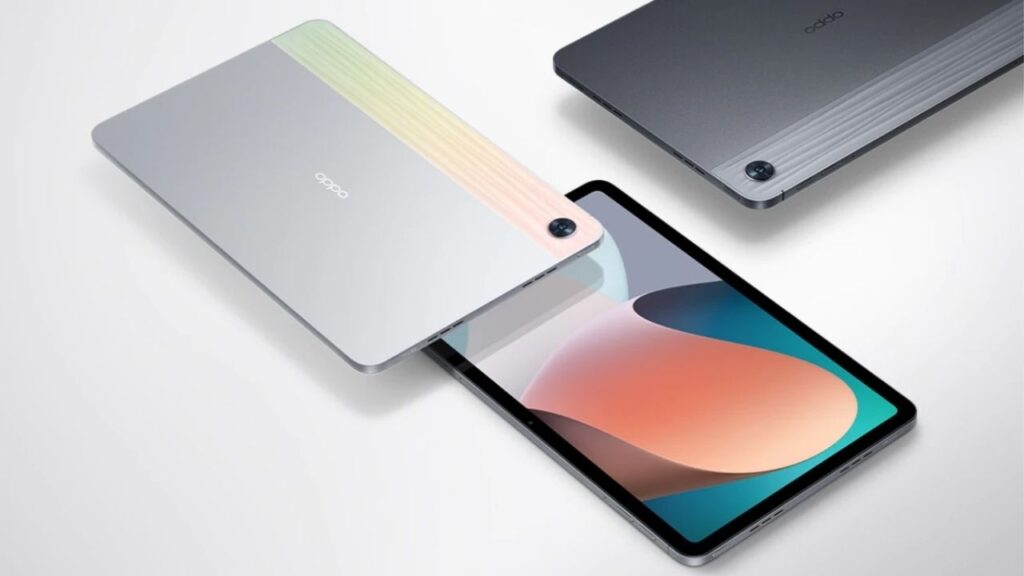
With its glossy dual-tone finish on the back panel, the Oppo Pad Air retains the same aesthetics as the original tablet. This time, though, the corporation has opted not to include its own brand name in the back strip. Instead, it has chosen a wavy design with a gloss to it. It weighs 440 grams and measures 6.94m in length.
As a cheaper alternative to the Oppo Pad, the hardware of this tablet has been reduced on all fronts. The Pad Air has a smaller 10.36-inch 2K LTPS LCD display with a standard 60Hz refresh rate and a 120Hz touch sampling rate. The original Oppo Pad had a 2.5K+ LCD display that ran at 120Hz. The display here has a resolution of 2000 x 1200-pixels, minimum black bezels, and a peak brightness of up to 360 nits.
Under the hood, the Snapdragon 870 has been replaced by a mid-range Snapdragon 680 CPU. It is an octa-core chipset with 4G support that is built on the 6nm architecture and includes Kryo 265 CPU cores as well as the Adreno 610 GPU. There is also up to 6GB of LPDR4x @ 2133MHz RAM and up to 128GB of UFS 2.2 storage available (expandable up to 512GB via a microSD card).
In terms of cameras, there is a single 8MP (f/2.0) camera on the back with an 80-degree field of view and capability for up to 4K @ 30FPS video recording. On the front, there’s a 5MP (f/2.2) camera for taking selfies and attending lectures via apps like Zoom, Google Meet, and others.
Furthermore, the Oppo Pad Air comes with ColorOS 12.1 for Pad, which is based on Android 12. It also has a 7,100mAh battery (which is smaller than the 8,360mAh battery on their previous tablet) and an 18W fast-charging port (as opposed to 33W on the original). In addition, the tablet has a USB Type-C port, Wi-Fi 802.11ac, Bluetooth 5.1, and quad-speakers with Dolby Atmos capability.
But that’s not all. Oppo’s less expensive tablet supports the same keyboard and stylus accessory as the original. It also has a fingerprint sensor and instead depends on camera-based Face Unlock (which is less secure).
Also read: Realme Pad X will be available in China on May 26
Oppo Enco Buds R: Specifications and Features
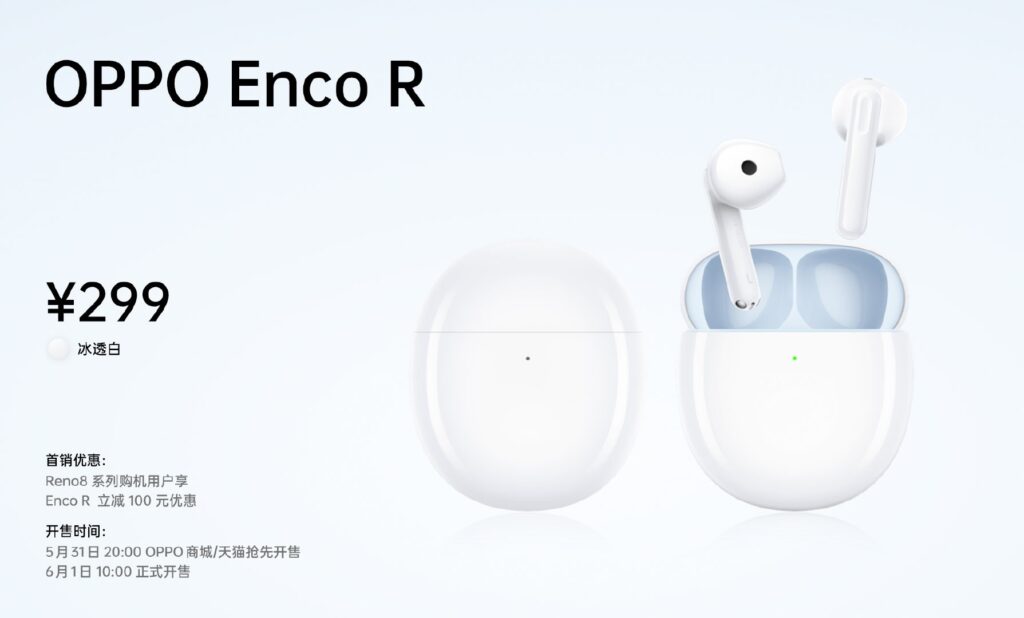
The Oppo Enco Buds R is a new pair of TWS earphones from the brand. The earbuds have an AirPods-like half-in-ear design, a 13.4mm driver, and a battery life of up to 20 hours.
You also have AI noise reduction during calls, a distinct bass guide, and touch control support. The fact that you can use these touch controls as a shutter button to take images on your Oppo phone is a big plus. The Enco Buds R supports IPX4 rating, a game mode, and Bluetooth 5.2 connectivity support. They will be sold in China beginning June 1 for CNY 299 (Rs 3,500).
Oppo Pad Air: Price and Availability
In China, the Oppo Pad Air starts at CNY 1,299 (Rs 15,150) for the 4GB+64GB basic variant. The higher-end 4GB+128GB and 6GB+128GB variants will cost CNY 1,499 (Rs 17,500) and CNY 1,699 (Rs 19,800).
This low-cost tablet will be available in two colours: Star Silver and Feather Grey. It will be available for purchase in China beginning June 1. We currently do not know whether Oppo intends to launch its tablets globally or in India.
If you like our article then follow us on Google news, and Instagram, or join our Telegram Group. For the latest TechNews and Reviews, follow Techibee on Twitter and Facebook, and subscribe to our Youtube channel.
For More Such Updates Follow Us On – Telegram, Twitter, Google News, WhatsApp and Facebook


News
Here is a list of devices that are eligible for OxygenOS 13.1 update with Bloatwares and Some Expected Features

People are waiting for the 13.1 Update. Finally. OnePlus officially announced for Oxygen 13.1 update on 4 April. 2023. The first device that comes with OxygenOS 13.1 out of the box is OnePlus Nord CE 3 Lite.
What are the Changes?
There are no major changes. Only some minor changes have been done.
Some changes we can expect after this update:
- Calculator app Easter Egg: The first change we can expect is the Easter Egg in the Calculator App.
Before OxygenOS 13. When we write 1+= We can see the easter egg of Never Settle (as shown below) But it has been removed in OOS 13.
ONEPLUS New Easter Egg | ONEPLUS calculator trick | Oneplus easter egg in calculator 😍 pic.twitter.com/90LnU2pd2e
— Kshitiz Jangra (@kshitizz022) September 10, 2022
- Battery Health: We can expect the Battery Health feature in the Battery section like OnePlus 11 Series and iPhones. It is one of the most beneficial features for people who bought second-hand OnePlus devices.
- Lock Screen: We can also expect some customization features in the Lock Screen with OxygenOS13.1
- Per-App Language: We can expect this feature as this is available in Stock Android 13 provided by Google. With this feature, we can use different languages in Different Apps. If you want to know more about this feature then read this.
- Improve Themed Icons: As we all know themed icons are not supported by most third-party apps. But we can expect the themed icons for the apps after OOS 13.1
- Better Connectivity: We can expect better connectivity of Bluetooth devices, Wi-Fi, and Internet Connectivity.
- New Interface while connecting Bluetooth Earbuds, and Headphones: we can expect a new interface when we connect the earbuds.
- Improvements in gestures and motions: We can expect new gestures or improvements in the Gestures after this OOS 13.1 Update.
Hot Apps and Oppo’s ColorOS Browser in OxygenOS 13.1?
We may get Bloatwares In OOS 13.1 As seen in OnePlus Nord CE 3 Lite. Here are some pictures
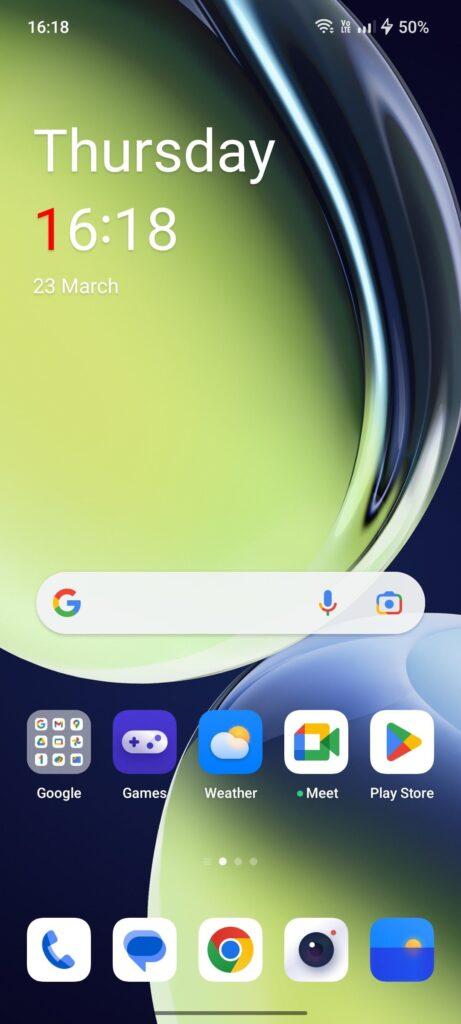
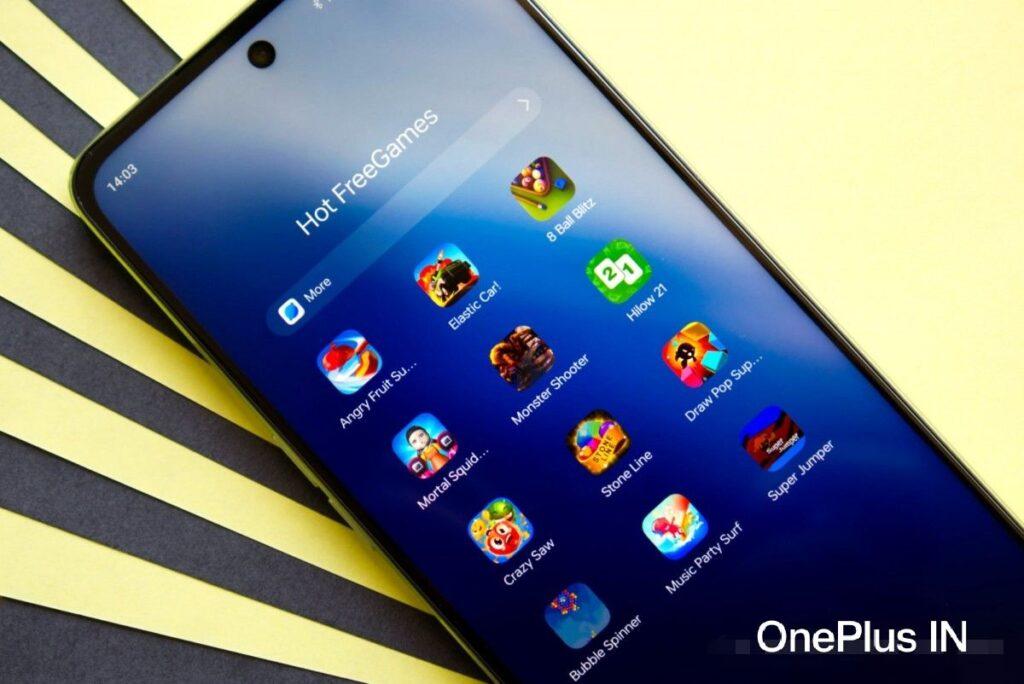
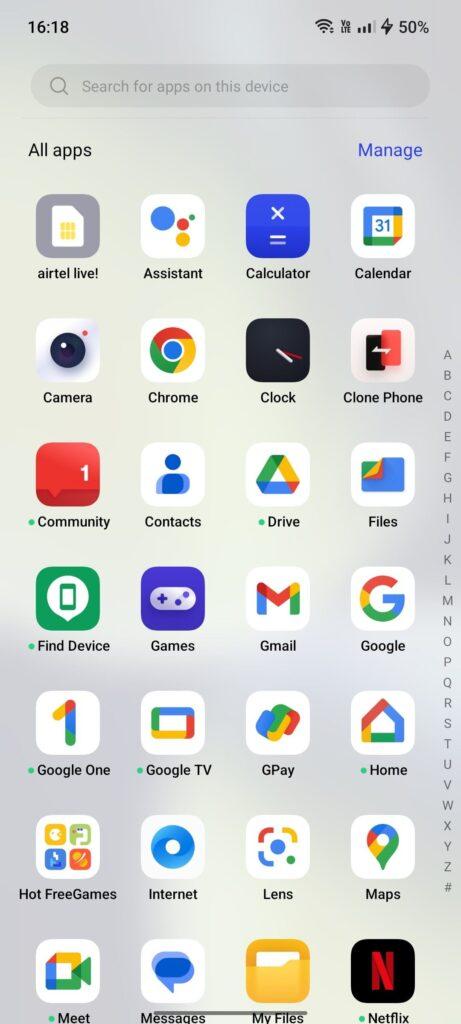
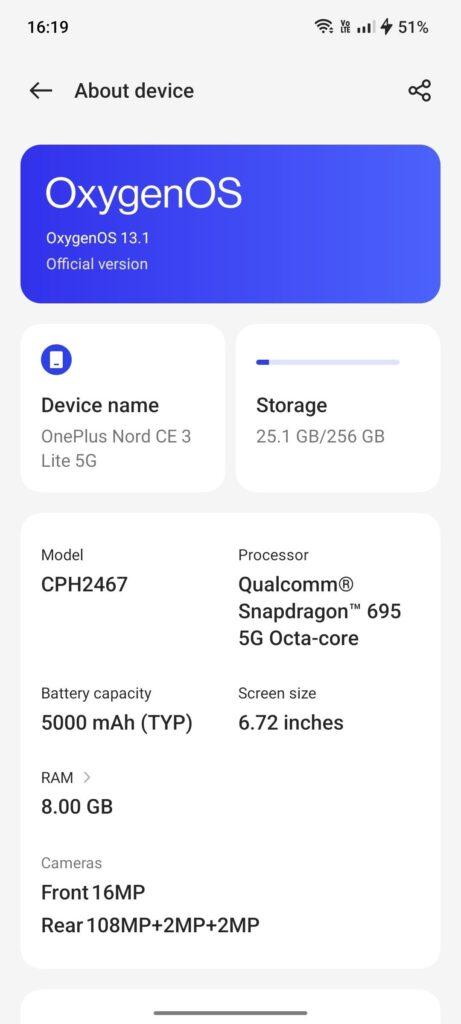
After seeing the Pictures. We are sure that we got Oppo’s ColorOS Browser, Hot Apps, etc. This is unexpected. As said by OnePlus when they merge with Oppo. OxygenOS won’t get Bloatwares but now Bloatwares are coming in OxygenOS13.1
Credit:OnePlus Nord CE 3 Lite user
Note: We are not responsible if any of the following updates won’t come. As it is only expected.
If we talk about the devices which are eligible for this update.
Devices Eligible for OxygenOS 13.1
OnePlus 11 Series:
- OnePlus 11
- OnePlus 11R
OnePlus 10 Series:
- OnePlus 10 Pro
- OnePlus 10R
- OnePlus 10T
OnePlus 9 Series:
- OnePlus 9
- OnePlus 9 Pro
- OnePlus 9R
- OnePlus 9RT
OnePlus 8 Series:
- OnePlus 8
- OnePlus 8 Pro
- OnePlus 8T
OnePlus Nord Series:
- OnePlus Nord 2
- OnePlus Nord 2T
- OnePlus Nord CE
- OnePlus Nord CE 2
- OnePlus Nord CE 2 Lite
Also Read:
1.OnePlus Releases OxygenOS 13 C.27 Update for OnePlus 10T in Europe & North America
2. Samsung Galaxy Tab A8 in India Receives One UI Core 5.1 Update with New Features and Enhancements
3. Samsung Galaxy Z Fold 5 and Galaxy Z Flip 5 Storage and Color Options Leaked
If you like our article, follow us on Google News and Instagram, or join our Telegram Group.
For More Such Updates Follow Us On – Telegram, Twitter, Google News, WhatsApp and Facebook
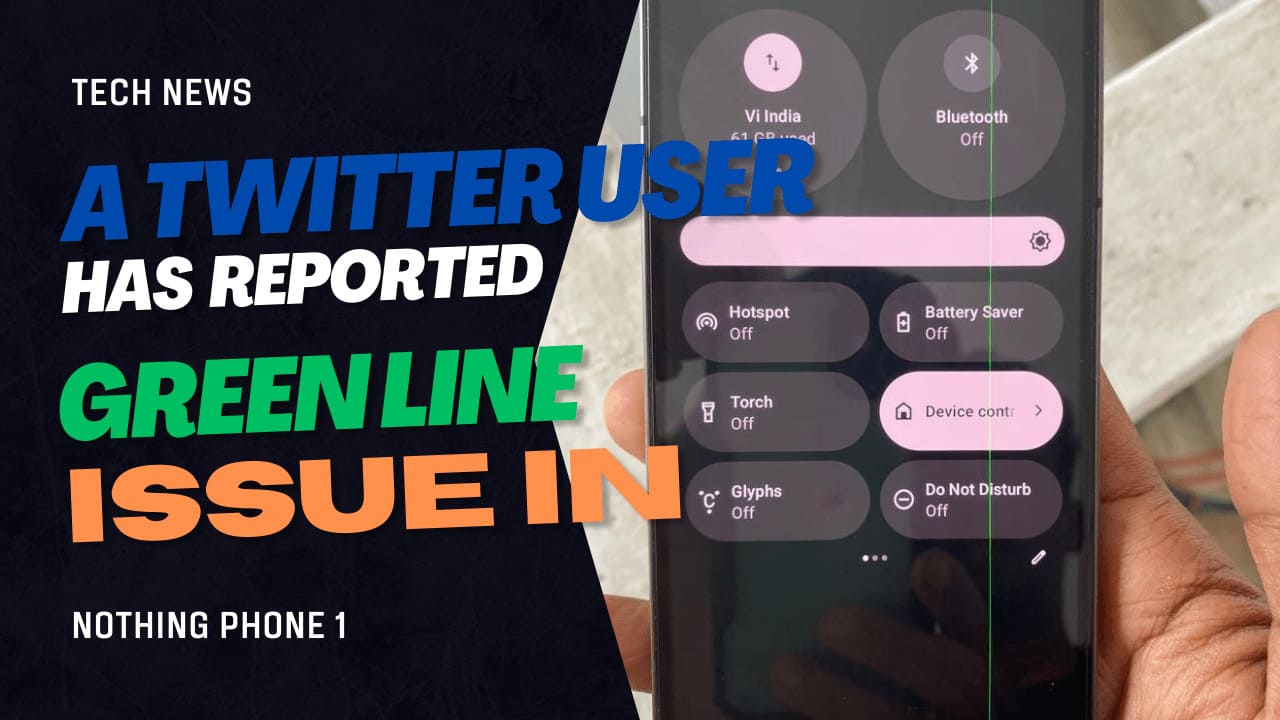
As most of the users who are using Smartphones of OnePlus 8 and 9 series are Green and Pink Line issues in their Smartphones after updating their devices to OxygenOS 12 or OxygenOS 13. In OnePlus this issue occurred after the Integration of Oppo’s ColorOS into OnePlus’s OxygenOS. In OnePlus smartphones, people have to replace their Displays to fix this issue. The Display is replaced for Free if your device doesn’t have any physical damage or dent. If you have any physical damage or dent on your device then you will be charged for the Display Replacement. Most of the users are charged for Display Replacement.
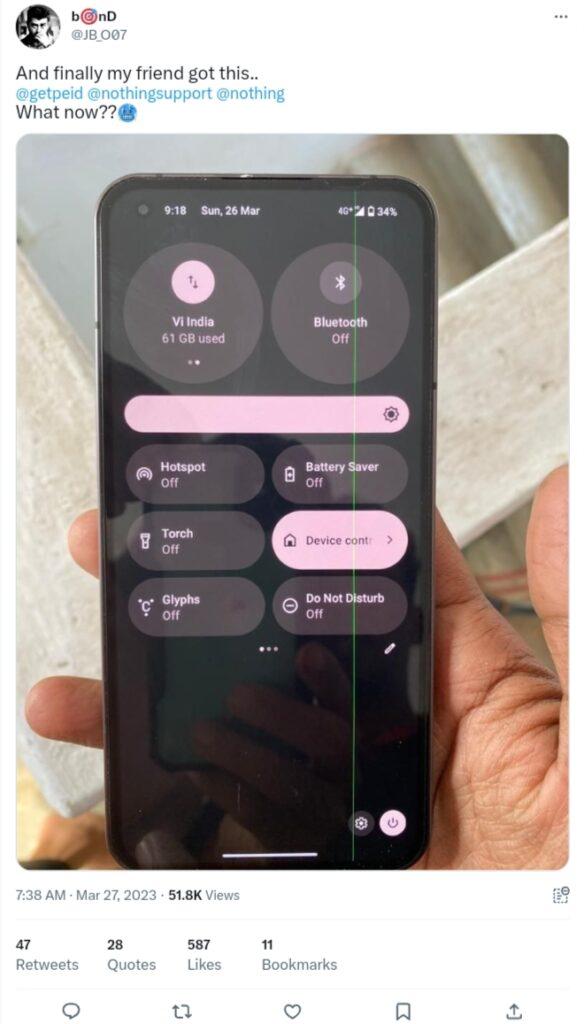
Nowadays, the same issue also occurs with a Nothing Phone 1. A user on Twitter whose username is @JB_O07 has reported that their friend is having this issue. They have a green line on their Nothing Phone 1.
Green line Nothing Phone 1
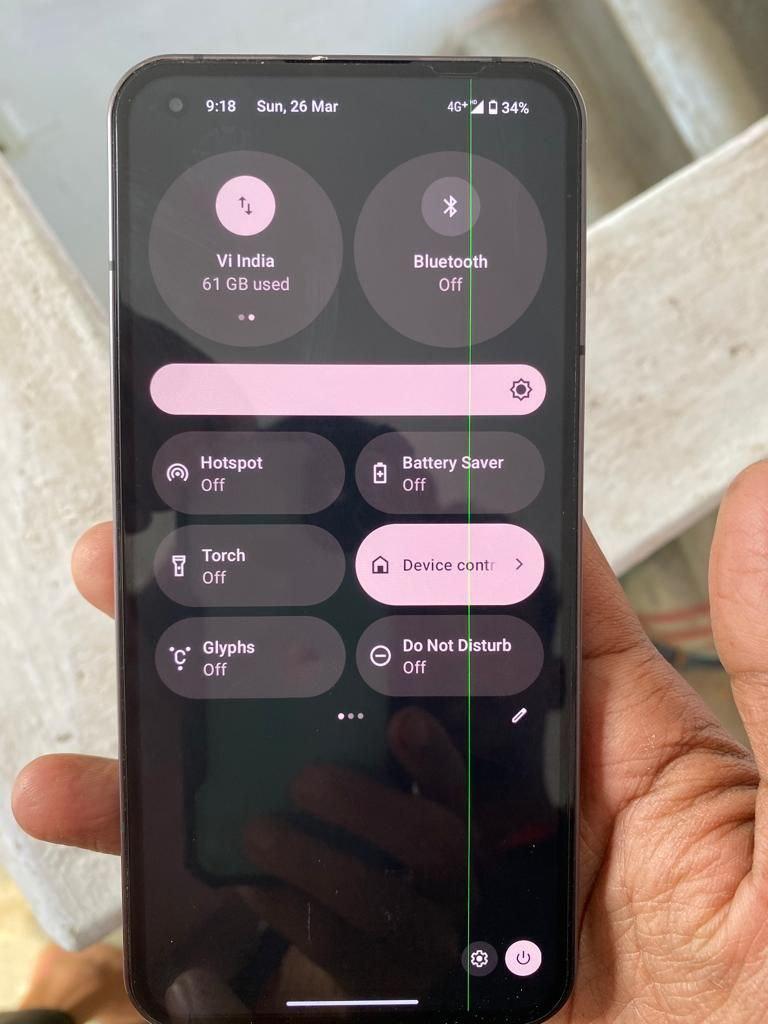
If we talk about how the reasons for this issue. So, I have read the comments below this Tweet. The reason I think is, Probably this is due to the OLED Panel used in Nothing Phone 1 Display. But according to comments. Some users said that this is due to Nothing OS 1.5.3 which is based on Android 13. But the user who Tweet tells us that this isn’t due to this update. Some say that this is due to Extreme Heating Issues. But I don’t think that the line issue is due to Extreme Heating.
Note: These are just probably. We are not sure about the real reason.
The only way to fix this issue is to just change the Display as like OnePlus smartphones. You have to visit the service center.
Free Display Replacement?
There is not any official confirmation for this but OnePlus give free Display Replacement. If the device doesn’t have any physical damage. Doesn’t matter even if it’s in warranty or out if warranty.
Also Read:OnePlus Nord Receives OxygenOS F.19 Update with March 2023 Android Security Patch
OnePlus 11R: First Device with Pink Line Issue[ez-toc]
If you like our article, follow us on Google News and Instagram, or join our Telegram Group.
For More Such Updates Follow Us On – Telegram, Twitter, Google News, WhatsApp and Facebook
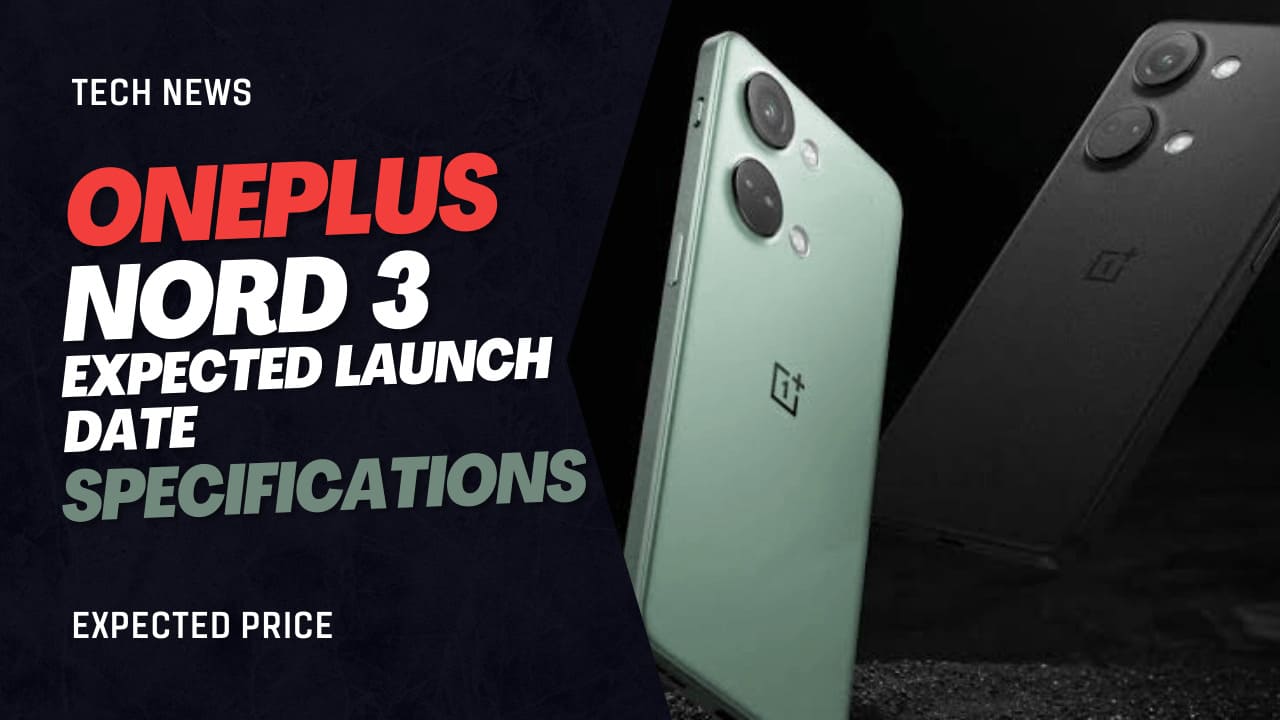
OnePlus has released a new smartphone in their Nord Series. This year they are going to release OnePlus Nord 3. Most people said that OnePlus Ace 2V which is already launched in China is OnePlus Nord 3 in India. OnePlus Nord 3 is said to be the Successor Of the OnePlus Nord 2 as Nord 2T doesn’t have any changes. Just we get a new look with Mediatek Dimensity 1300. But Now with Nord 3, we get new changes and also a better performance.
If we talk about Specifications. So, as OnePlus Ace 2V launched. So we also know the specifications of Nord 3
It comes with a 1.5K Amoled Display with 120 Hz Refresh Rate.
We are getting Mediatek Dimensity 9000.
With LPDD5X RAM With UFS 3.1 Storage.
Peak Brightness is 1450 Nits.
5000 mAh with 80 Watt Fast Charger.
If we talk About the Camera, So Primary Sensor is 64 Megapixels. 8 Megapixels UltraWide, and 2 Megapixels Macro as usual. 16 Megapixels Selfie.
It also has Alert Slider and In-Display Fingerprint Sensor as usual.
We can expect the base variant comes in 30K. If we talk about Launch. So, we can expect it in June 2023.
OnePlus Ace 2V with Dimensity 9000 is launching on March 7 in China !!
The device will launch globally as OnePlus Nord 3.• 6.7″ FHD+ 120Hz Amoled
• 50MP + 8MP + Useless, 16MP🤳
• 5000mAh🔋,80W⚡
• Mediatek Dimensity 9000 SoC
• Alert Slider, In-display FS pic.twitter.com/795JQqC3oy— Debayan Roy (Gadgetsdata) (@Gadgetsdata) February 27, 2023
Also Read:Asus ROG 7 and ROG 7 Ultimate Specifications – No More ROG 7 PRO
If you like our article, follow us on Google News and Instagram, or join our Telegram Group.
For More Such Updates Follow Us On – Telegram, Twitter, Google News, WhatsApp and Facebook