
OxygenOS
OxygenOS 13.1 Update Rolling Out for OnePlus 8/8 Pro in India

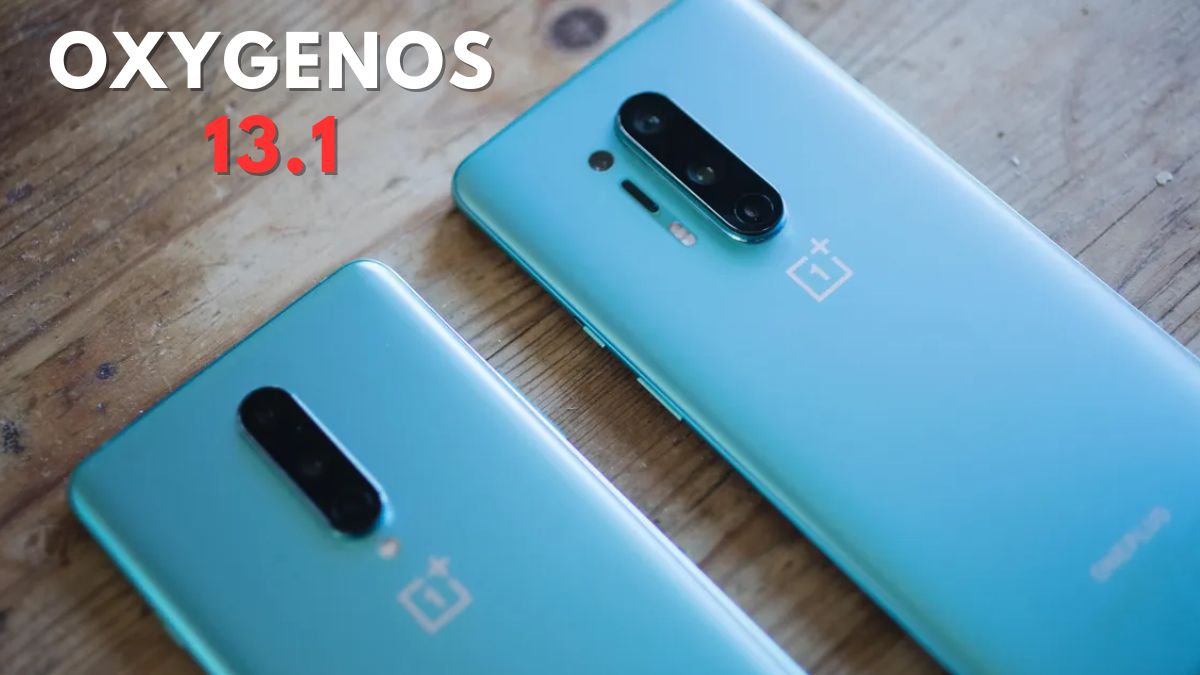
OnePlus has initiated the rollout of an incremental update, OxygenOS 13.1, specifically for the OnePlus 8 and OnePlus 8 Pro devices in the Indian region. The update brings a range of new features and optimizations to enhance user experience. Starting in India, the company plans to expand the rollout to other regions in the coming days.
The software version for OnePlus 8 is IN2011_13.1.0.513(EX01) and the update size is 1.63 GB. It follows the same but there is slight difference for OnePlus 8 Pro where the software version is IN2021_13.1.0.513(EX01) and the update size is 4.81 GB.
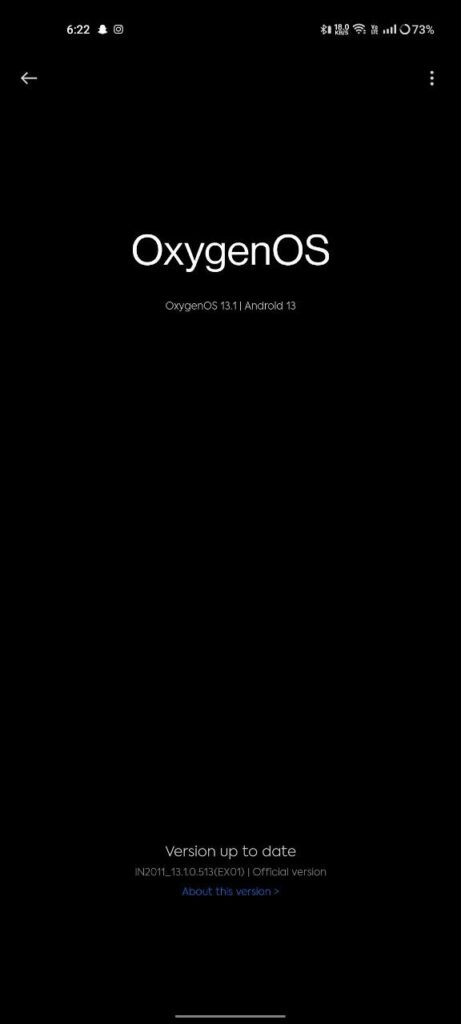
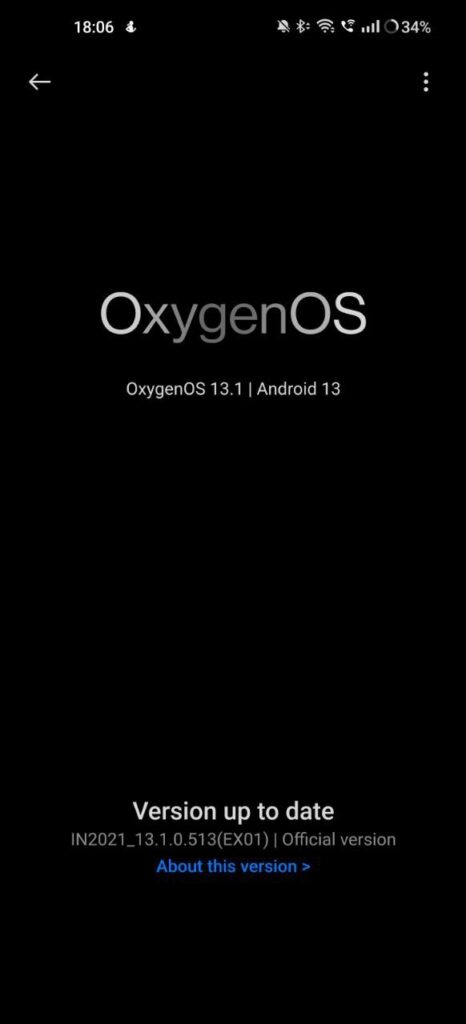
Under the new format for the OTA version number, OnePlus apologizes for any inconvenience caused. The company assures users that this transition is part of their optimization process and aims to provide a better user experience moving forward.
OnePlus 8/8 Pro OxygenOS 13.1 Update: New Features
The update introduces several notable improvements across different aspects of the user interface. In terms of personalization, the OxygenOS 13.1.0.513 update expands the functionality and library of Omoji, allowing users to express themselves creatively through a wider range of options.
On the health front, OnePlus has included a new TalkBack feature that recognizes and announces images in various applications and the Photos app. This enhancement aims to improve accessibility for visually impaired users, enabling them to interact more effectively with their devices.
Additionally, the update introduces the Zen Space app, featuring two modes: Deep Zen and Light Zen. These modes are designed to help users focus on the present moment and provide a sense of tranquility in their daily lives. Furthermore, the Simple mode has been enhanced with a new helper widget and quick tutorials on the Home screen, assisting users in simplifying their smartphone experience.
Gaming enthusiasts will be delighted to find new features catering to their needs. The Championship mode, incorporated into the Game Assistant, improves gaming performance by disabling notifications, calls, and other messages that may disrupt gameplay. This mode ensures a more immersive gaming experience for users, allowing them to enjoy their favorite games without interruptions. Additionally, a music playback control has been added to the Game Assistant, enabling users to listen to and manage their music effortlessly while gaming.
As customary with OnePlus updates, the OxygenOS 13.1.0.513 OTA rollout will initially reach a small percentage of users. The company plans to expand the availability gradually in the coming days to ensure a smooth and stable update for all OnePlus 8 and OnePlus 8 Pro owners in the Indian region.
OnePlus continues to prioritize delivering timely updates and feature enhancements to its user base, aiming to provide an exceptional smartphone experience. Users are encouraged to keep an eye on their system notifications and update their devices once the OxygenOS 13.1.0.513 update becomes available to them.
These are the OxygenOS 13.1 Update Changelog for OnePlus 8/8 Pro:
Personalization
- Expands Omoji’s functionality and library.
Health
- Adds a new TalkBack feature that recognizes and announces images in apps and Photos.
- Adds the new Zen Space app, with two modes, Deep Zen and Light Zen, to help you focus on the present.
- Improves Simple mode with a new helper widget and quick tutorials on the Home screen.
Gaming experience
- Adds the Championship mode to Game Assistant. This mode improves performance while also disabling notifications, calls, and other messages to give you a more immersive gaming experience.
- Adds a music playback control to Game Assistant, so you can listen to and control music easily while gaming.
How to Update OnePlus 8/8 Pro to OxygenOS 13.1
To update your OnePlus 8 or OnePlus 8 Pro device to the latest OxygenOS 13.1.0.513 version, please follow these steps:
- Connect to a stable Wi-Fi network: Ensure that your device is connected to a reliable Wi-Fi network to avoid excessive data usage and to ensure a stable download.
- Battery level: It is recommended to have your device charged to at least 50% or connect it to a power source during the update process to prevent any interruption due to low battery.
- Check for the update: Go to your device’s Settings menu by swiping down from the top of the screen and tapping the gear-shaped icon (Settings). Scroll down and select “System” or “System & updates,” then tap on “System updates.” From there, tap on “Check for updates” to see if the OxygenOS 13.1.0.513 update is available for your device.
- Download and install: If the update is available, tap on “Download & install” to begin the download process. Ensure that you have a stable internet connection during this step. The download size may vary, so it might take some time to complete.
- Install the update: Once the download is complete, you will be prompted to install the update. Tap on “Install” to initiate the installation process. Your device will restart and apply the update. It’s important not to interrupt the installation process to avoid any potential issues.
- Wait for the installation to complete: The installation process may take a few minutes. Your device will reboot several times during this process. Once the installation is finished, your device will boot up with the updated OxygenOS 13.1.0.513 version.
- Verify the update: After the device has restarted, you can verify if the update was successfully installed by going to Settings > System > About phone. The software version should display as OxygenOS 13.1.0.513.
Note: If the update is not available for your device during the initial check, don’t worry. OnePlus typically rolls out updates in phases, and it may take a few days before it reaches all devices. You can check for updates again later or wait for the system to notify you when the update becomes available for your device.
Download OxygenOS 13.1.0.513 for OnePlus 8/8 Pro
OnePlus 8
- IN2011_13.1.0.513(EX01)
OnePlus 8 Pro
- IN2021_13.1.0.513(EX01)
The download links will be added soon.
If you like our article, follow us on Google News and Instagram, or join our Telegram Group.
For More Such Updates Follow Us On – Telegram, Twitter, Google News, WhatsApp and Facebook












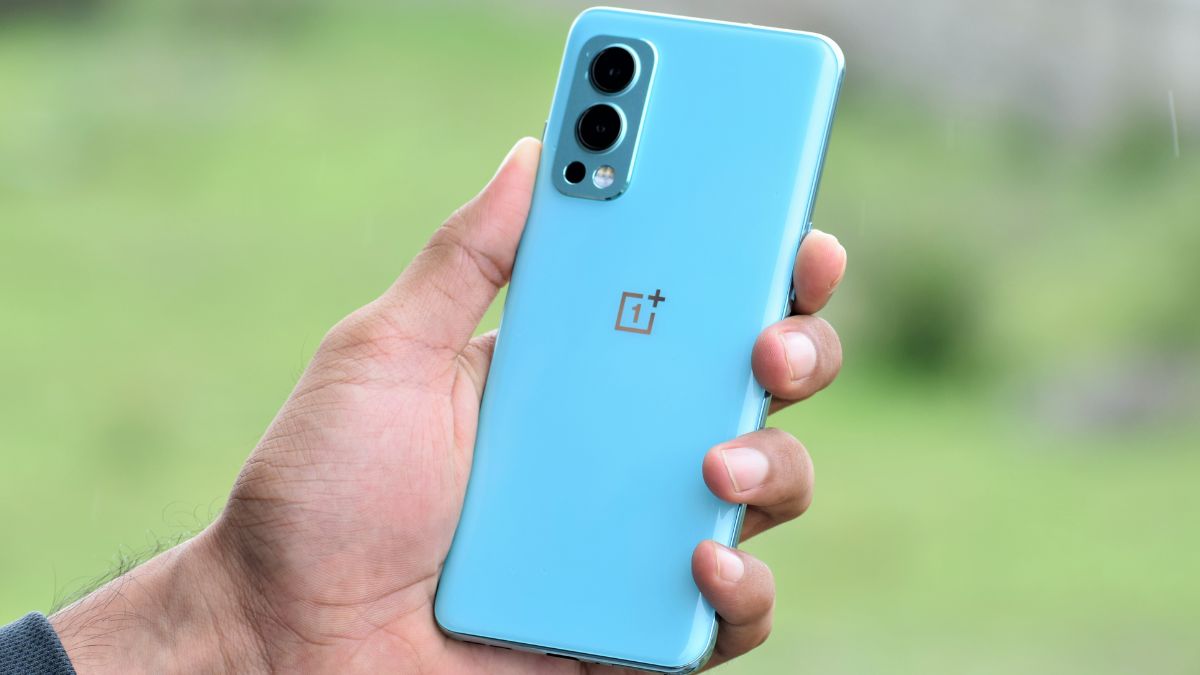
OnePlus, a Chinese Tech Giant has started rolling out the OxygenOS 13 F.50 update for the OnePlus Nord 2 5G in India. This update is based on the January 2024 security patch. As like the previous F.49 update, this new F.50 is also based on OxygenOS 13 which is based on Android 13.
If we talk about the build number. So, the build number of the update is identified as OxygenOS 13 DN2101_11_F.49. Also, the size of the update is 323.46 MB.
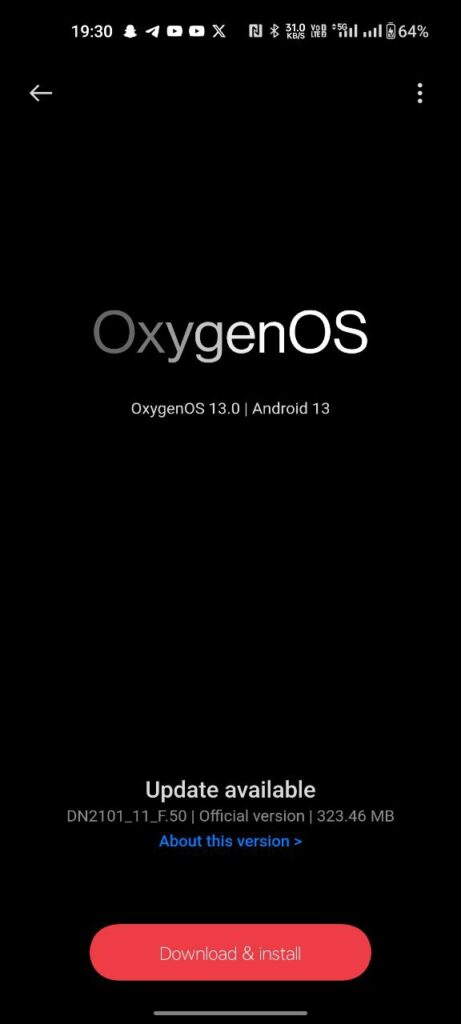
Also, the changelog for this update is listed below:
System
- Integrates the January 2024 Android security patch to enhance system security.
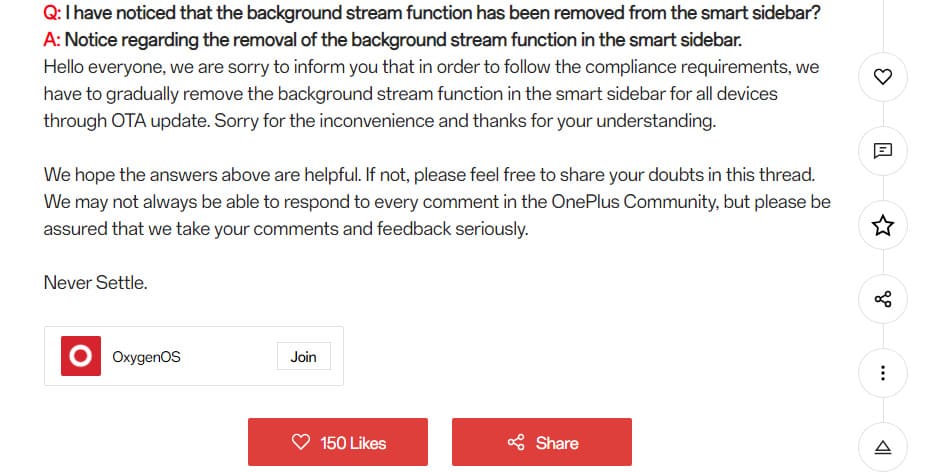
- The Background Stream feature in the Smart Sidebar has been removed.
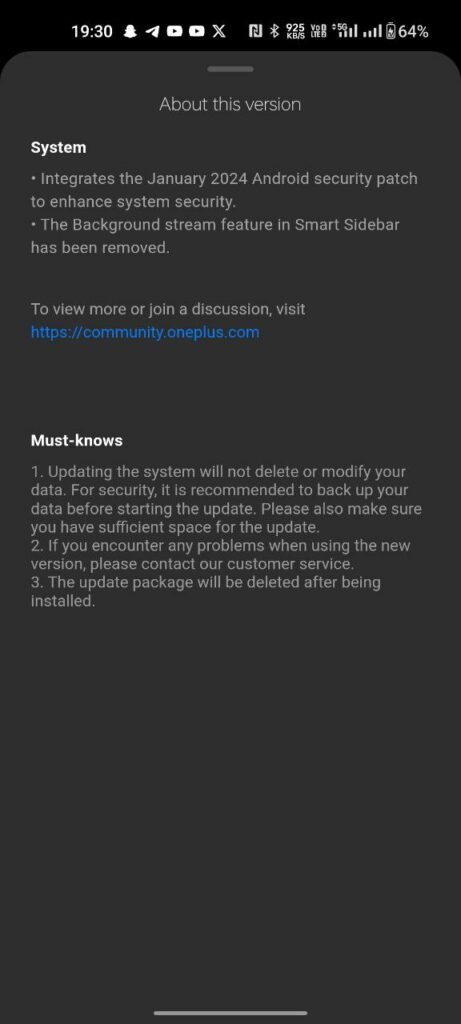
With this new F.50 update, OnePlus has removed the background stream feature from the Smart Sidebar. As you can see clearly in the above image the update size is 323.46 MB which is less. So, don’t expect many changes or add-ons. This update only improves the system stability and performance with the new January 2024 security patch.
Note: If you want to know why Background Stream was removed from the Smart Sidebar, then check out this.
How to Update?
To update your OnePlus Nord 2 5G to OxygenOS 13 F.49. Whenever you get the update notification, click on it. You can also check manually by going into Settings> About Device> Click on Blue Color OxygenOS Box. Click On Download and then, click on Install.
Note: You have to make sure that your device is sufficiently charged, i.e. 50% of its storage, before installing the update.
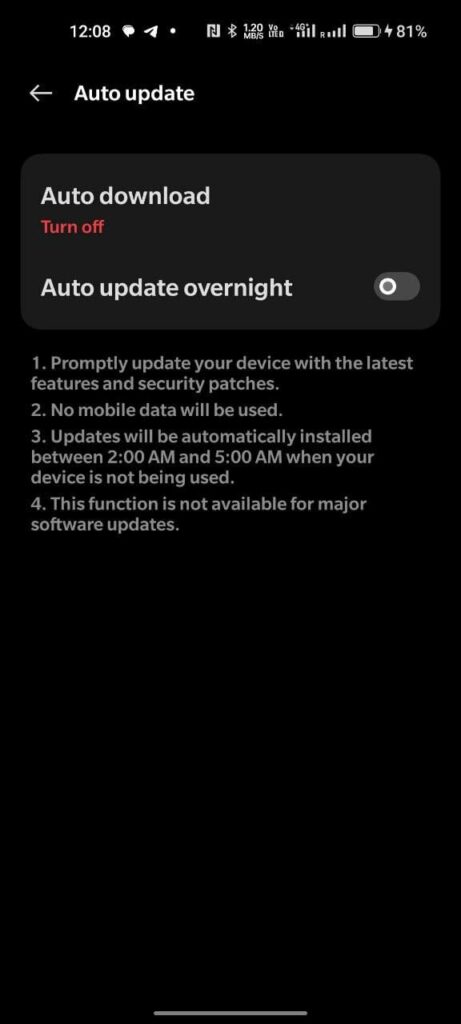
Also, if you don’t want to update your phone after downgrading. Then do keep in mind to change Auto Update to Turn Off and also toggle off the Overnight option.
For More Such Updates Follow Us On – Telegram, Twitter, Google News, WhatsApp and Facebook
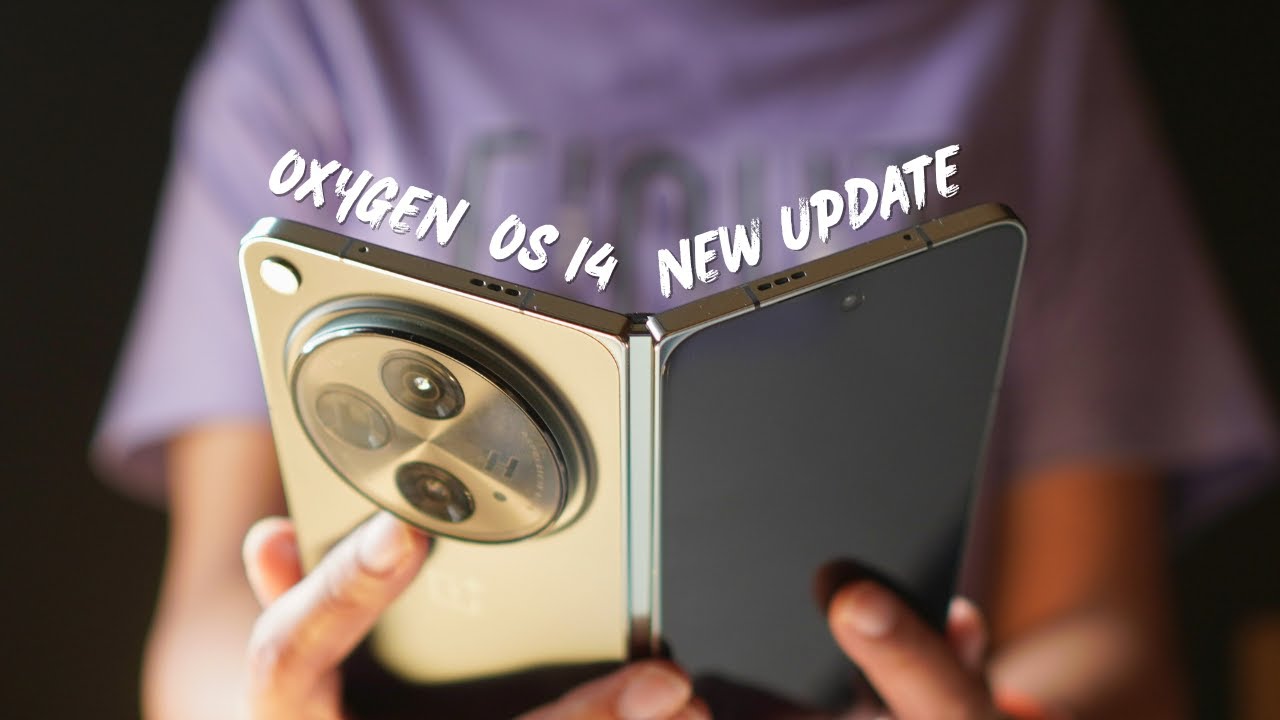
After beta builds, OnePlus has started rolling out stable OxygenOS 14 based on the Android 14 update for its foldable phone, i.e. OnePlus Open. The stable update is first given to those OnePlus Open owners who have participated in Open or Closed Beta versions, and after that, it will be available for all OnePlus Open users. If we talk about the changelog and
What are the changes and new add-ons to this update?
First, let’s talk about the build version. So, the build number of this update is identified as CPH2551_14.0.0.400(EX01). The changelog for this update is listed below:
Changelog:
- Adds Aqua Dynamics, a way of interaction with morphing forms that allows you to view up-to-date information at a glance.
Smart efficiency
- Adds File Dock, where you can drag and drop to transfer content between apps and devices.
- Adds Content Extraction, a feature that can recognize and extract text and images from the screen with one tap.
- Adds Smart Cutout, a feature that can separate multiple subjects in a photo from the background for copying or sharing.
Cross-device connectivity
- Improves Shelf by adding more widget recommendations.
Security and privacy
- Improves photo and video-related permission management for safer access by apps.
Performance optimization
- Improves system stability, the launch speed of apps, and the smoothness of animations.
Aquamorphic Design
- Upgrades Aquamorphic Design with a natural, gentle, and clearer color style for a more comfortable color experience.
- Adds Aquamorphic-themed ringtones and revamps the system notification sounds.
- Improves system animations by making them even smoother.
User Care
- Adds a carbon tracking AOD that visualizes the carbon emissions you avoid by walking instead of driving.
How to Update?
To update your OnePlus Open, first, you have to Open Settings > About Device > Click on Blue Colored OxygenOS Version Box > Click on Download.
If you have not received the OxygenOS 14 stable update on your OnePlus Open, and you want to update it instantly, then check that your phone is running on the CPH2551_13.2.0.301 version. If you are on this version, then Go to Settings > About device > tap up to date > tap icon on the top right > beta program > follow the steps to apply > check for updates.
Note: This will only work for the Indian (IN) users.
Have you got the OxygenOS 14 stable update on your OnePlus Open? Do let us know in the comment box. Also, tell us whether you like this post or not.
Note: Before updating your phone, do keep in mind that your phone must be charged above 30%. Also, do remember that at least 5GB of space must be available on your phone for this update.
How to Rollback OnePlus Open from OxygenOS 14 to OxygenOS 13?
If you want to roll back to OxygenOS 13, then first you have to download the rollback/downgrade file by clicking here.
After downloading the rollback/downgrade, you have to enable the developer option by going into Settings > About device > Version > Click Build number 7 times and enter the password; now you are in developer mode.
Then, to do a local update, Go back to Settings > About device > Up to date > Click the top right button > Local install > Click on the corresponding rollback package > Extract > Upgrade > System upgrade completed to 100%.
For More Such Updates Follow Us On – Telegram, Twitter, Google News, WhatsApp and Facebook
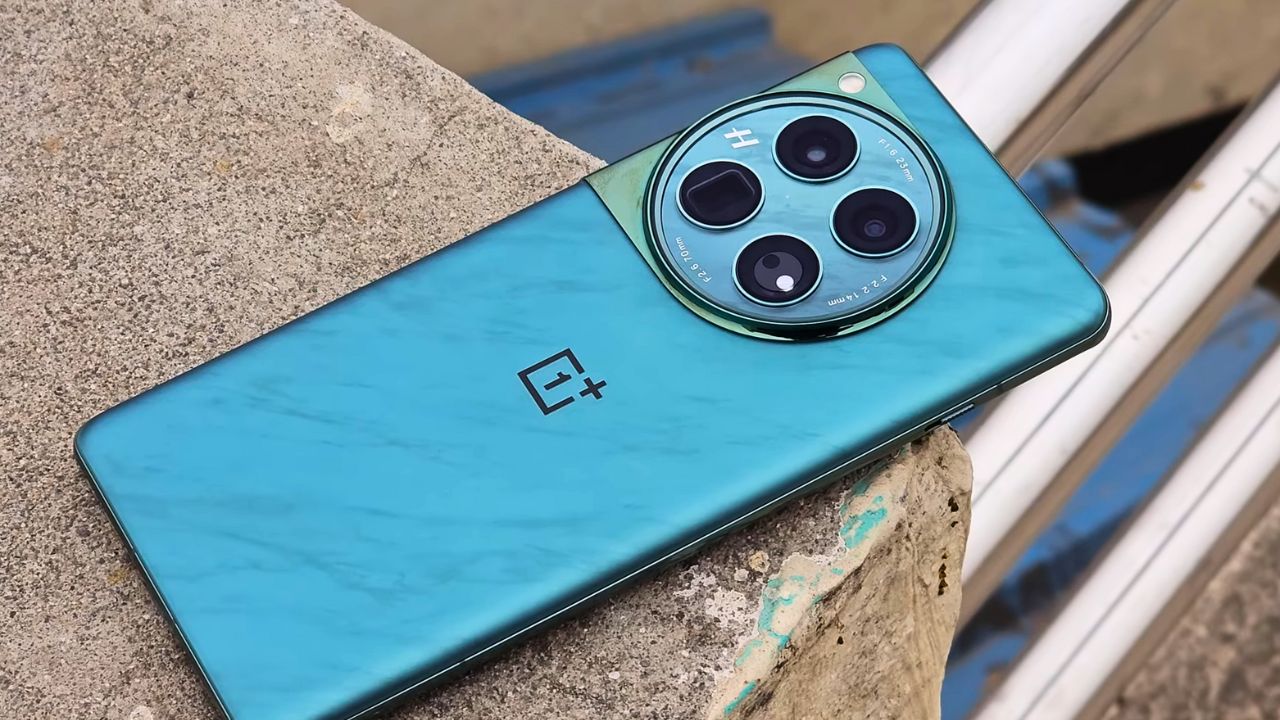
The OnePlus 12, the latest flagship smartphone from the OnePlus company has just received its first major update since launch. This update brings improvements and new features to enhance the overall user experience of the device. It also integrates the January 2024 Android security patch for better system security.
This update can be identified for the OnePlus 12 with its firmware version CPH2573_14.0.0.404(EX01) and its size is 1.40 GB. This update will be rolling out it in stages, so it will take some time to reach all the users.
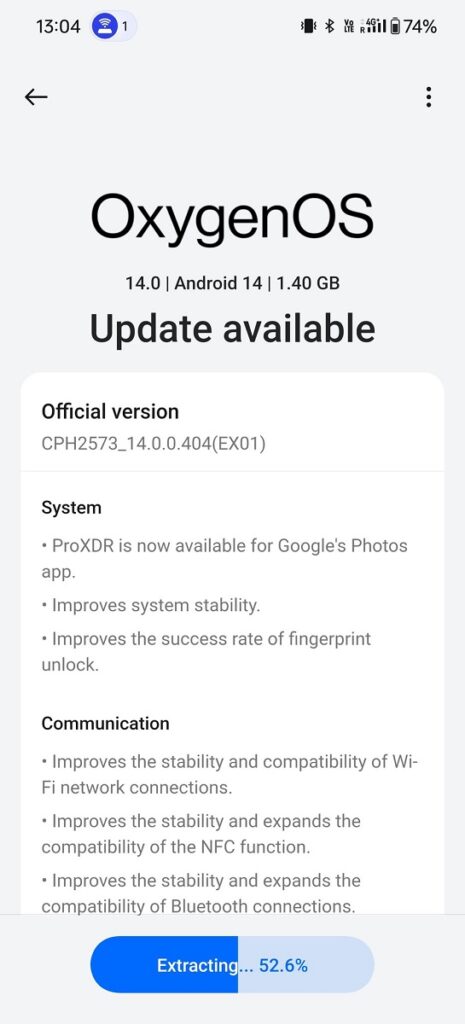
OxygenOS 14.0.0.404 for OnePlus 12
The OxygenOS 14.0.0.404 update for OnePlus 12 brings ProXDR compatibility to the Google Photos app, enhancing the viewing experience with more vivid and dynamic colors. There are improvements in the overall stability of the system, ensuring smoother performance. The success rate of the fingerprint unlock feature has been improved, offering a more reliable and faster unlocking experience.
This update also enhances the stability and compatibility of Wi-Fi connections, ensuring a more consistent and reliable internet experience. The NFC functionality has seen improvements in both stability and compatibility, expanding its range of use. The Bluetooth connectivity has been improved, offering a more stable and broader range of compatibility with devices.
A significant addition to the camera features is the Master mode, which now includes Hasselblad color tuning. This mode is designed to enhance photos with more natural and vibrant colors, bringing professional-grade color accuracy and quality to everyday photography.
Changelog:
System
- ProXDR is now available for Google’s Photos app.
- Improve system stability.
- Improves the success rate of fingerprint unlock.
Communication
- Improves the stability and compatibility of Wi-Fi network connections.
- Improves the stability and expands the compatibility of the NFC function.
- Improves the stability and expands the compatibility of Bluetooth connections.
Camera
- Adds Master mode that features Hasselblad color tuning to enhance your photos with more natural and vibrant colors.
For More Such Updates Follow Us On – Telegram, Twitter, Google News, WhatsApp and Facebook