
Tech News
Samsung Galaxy Z Flip Key Specifications Leaked

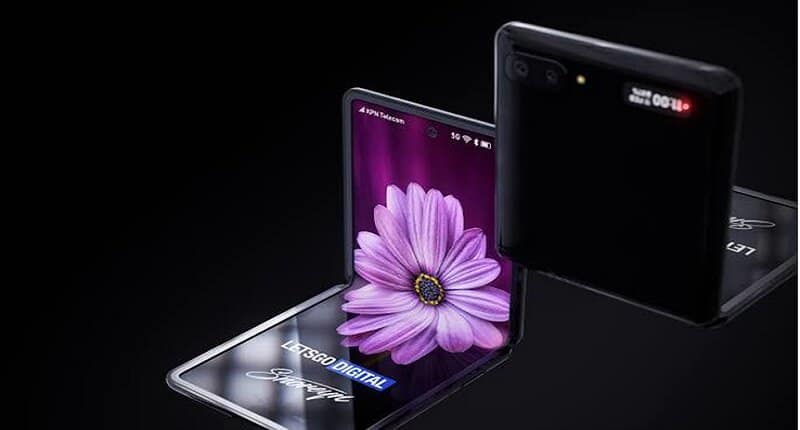
On 11 February, Samsung will be launching a new foldable smartphone –Samsung Galaxy Z Flip alongside the Galaxy S20 series at Galaxy Unpacked event. Now ahead of the launch, the key specifications of Galaxy Z Flip have surfaced online.
In December, the leaked shots of the device and some of its specifications surfaced on the internet. A new tweet by Ishan Agarwal has the key specifications of the Galaxy Z Flip.
Samsung Galaxy Z Flip Rumored Specifications
The phone will feature a 6.7-inch Dynamic AMOLED display with an Infinity-O punch-hole on the display. The phone is a Snapdragon 855-powered device that runs on One UI 2.1 based Android 10 OS. It is expected to feature an ultra-thin glass (UTG) and plastic film on the display. There will be a 1-inch secondary display placed alongside the dual-camera system for checking notifications.
The phone will have a dual-camera setup with a primary lens of 12-megapixel. Previous leaks had claimed that it could be equipped with a 108-megapixel main lens with 5x optical zoom support. It will sport a front-facing camera of 10-megapixel.
The phone might be backed up by a 3,300mAh or 3,500mAh battery. It will have a large internal storage of 256 GB. The phone’s recent 3C certification listing shows that it will come with 15W charging support.
The phone will sport an ultra-thin glass display with a plastic layer on top for extra protection. The additional plastic layer will ensure the display doesn’t get scratched easily.
The Galaxy Z Flip will be arriving in Black and Purple color options. It will feature a power key on the right of the lower section and a volume rocker on the right of the upper half of the phone.
As per the recent report, the phone will be expected to be priced between 60,000-90,000.
No details on the specs of the phone are available at the moment.
Also read: Galaxy Note 10 Lite Launched in India
For More Such Updates Follow Us On – Telegram, Twitter, Google News, WhatsApp and Facebook




News
Here is a list of devices that are eligible for OxygenOS 13.1 update with Bloatwares and Some Expected Features

People are waiting for the 13.1 Update. Finally. OnePlus officially announced for Oxygen 13.1 update on 4 April. 2023. The first device that comes with OxygenOS 13.1 out of the box is OnePlus Nord CE 3 Lite.
What are the Changes?
There are no major changes. Only some minor changes have been done.
Some changes we can expect after this update:
- Calculator app Easter Egg: The first change we can expect is the Easter Egg in the Calculator App.
Before OxygenOS 13. When we write 1+= We can see the easter egg of Never Settle (as shown below) But it has been removed in OOS 13.
ONEPLUS New Easter Egg | ONEPLUS calculator trick | Oneplus easter egg in calculator 😍 pic.twitter.com/90LnU2pd2e
— Kshitiz Jangra (@kshitizz022) September 10, 2022
- Battery Health: We can expect the Battery Health feature in the Battery section like OnePlus 11 Series and iPhones. It is one of the most beneficial features for people who bought second-hand OnePlus devices.
- Lock Screen: We can also expect some customization features in the Lock Screen with OxygenOS13.1
- Per-App Language: We can expect this feature as this is available in Stock Android 13 provided by Google. With this feature, we can use different languages in Different Apps. If you want to know more about this feature then read this.
- Improve Themed Icons: As we all know themed icons are not supported by most third-party apps. But we can expect the themed icons for the apps after OOS 13.1
- Better Connectivity: We can expect better connectivity of Bluetooth devices, Wi-Fi, and Internet Connectivity.
- New Interface while connecting Bluetooth Earbuds, and Headphones: we can expect a new interface when we connect the earbuds.
- Improvements in gestures and motions: We can expect new gestures or improvements in the Gestures after this OOS 13.1 Update.
Hot Apps and Oppo’s ColorOS Browser in OxygenOS 13.1?
We may get Bloatwares In OOS 13.1 As seen in OnePlus Nord CE 3 Lite. Here are some pictures
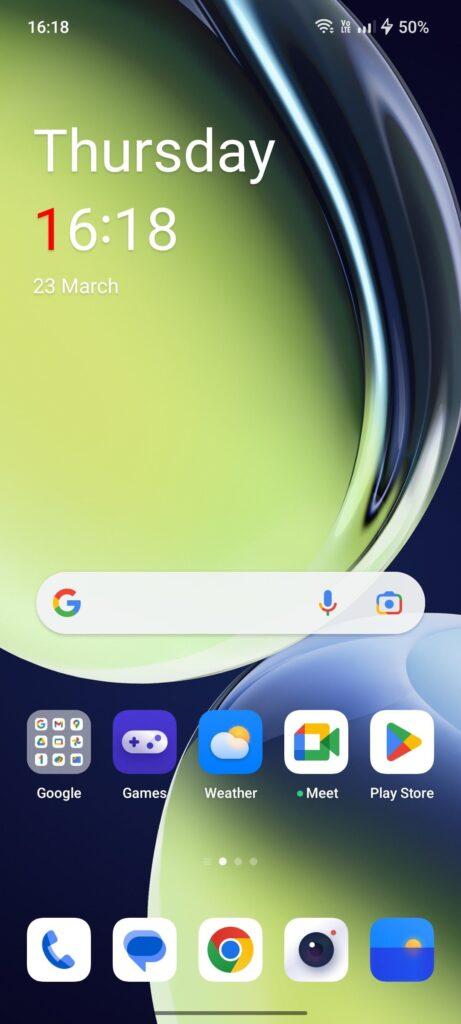
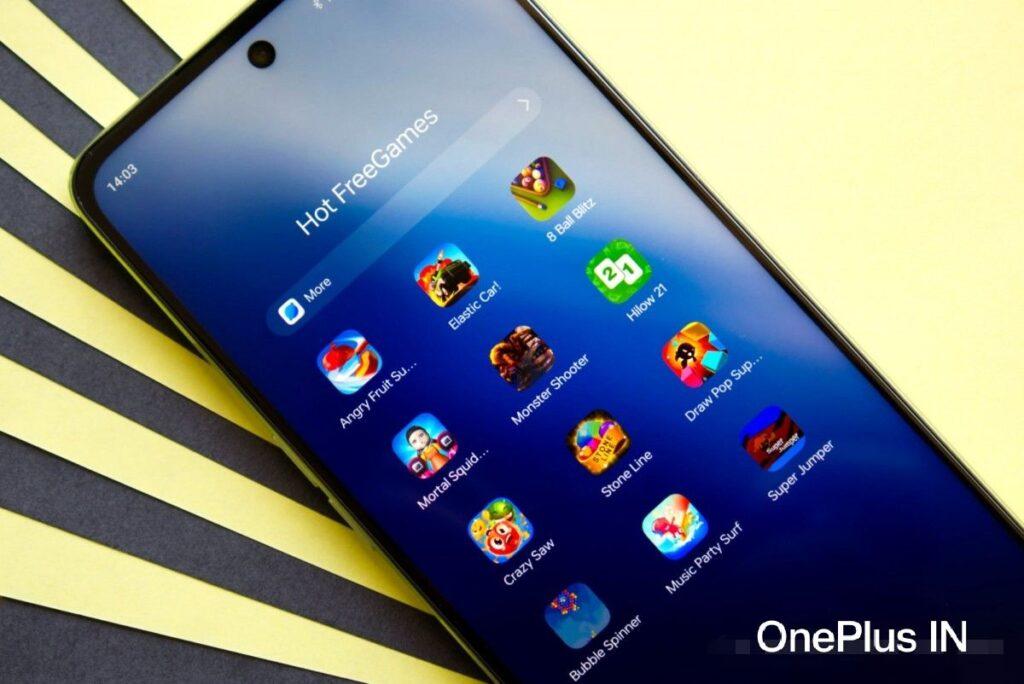
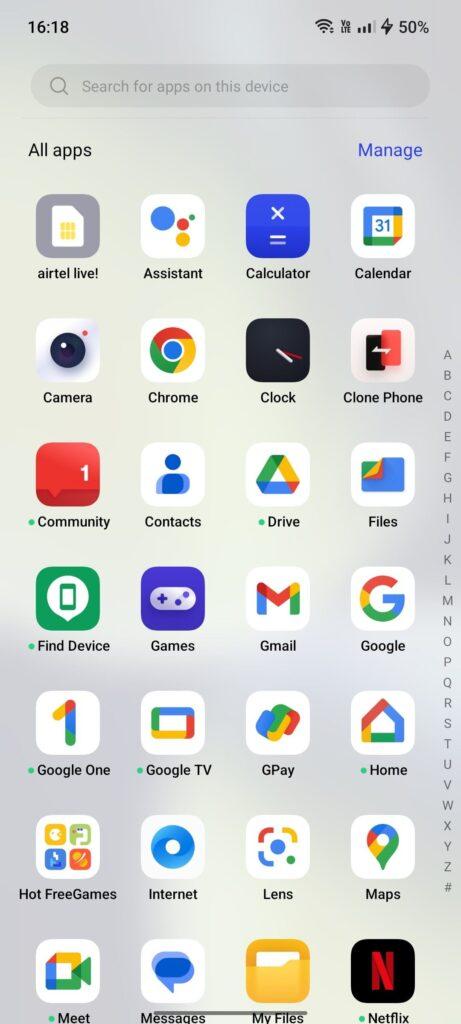
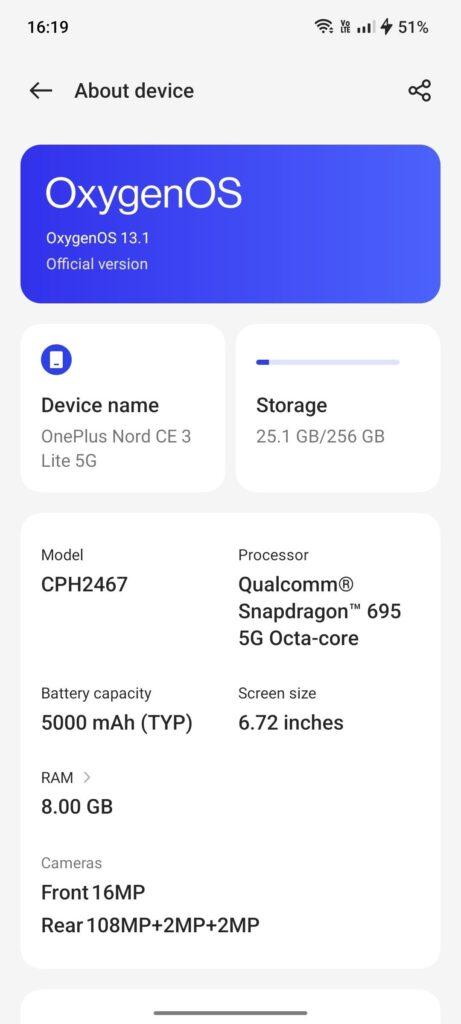
After seeing the Pictures. We are sure that we got Oppo’s ColorOS Browser, Hot Apps, etc. This is unexpected. As said by OnePlus when they merge with Oppo. OxygenOS won’t get Bloatwares but now Bloatwares are coming in OxygenOS13.1
Credit:OnePlus Nord CE 3 Lite user
Note: We are not responsible if any of the following updates won’t come. As it is only expected.
If we talk about the devices which are eligible for this update.
Devices Eligible for OxygenOS 13.1
OnePlus 11 Series:
- OnePlus 11
- OnePlus 11R
OnePlus 10 Series:
- OnePlus 10 Pro
- OnePlus 10R
- OnePlus 10T
OnePlus 9 Series:
- OnePlus 9
- OnePlus 9 Pro
- OnePlus 9R
- OnePlus 9RT
OnePlus 8 Series:
- OnePlus 8
- OnePlus 8 Pro
- OnePlus 8T
OnePlus Nord Series:
- OnePlus Nord 2
- OnePlus Nord 2T
- OnePlus Nord CE
- OnePlus Nord CE 2
- OnePlus Nord CE 2 Lite
Also Read:
1.OnePlus Releases OxygenOS 13 C.27 Update for OnePlus 10T in Europe & North America
2. Samsung Galaxy Tab A8 in India Receives One UI Core 5.1 Update with New Features and Enhancements
3. Samsung Galaxy Z Fold 5 and Galaxy Z Flip 5 Storage and Color Options Leaked
If you like our article, follow us on Google News and Instagram, or join our Telegram Group.
For More Such Updates Follow Us On – Telegram, Twitter, Google News, WhatsApp and Facebook
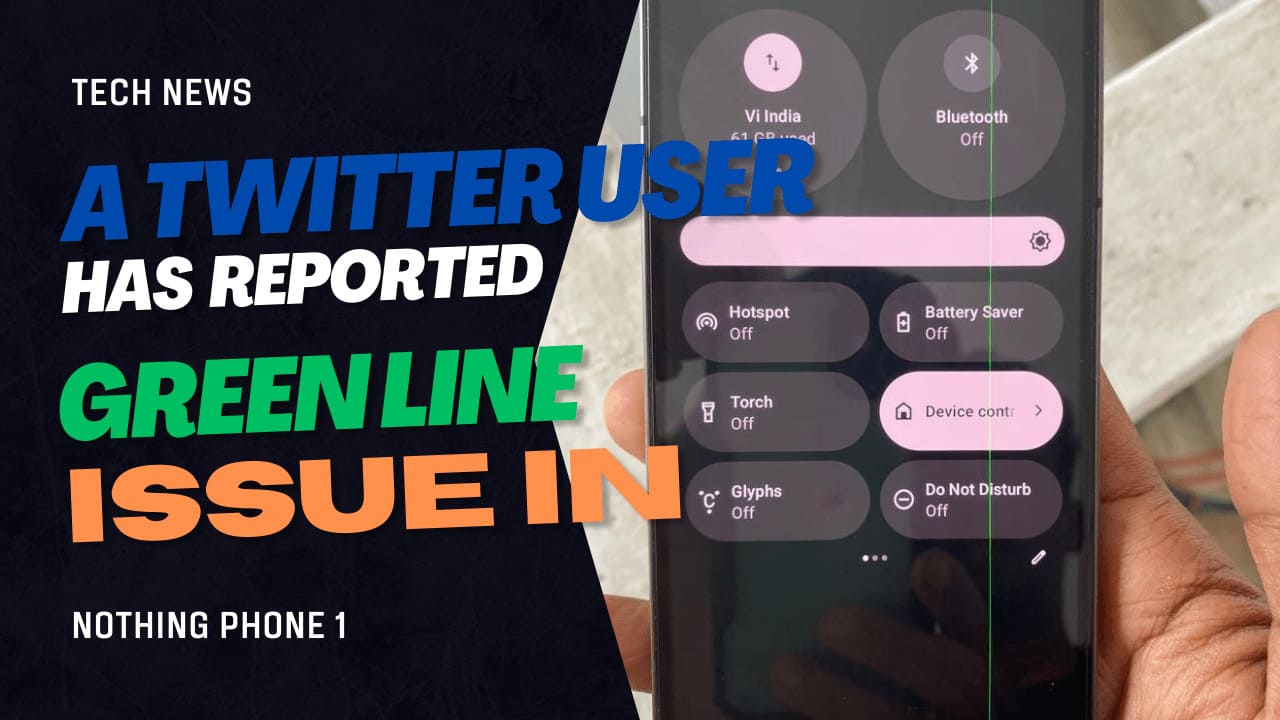
As most of the users who are using Smartphones of OnePlus 8 and 9 series are Green and Pink Line issues in their Smartphones after updating their devices to OxygenOS 12 or OxygenOS 13. In OnePlus this issue occurred after the Integration of Oppo’s ColorOS into OnePlus’s OxygenOS. In OnePlus smartphones, people have to replace their Displays to fix this issue. The Display is replaced for Free if your device doesn’t have any physical damage or dent. If you have any physical damage or dent on your device then you will be charged for the Display Replacement. Most of the users are charged for Display Replacement.
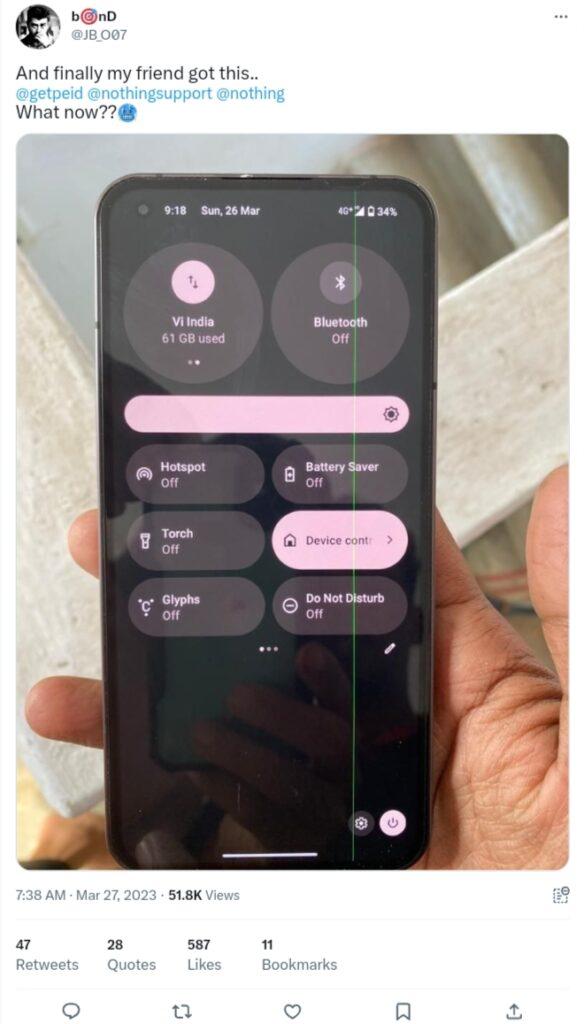
Nowadays, the same issue also occurs with a Nothing Phone 1. A user on Twitter whose username is @JB_O07 has reported that their friend is having this issue. They have a green line on their Nothing Phone 1.
Green line Nothing Phone 1
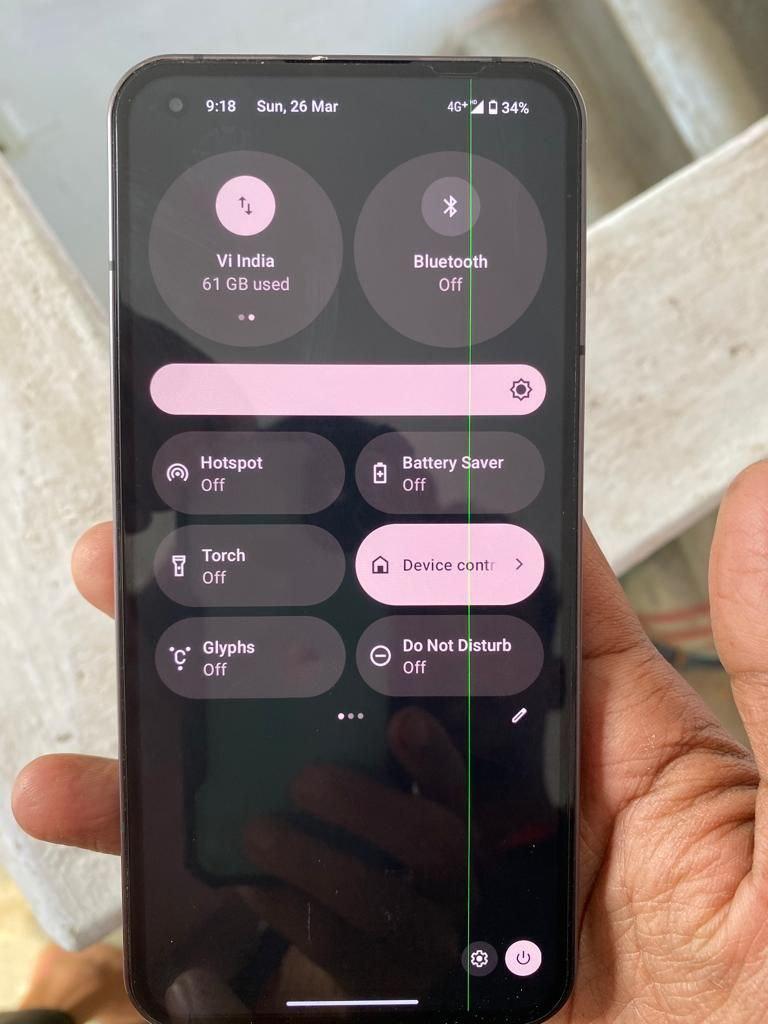
If we talk about how the reasons for this issue. So, I have read the comments below this Tweet. The reason I think is, Probably this is due to the OLED Panel used in Nothing Phone 1 Display. But according to comments. Some users said that this is due to Nothing OS 1.5.3 which is based on Android 13. But the user who Tweet tells us that this isn’t due to this update. Some say that this is due to Extreme Heating Issues. But I don’t think that the line issue is due to Extreme Heating.
Note: These are just probably. We are not sure about the real reason.
The only way to fix this issue is to just change the Display as like OnePlus smartphones. You have to visit the service center.
Free Display Replacement?
There is not any official confirmation for this but OnePlus give free Display Replacement. If the device doesn’t have any physical damage. Doesn’t matter even if it’s in warranty or out if warranty.
Also Read:OnePlus Nord Receives OxygenOS F.19 Update with March 2023 Android Security Patch
OnePlus 11R: First Device with Pink Line Issue[ez-toc]
If you like our article, follow us on Google News and Instagram, or join our Telegram Group.
For More Such Updates Follow Us On – Telegram, Twitter, Google News, WhatsApp and Facebook
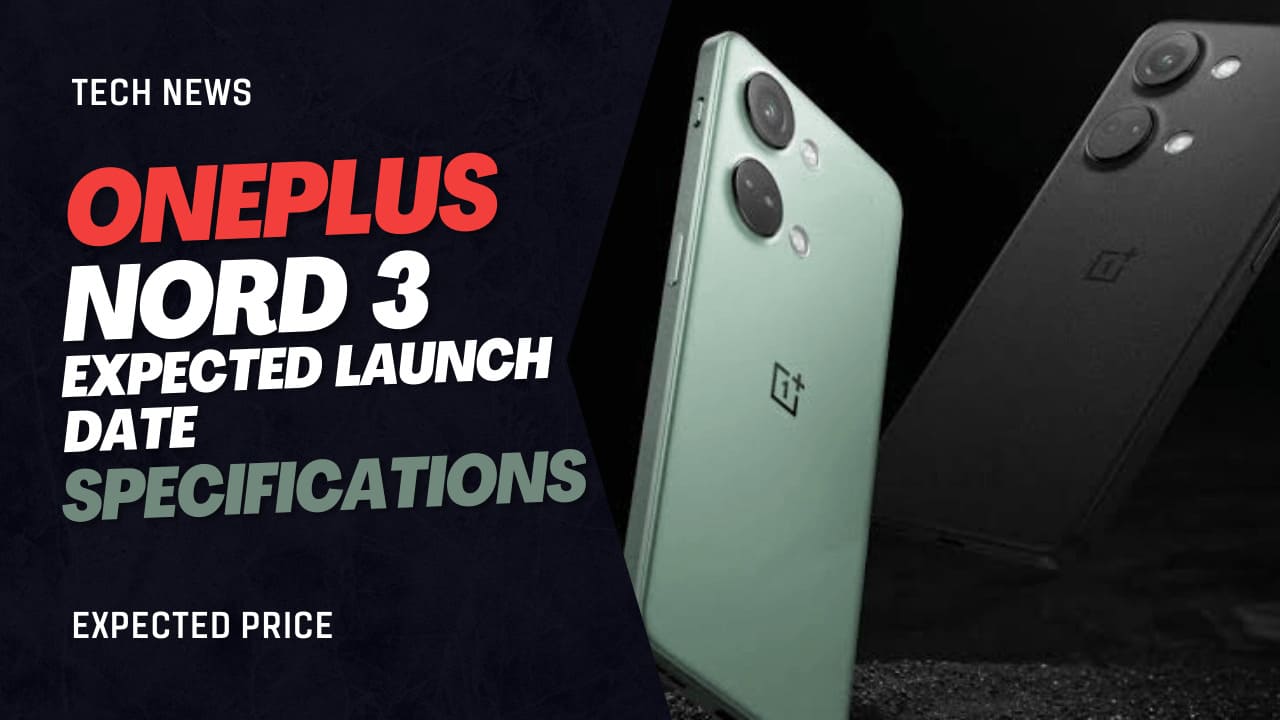
OnePlus has released a new smartphone in their Nord Series. This year they are going to release OnePlus Nord 3. Most people said that OnePlus Ace 2V which is already launched in China is OnePlus Nord 3 in India. OnePlus Nord 3 is said to be the Successor Of the OnePlus Nord 2 as Nord 2T doesn’t have any changes. Just we get a new look with Mediatek Dimensity 1300. But Now with Nord 3, we get new changes and also a better performance.
If we talk about Specifications. So, as OnePlus Ace 2V launched. So we also know the specifications of Nord 3
It comes with a 1.5K Amoled Display with 120 Hz Refresh Rate.
We are getting Mediatek Dimensity 9000.
With LPDD5X RAM With UFS 3.1 Storage.
Peak Brightness is 1450 Nits.
5000 mAh with 80 Watt Fast Charger.
If we talk About the Camera, So Primary Sensor is 64 Megapixels. 8 Megapixels UltraWide, and 2 Megapixels Macro as usual. 16 Megapixels Selfie.
It also has Alert Slider and In-Display Fingerprint Sensor as usual.
We can expect the base variant comes in 30K. If we talk about Launch. So, we can expect it in June 2023.
OnePlus Ace 2V with Dimensity 9000 is launching on March 7 in China !!
The device will launch globally as OnePlus Nord 3.• 6.7″ FHD+ 120Hz Amoled
• 50MP + 8MP + Useless, 16MP🤳
• 5000mAh🔋,80W⚡
• Mediatek Dimensity 9000 SoC
• Alert Slider, In-display FS pic.twitter.com/795JQqC3oy— Debayan Roy (Gadgetsdata) (@Gadgetsdata) February 27, 2023
Also Read:Asus ROG 7 and ROG 7 Ultimate Specifications – No More ROG 7 PRO
If you like our article, follow us on Google News and Instagram, or join our Telegram Group.
For More Such Updates Follow Us On – Telegram, Twitter, Google News, WhatsApp and Facebook