
Samsung
Samsung Galaxy Ring to Launch at Late July Unpacked Event

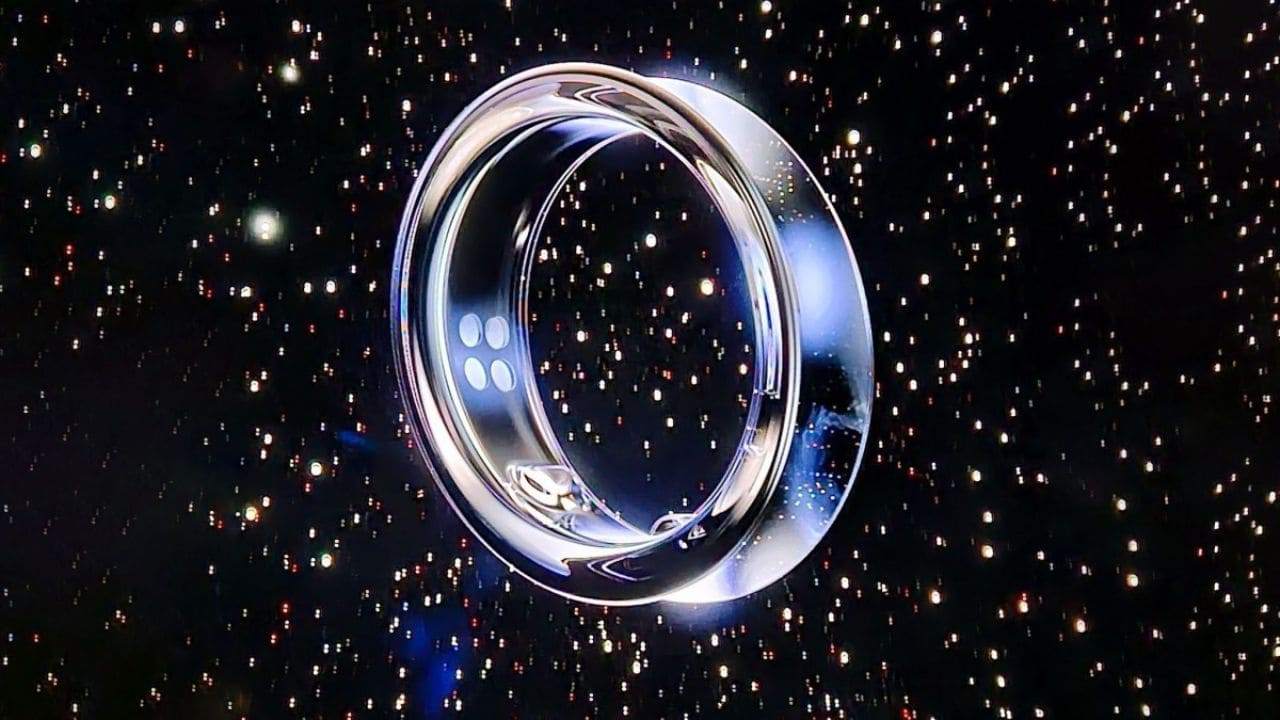
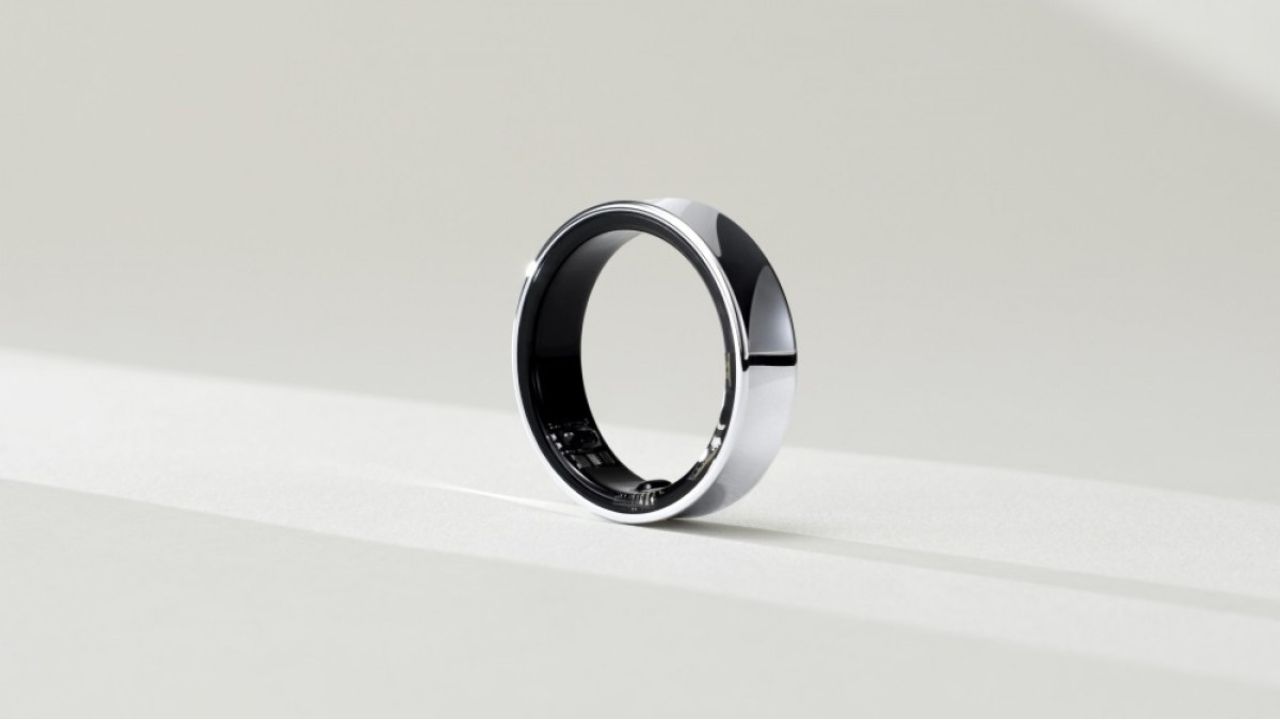
Samsung has recently launched its latest flagship Samsung Galaxy S24 series i.e. Samsung Galaxy S24, Samsung Galaxy S24 Plus, Samsung Galaxy S24 Ultra with Galaxy AI in their Galaxy Unpacked event. Yesterday, a report claimed that Samsung’s upcoming Galaxy Ring, a wearable, is expected to be announced in the next Unpacked Event, which is expected to be held in July, this year.
Samsung’s upcoming Fold 6 and Flip 6 are also going to be announced in this upcoming Unpacked Event. Galaxy Ring comes with ECG (Electrocardiogram) support and can also measure Blood Pressure. This ring also supports NFC payments. So, you can make your payments from this ring. Currently, the ring is in the prototyping stage, and the bulk production will start between April and June. Additionally, Galaxy Ring will offer you eight different sizes.

At present, the smart ring market which is a small market is led by Oura, who introduced its first smart ring in 2016. Its latest third-generation has heart rate tracking along with sleep tracking. Until now, Oura wasn’t able to make the smart ring market truly but as we know, Samsung has the potential for this. Somehow later, Apple is also planning to enter the smart ring market in the future.
What do you think about this Galaxy Ring? Do let us know in the comment box. Also, tell us whether you like this post or not.
For More Such Updates Follow Us On – Telegram, Twitter, Google News, WhatsApp and Facebook









Recently, at the MWC 2024 event, which was held in Barcelona, Samsung’s VP, Hon Pak confirmed that the upcoming Galaxy Ring will not be supported by iPhones. Pak also said that their products are as good as the Apple ones.
There are also very good reasons to switch to Samsung’s ecosystem. Samsung is also working on making their devices compatible with other Android devices as well, not only with their own.
As we already know, Galaxy Ring comes in various sizes. Among them, the smallest one is powered with a battery of 14 mAh, and the largest one comes with a bigger battery of 21.5 mAh which will provide a battery backup of 5-9 days.
Until now, the launch of Galaxy Ring has not been revealed but some rumors suggested that it will launch in the Unpacked Event, which is going to be held in July along with Samsung’s upcoming Galaxy Z Fold 6 and Z Flip 6.
What do think about this move taken by Samsung? Do let us know in the comment box. Also, tell us whether you like this post or not.
For More Such Updates Follow Us On – Telegram, Twitter, Google News, WhatsApp and Facebook
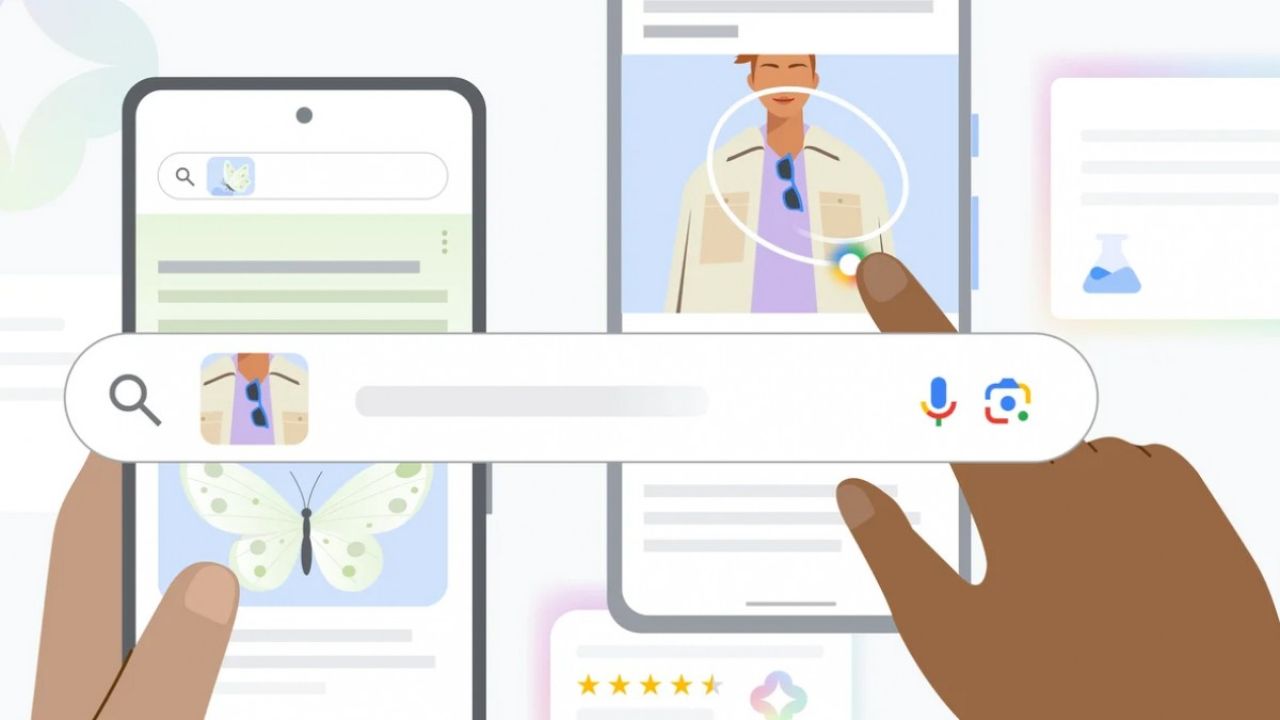
With the new Samsung Galaxy S24 Series, i.e. Samsung Galaxy S24, Samsung Galaxy S24+, and Samsung Galaxy S24 Ultra, Samsung has introduced its new Galaxy AI which has many AI features. One among them was Circle to Search which was created in partnership with Google. The same feature was also introduced by Google for its Google Pixel 8 and Pixel 8 Pro a day later.
How Circle to Search is different from the ordinary Search?
As we know, if you want to search for something in the Google lens. Then, you have to choose the photo from the gallery and select the object from the photo. But with this Circle to Search, you just have to circle the object from the photo that you want to search.
If you want to know more about the Samsung Galaxy S24 Series and its new Galaxy AI, then we already have a dedicated post for that.
Note: Some of the Galaxy AI features will also come in the first half of 2024, i.e. January to June, in the Samsung devices listed below:
- Samsung Galaxy S23
- Samsung Galaxy S23+
- Samsung Galaxy S23 Ultra
- Samsung Galaxy S23 FE (Fan Edition)
- Samsung Galaxy Z Fold 5
- Samsung Galaxy Z Flip 5
- Samsung Galaxy Tab S9
- Samsung Galaxy Tab S9+
- Samsung Galaxy Tab S9 Ultra
Can we expect Circle to Search feature on other Smartphone devices?
Sadly, according to a statement by Samsung Netherlands, it is clear that the Circle to Search feature will be exclusive to Samsung and Google devices until October 2024.
Circle to Search may become available on Android devices from other brands from 5 October 2024, but there are no active developments underway for this.
Google and Samsung think that these exclusive features can attract people to prefer their devices, but it can hurt users as well as other Android manufacturers. Eventually, this is not the first time, Samsung and Google have given the latest version of WearOS on their wearables.
Because of this, users as well as other smartphone manufacturers are upset with both Samsung and Google. It is like Apple’s ecosystem, which was previously opened, but now, it is more closed with these exclusive features for exclusive devices. What Samsung and Google are thinking, is just because of these exclusive features, users will consider a Pixel or a Samsung Phone.
What do you guys think? Are Samsung and Google doing right to give exclusive features? Do let us know in the comment box. Also, do tell us whether you like this post or not.
For More Such Updates Follow Us On – Telegram, Twitter, Google News, WhatsApp and Facebook
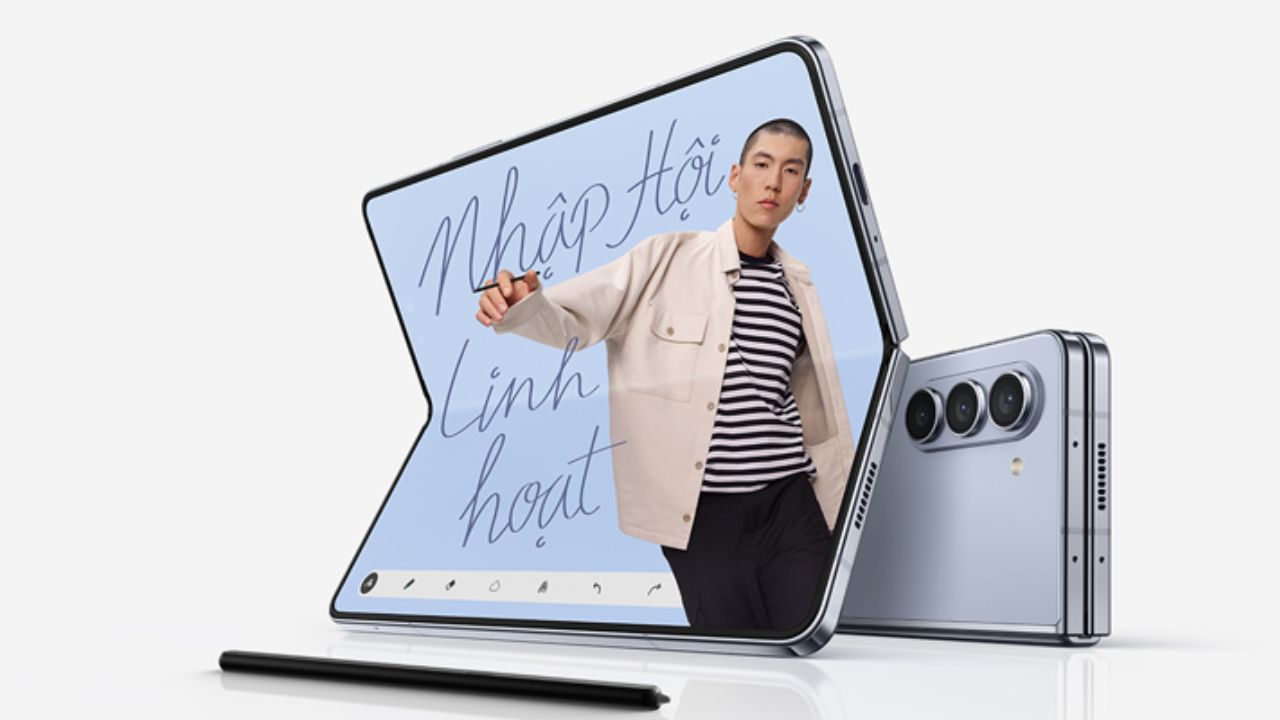
We have been listening to many rumors about an affordable foldable Samsung phone since the launch of the first Samsung Galaxy Z Fold. The Samsung Galaxy Z Fold was launched in back 2019. Recently, we have also covered in one of our posts that Samsung is working on an affordable folding phone, and now the phone’s codename is finally leaked.
According to WinFuture details, import and export documents confirm the limited production quantities for three devices with the codenames B6, Q6, and Q6A. These devices with codenames Q6 and B6 are expected to be Samsung’s Z Fold 6 and Z Flip 6. The third one, i.e. Q6A is expected to be an affordable Z Fold 6.
For now, we don’t know the specifications, pricing, or any further data of this affordable foldable phone from Samsung. But as we know, last year, the codenames of Samsung’s Galaxy Z Fold 5 and Z Flip 5 were Q5 and B5. This year, the Q6A is expected to be an affordable foldable phone.
What do you guys think about this new affordable foldable phone from Samsung? Do let us know in the comment box. Also, do tell us whether you like this post or not.
For More Such Updates Follow Us On – Telegram, Twitter, Google News, WhatsApp and Facebook