Nothing
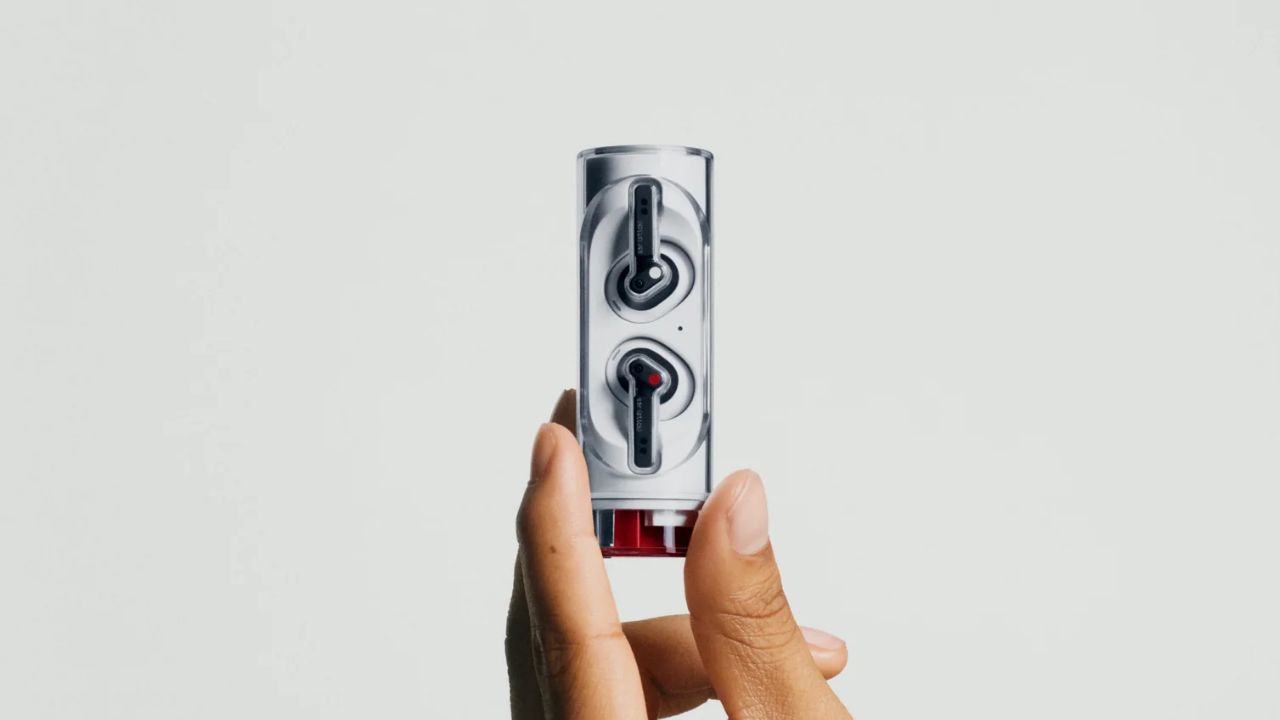
Nothing Ear (stick) gets 1.0.2.86 Update with Optimized Bass and Better Calls

Nothing is rolling out a new update, 1.0.2.86 for Nothing Ear (stick). The update brings optimized sound and better call quality.
The firmware version 1.0.2.86 is rolling out in stages, so you might receive it in the coming days. You can update it through the Nothing X App.
The first change the company has made in this update is optimised bass sound when ‘MORE BASS’ is selected in the equalizer, and the second change is optimised the call quality which was not up to mark in the previous version.
Changelog
- Optimised the bass sound when ‘MORE BASS’ is selected in the EQ.
- Optimised call quality.

Nothing
Nothing OS 4.0 Based on Android 16 – Complete Overview of Features, Changes, and Improvements

The wait is finally over for Nothing Phone users. Nothing OS 4.0, based on Android 16, has officially started rolling out as an open beta update for multiple devices including the Nothing Phone 3, Nothing Phone 2, Nothing Phone 2A, and Nothing Phone 2A Plus. This new update brings a wave of exciting features, UI enhancements, and system optimizations that aim to improve user experience while maintaining the brand’s minimalist design philosophy.
Supported Devices and Update Size
The Nothing OS 4.0 open beta is now live and can be installed through the Nothing Beta Hub app. Supported devices currently include:
- Nothing Phone (3)
- Nothing Phone (2)
- Nothing Phone (2A)
- Nothing Phone (2A Plus)
The update size varies slightly depending on the model. For instance, the Nothing Phone 3 received a package of around 2.6GB, while the Nothing Phone 2 update size reached 3.1GB. The latest build carries the September 2025 security patch and includes several functional and visual refinements.
How to Install Nothing OS 4.0 Beta
To join the open beta, users need to:
- Download and install the Nothing Beta Hub application – Download
- Navigate to Settings → System → Nothing Beta Hub.
- Grant necessary permissions and tap Join Beta.
- In case of a join fail message, retry a few times — it usually works after multiple attempts.
- Once joined, head to the Software Update section and download the new build.
It’s always recommended to backup your device before installation, even though the update typically doesn’t wipe data.
Nothing OS 4.0: New Features and Enhancements
1. Lock Screen Customization
The lock screen now offers two new clock styles, expanding the total to eight. Although customization options like color changes are still missing, the fresh clock designs give users a touch of newness without altering the clean aesthetic Nothing is known for.

2. Control Center and Quick Settings
The Control Center has received thoughtful refinements:
- The resize icon for tiles has been removed; now, users can tap a tile directly to adjust its size.
- New arrow indicators guide users on resizing options.
- 2×2 tile support has been extended to more settings.
- The reset button has been repositioned for easier accessibility.
- Subtle UI cues like outlines around resized tiles improve visual clarity.

3. Android 16 Based DND & Notification Controls
Nothing OS 4.0 incorporates Android 16’s enhanced Do Not Disturb (DND) feature. Tapping on DND now shows a pop-up with preset modes like Bedtime and Driving, with the ability to create custom modes.
Additionally, notification cooldowns and app optimization tools have been added to improve battery efficiency and performance.

4. UI Improvements and Animations
Animations across the interface feel significantly smoother and more fluid. Small design tweaks in the Bluetooth menu, such as improved segregation of the On/Off toggle and minimalistic search icons, reflect the company’s commitment to refinement.
5. Enhanced Multitasking
Multitasking has been elevated with dual floating app support. Users can now switch seamlessly between two pop-up apps using new floating icons — making multitasking on Nothing OS 4.0 much more efficient.
6. Extra Dark Mode
A new Extra Dark Mode feature delivers deeper blacks and enhanced contrast, providing improved visibility and comfort in low-light environments.

7. Revamped About Section
The About Phone page has been visually redesigned. Instead of showing a half device image, users now see a full device view with consolidated tiles for OS version and phone details — making the layout cleaner and more informative.
8. Intelligent Toolkit and AI Enhancements
Nothing OS 4.0 integrates AI usage dashboards for better transparency in large language model activity. The Intelligent Toolkit now includes an AI Usage section with weekly and daily summaries.
Additionally, the new Playground feature allows users to explore and create AI-generated tools, widgets, glyph toys, and equalizer profiles — all within an intuitive browser-based interface.

Performance, Stability, and Bug Fixes
While most of the changes are visual and functional, the update also includes general performance improvements and bug fixes. Users report smoother animations, better battery management, and improved responsiveness.
Final Verdict
With Nothing OS 4.0, the company has successfully refined the user experience while introducing thoughtful enhancements across customization, performance, and AI integration. While some users may miss deeper personalization options, this update lays a strong foundation for the future of Nothing’s software ecosystem — especially as it evolves with Android 16.
Also Read: OnePlus 13 Drops to 57,999/- OnePlus 13s Now at 47,999/- in Amazon Sale
If you own a Nothing Phone, this update is worth exploring for its blend of smooth performance, clean UI, and subtle yet meaningful upgrades.
News
Nothing OS 4.0 Announced with Refined Design and New Features

Nothing has unveiled its next major software upgrade, Nothing OS 4.0, which is based on Android 16. First teased during the launch of the Nothing Phone (3), the update brings a refined design, improved performance, and a host of new features. The rollout will begin with an open beta program, giving users early access to explore the changes.
Human-Centric Approach
According to the company, Nothing OS 4.0 continues its vision of creating a simple and intuitive user experience. The software has been redesigned to ensure that hardware and software work together seamlessly, offering a clean and unified look. Nothing calls this a “human-centric” approach to mobile design.
Key Features in Nothing OS 4.0
Refined Design
The interface has been given a more polished look. Users will notice redesigned lock screen clocks, a cleaner Quick Settings layout, and a more cohesive overall design aimed at reducing visual clutter.

Extra Dark Mode
A deeper and more advanced dark mode has been added. It not only looks better but is also designed to reduce eye strain and improve battery efficiency.

Pop-up View for Multitasking
Multitasking gets easier with a new Pop-up View feature. This allows users to keep two floating app icons on the screen, making it possible to switch between tasks without interrupting workflow.

App Optimization
Nothing OS 4.0 improves the way applications launch and run. With faster performance and better responsiveness, the system promises smoother day-to-day usage.
Camera and Gallery Improvements
The camera and gallery apps are also getting updated. Powered by the TrueLens Engine, these apps now have a refreshed interface and smoother controls, making photo capturing and viewing more intuitive.
AI with User Control
Unlike many software updates that push AI features, Nothing emphasizes user control. With new tools such as AI usage dashboards and status hints, users will have more transparency and authority over how AI functions on their device.

Other General Improvements
Additional refinements include a more responsive Always-On Display, improved brightness controls, and stronger connectivity for Bluetooth and Wi-Fi.
Nothing OS 4.0 Supported Devices
The open beta of Nothing OS 4.0 will begin soon, offering an early look at all the new features along with an exclusive preview of Android 16.
The first device to receive the update will be the Nothing Phone (3). Later, it will expand to other models, including:
- Nothing Phone (2)
- Nothing Phone (2a)
- Nothing Phone (2a) Plus
- Nothing Phone (3a)
- Nothing Phone (3a) Pro
- CMF Phone 1
- CMF Phone 2 Pro
However, the Nothing Phone (1) will not be updated to Nothing OS 4.0, as it has already completed its promised three years of software updates. Still, Nothing has confirmed that Phone (1) will continue receiving security updates for one more year.
Nothing
Nothing OS 4.0 Closed Beta Announced for Nothing Phone (3)

Nothing has officially started recruiting users for its Android 16 closed beta program for the Nothing Phone (3). Currently, the Phone (3) runs on Android 15, but with Google’s release of Android 16, Nothing is getting ready to update its latest phone with a new version of its software – Nothing OS 4.0.
In this early beta version, the company says it is focusing on bringing Android 16’s built-in features along with a new and improved design. This updated design will help make the user interface more smooth and consistent in the future.
However, since this is a closed beta and still in the early stages, users should expect bugs and issues. If you’re okay with that and still want to test the software early, you can apply to join the closed beta program. But don’t wait too long — the deadline to sign up is Sunday, 5 PM (London time).
If selected, you’ll receive an email next week with all the necessary steps.
Nothing has also mentioned a few requirements: you should use your Phone (3) as your main device, be ready to give regular feedback, take care of your data’s security, and fully understand the risks of using beta software.
The company plans to release the first public beta of Nothing OS 4.0 based on Android 16 sometime in September.