
Nothing
Carl Pei Teases Center Punch-Hole Display and Customizable Nothing OS 2.0 in Upcoming Nothing Phone (2)

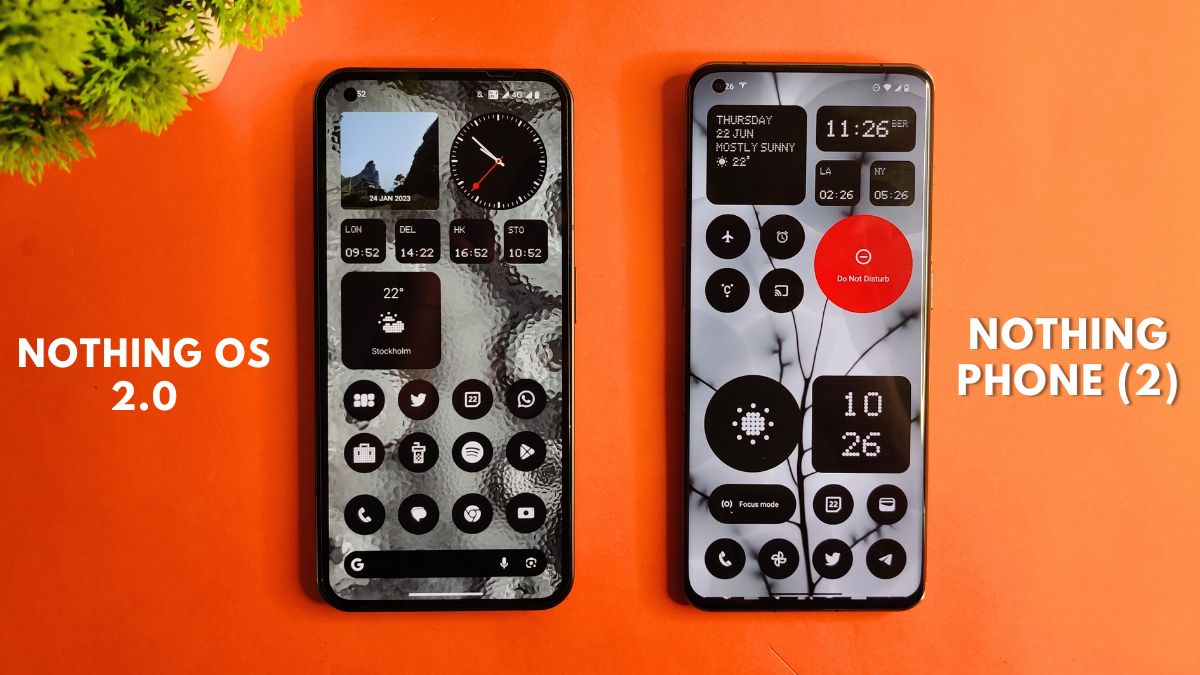
In a surprising twist, Nothing Phone (2) has taken a different direction from its predecessor by showcasing a center punch-hole display instead of the expected left corner placement. The revelation came from a screenshot shared by the company’s founder, Carl Pei, giving enthusiasts a glimpse into the upcoming device’s design.
Nothing Phone (2) to Feature Center Punch Hole Display
By comparing the shared image to that of Nothing Phone (1), it becomes evident that the clock on the status bar is aligned symmetrically, suggesting the presence of a center punch-hole. Moreover, the screenshot also revealed a resolution of 2412 × 1080, slightly higher than the Phone (1)’s 2400 × 1080, accompanied by a larger 6.7-inch screen, a step up from the Phone (1)’s 6.55-inch display.
Further specifications confirmed by the company include the integration of a powerful Snapdragon 8+ Gen 1 SoC and a 4700mAh battery, providing improved performance and extended usage compared to its predecessor’s 4500mAh battery. Additionally, the Nothing Phone (2) will be shipped with Nothing OS 2.0 as its operating system, with an update planned for Nothing Phone (1) users in August.
Nothing OS 2.0 Home Screen Screenshots from Phone (2)
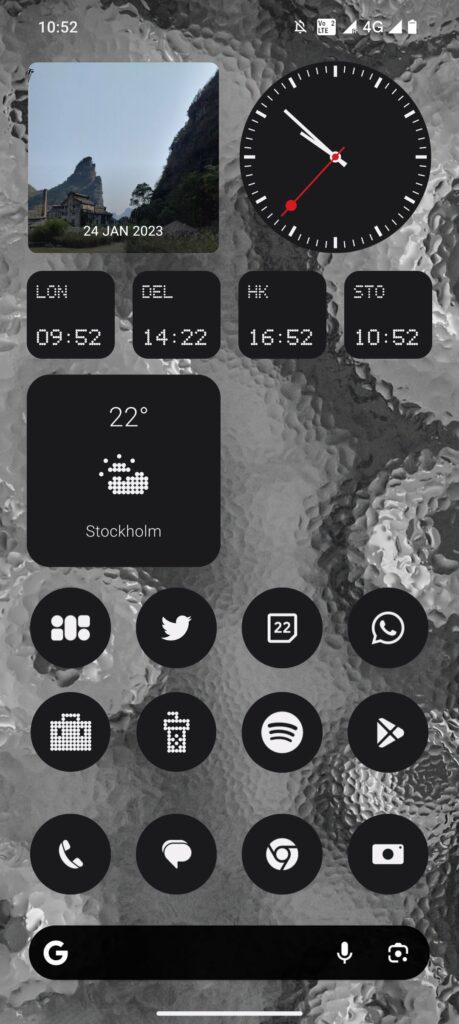
One of the key highlights of Nothing OS 2.0, as hinted at by Carl Pei through the shared screenshot, is its emphasis on customization and widgets. Accompanied by screenshots shared by Mladen M Hoyss, Software Creative Director at Nothing, and Bruno Viegas, Software Product Design Lead at Nothing, it becomes clear that widgets will play a significant role in enhancing user experience.
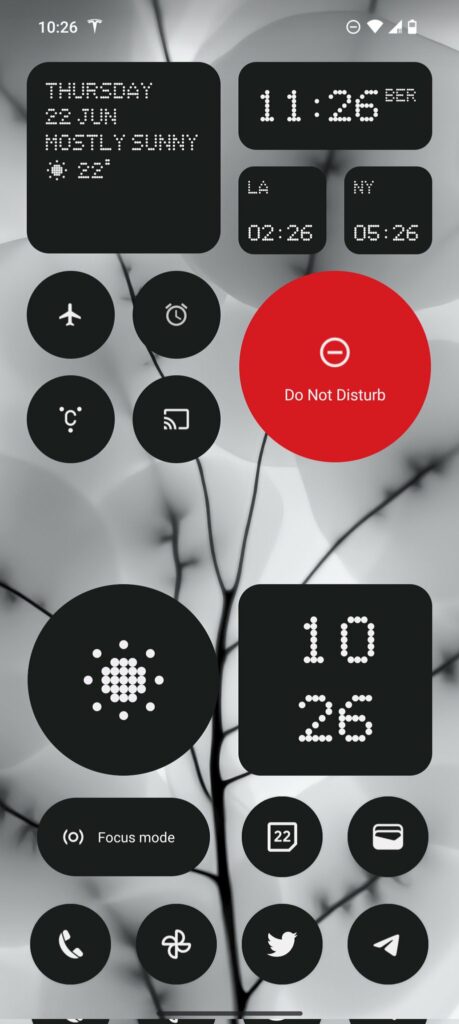
Mladen Hoyss’ screenshot primarily showcased various widgets and icons, with a prominent red circle indicating a “Do Not Disturb” widget. All the widgets appeared in black, contrasting with white text. Notably, a “Focus mode” widget was also visible, suggesting that Nothing is prioritizing productivity features within its new OS.
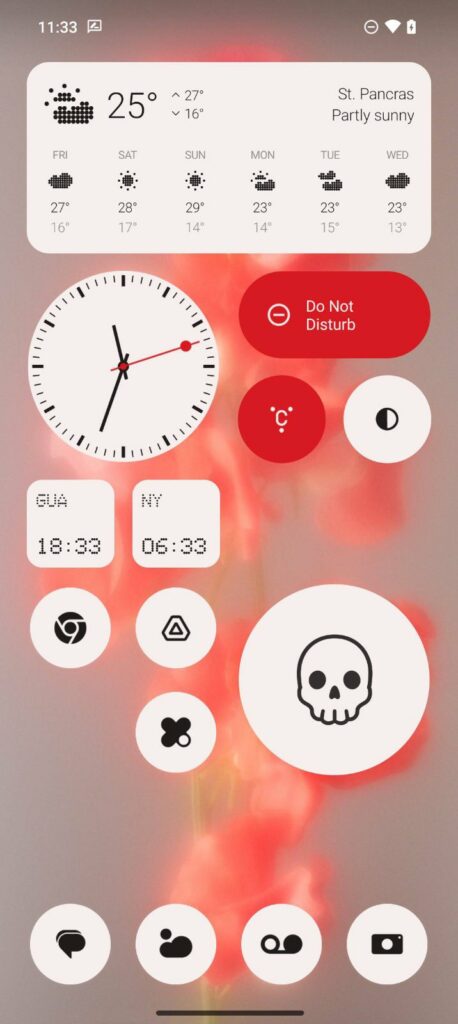
On the other hand, Bruno Viegas shared a screenshot in a lighter theme, deviating from the dark mode prevalent in the other images. In this instance, the widgets were predominantly white, with two red widgets—Do Not Disturb and Glyph Interface—taking the rectangular round shape, while another widget appeared circular.
These images indicate that Nothing OS 2.0 will offer users the flexibility to customize widgets in various sizes and shapes, including circular and rectangular round formats, further enhancing personalization options.
Of particular interest, Nothing OS 2.0 introduces the convenience of enabling Glyph Light directly from widgets. Previously, users had to access the camera to showcase this feature, but with the direct accessibility provided by Nothing OS 2.0, users can enjoy a more seamless experience.
Nothing Phone (2) and Nothing OS 2.0 are generating anticipation among tech enthusiasts, as the company strives to bring innovative design and customization features to its users. With the promise of a center punch-hole display and enhanced widget customization, it appears that Nothing is determined to make its mark in the competitive smartphone market.
For More Such Updates Follow Us On – Telegram, Twitter, Google News, WhatsApp and Facebook










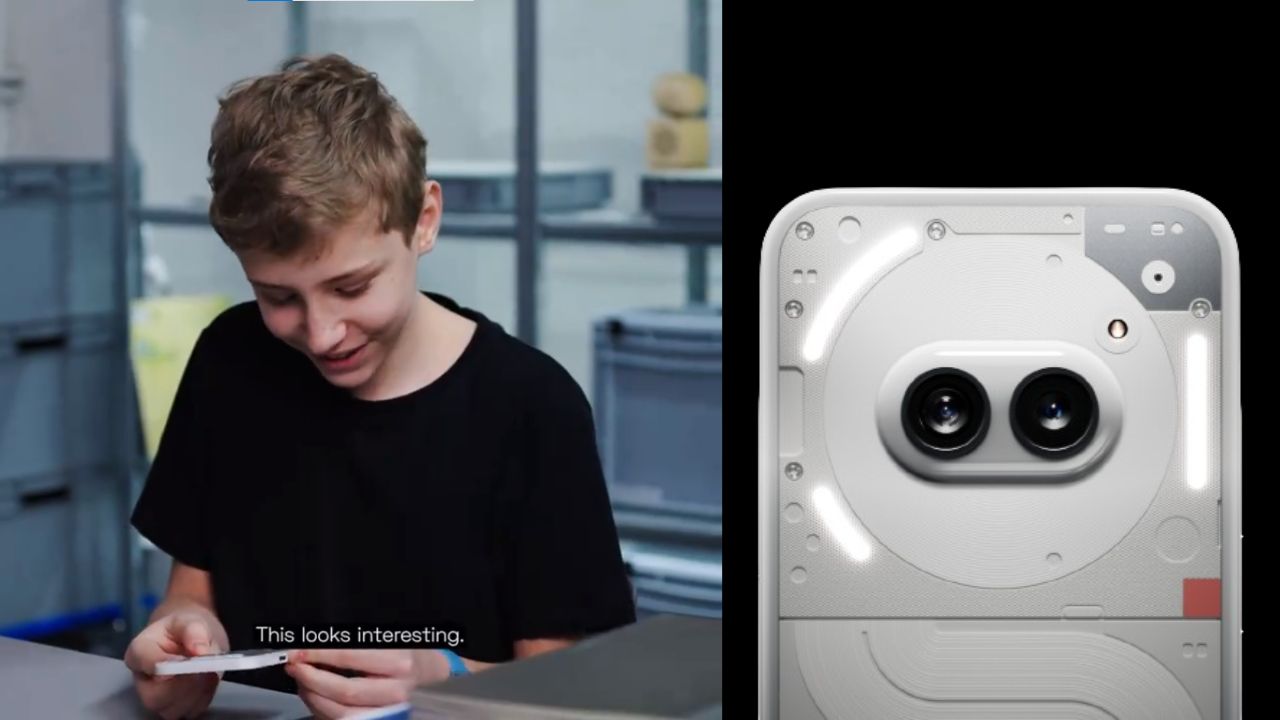
A few hours ago, Nothing which is a London-based smartphone tech manufacturing company, posted a thread on their X formerly Twitter account. In the thread, the company has mentioned “Get ready to unbox Phone (2a). Tomorrow, 10:00 GMT”. The length of the teaser video is 22 seconds.
Maximilian (Max), who is a superfan of Nothing was invited by the Nothing Team to their design studio. Max has unboxed and sees the upcoming Phone (2a). At the end of the teaser video, Max is holding the upcoming Phone (2a). Max has found the phone interesting.
If you want to see the full unboxing video of the Nothing Phone (2a), then it will be Live tomorrow i.e. 28 February at 10:00 GMT (Greenwich Mean Time) on the official YouTube channel of Nothing. If we convert 10:00 GMT (Greenwich Mean Time) to IST (Indian Standard Time), then it is “3:30 P.M.”
Personally, I am super excited about the video of Nothing Phone (2a), do you as well? Do let us know in the comment box. Also, tell us whether you like this post or not.
For More Such Updates Follow Us On – Telegram, Twitter, Google News, WhatsApp and Facebook
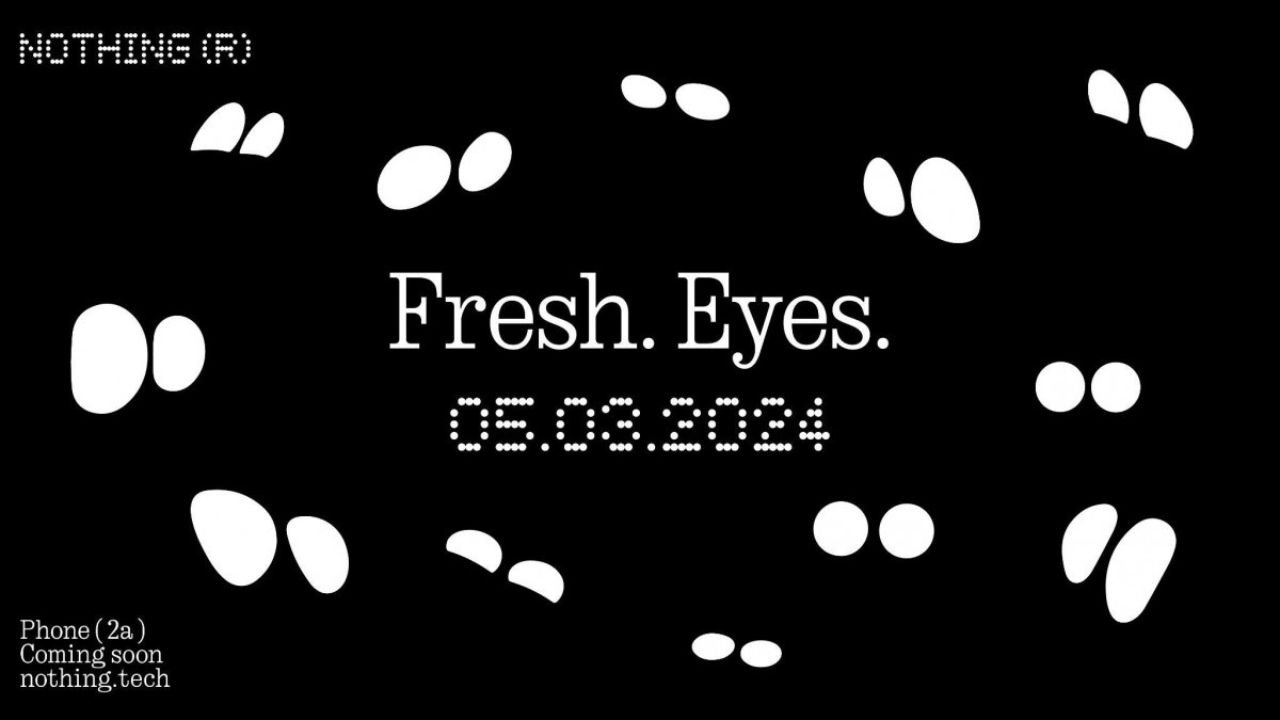
Nothing has recently confirmed the launch date of their upcoming Nothing Phone (2a) through a video on their YouTube channel. The upcoming Nothing Phone (2a) is going to launch on 5 March 2024.
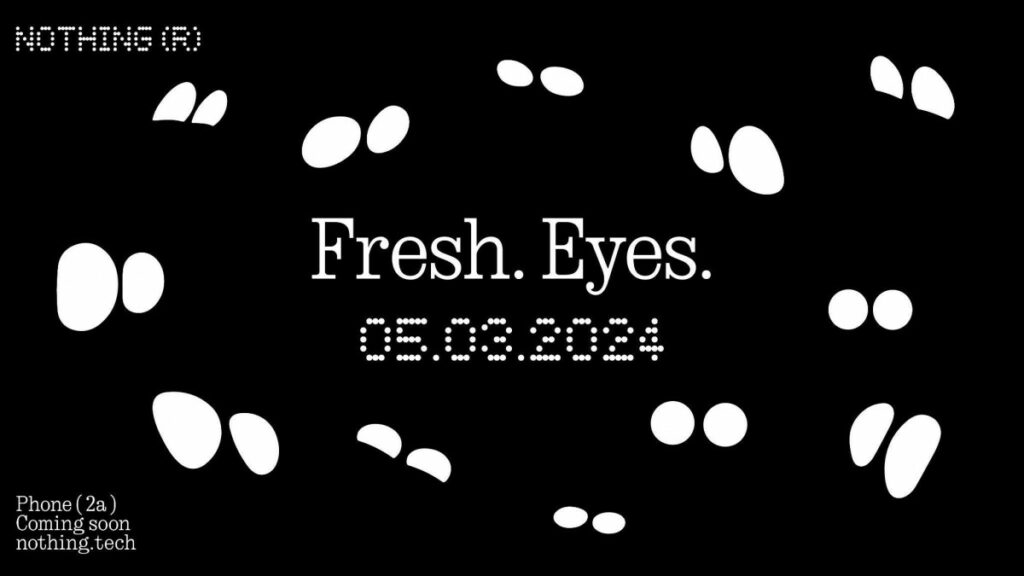
The title which is given to the launch event of Nothing Phone (2a) is Fresh Eyes. If we see the teaser image, then it shows the outline of the eyes. Moreover, the teaser image of the Phone (2a) gives us a hint that the rear camera has dual camera lenses which are aligned sideways and are closer to the center of the back.
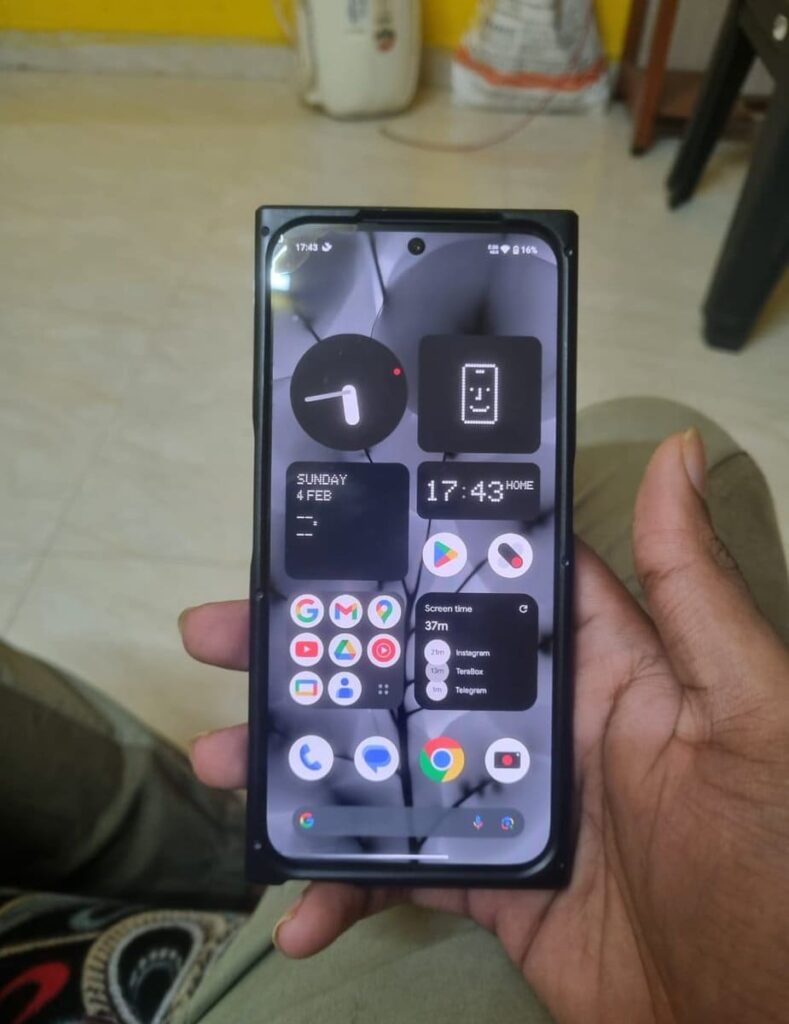
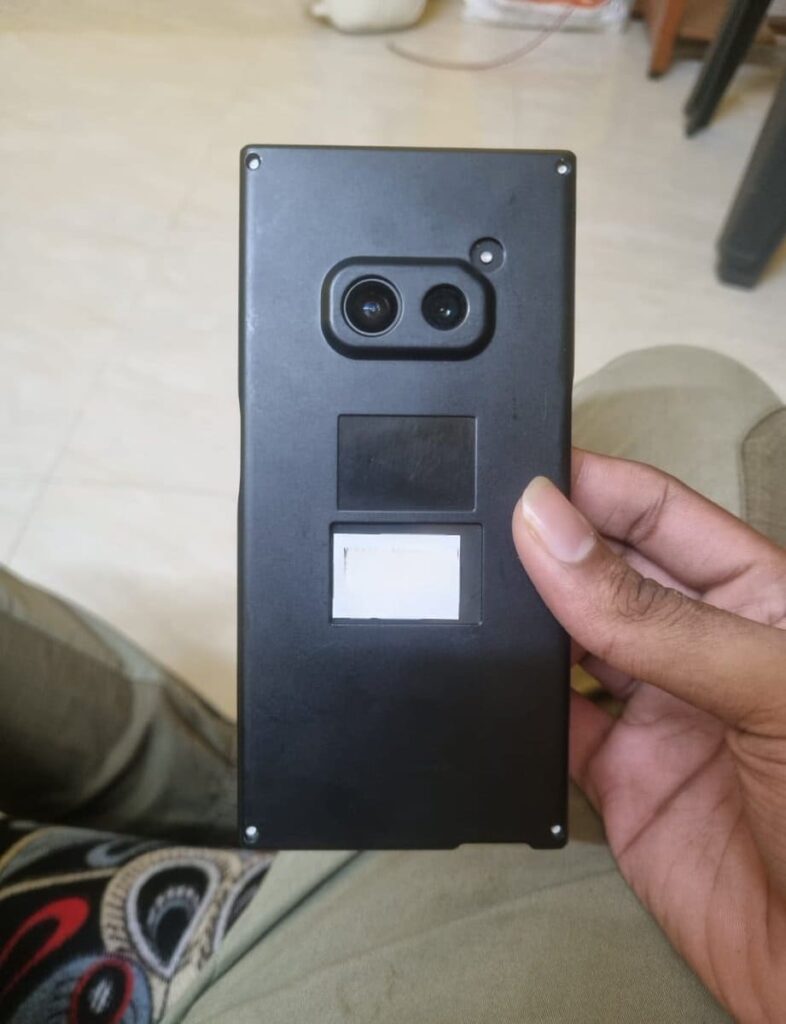
The codename of the Nothing Phone (2a) is Aerodactyl, which is going to be launched by next month. This is expected to be a budget-level smartphone from Nothing. Also, this is the first phone from Nothing that comes with a MediaTek Processor. Nothing claims that this phone pawns elements for Nothing Phone (2), which is an expensive phone from Nothing.
This Nothing Phone (2a) is a clear upgrade from Nothing Phone (1), which is the company’s first smartphone launched back in July 2022. If you want to know more about the specifications of Nothing Phone (2a), then consider this post. Furthermore, Nothing has recently launched the Glyph Developer Kit for developers which allows developers to implement the use of glyph interface in their apps.
Are you guys interested in the Nothing Phone (2a)? Do let us know in the comment box. Also, do let us know whether you like this post or not.
For More Such Updates Follow Us On – Telegram, Twitter, Google News, WhatsApp and Facebook
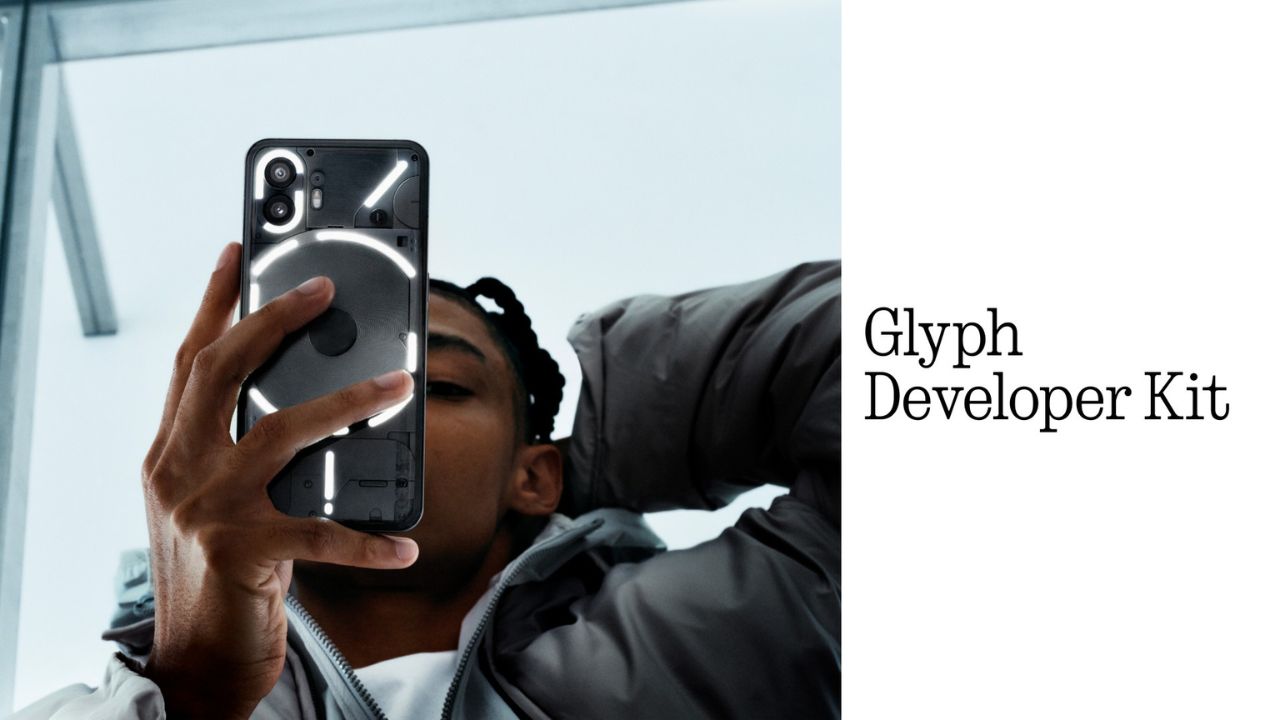
Nothing, a UK-based smartphone manufacturing company has recently released its Glyph Developer Kit which allows developers to take the benefit of the LED lights that are present on the back panel of the Nothing Phone (1) and Nothing Phone (2). With this Glyph Developer Kit, developers can integrate the Glyph functionality in their apps.
Currently, the Software Development Kit also known as SDK is live on GitHub for both Nothing Phone (1) and Nothing Phone (2). If we talk about the programmable LED lighting zones, then Nothing Phone (1) has 12 but on the other hand, Nothing Phone (2) has 33 programmable LED lighting zones which you can see in the images listed below:
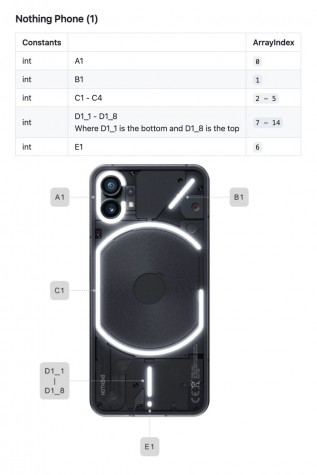
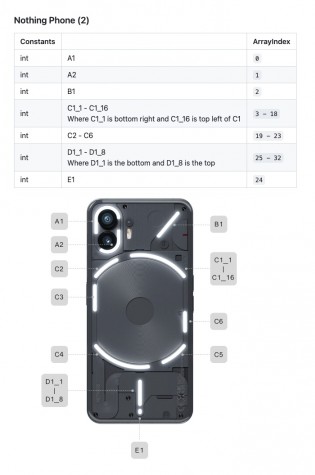
Developers can start Twiddle with the Glyph Developer Kit. Moreover, they can sign up, so that they will be notified whenever the registration of the API Key opens. As the Glyph Developer Kit is Live, so we can expect Glyph Interface functionality to be working in more apps.
What do you guys think regarding this, whether we got this Glyph Interface functionality to be working in more apps? Do let us know in the comment box. Also, tell us whether you like this post or not.
For More Such Updates Follow Us On – Telegram, Twitter, Google News, WhatsApp and Facebook