
Review
Realme Buds Air Iconic Cover Priced at Rs 399 in India


The Chinese smartphone manufacturer has finally revealed the Realme Buds Air Iconic cover price and availability details in India.
Realme Buds Air Iconic Cover Price and Availability
The Realme Buds Air Iconic Cover is priced at Rs. 399 (~$6). The cover will be on sale starting at 12.30 PM IST on Jan. 28. It will be available on Flipkart and Realme’s own website.
Realme Buds Air Iconic Cover Design
The Buds Air Iconic Cover sports a tailor-made “R” logo designed by Pentagram and comes with a form-fitting, impact-resistant design to protect your Buds Air against falls and slip-offs. Realme claims that the cover is composed of a durable material that is soft to the touch. It comes with a metal carabiner for portability. Wireless charging works without removing the cover.
The charging case supports wireless charging and is rated for up to 17 hours of playback on a single charge. Without the charging case, the device lasts for around 3.5 hours on a single charge.
The Buds Air Iconic cover comes in four color variants, namely white, black, yellow, and blue.
More Technology Update at Techibee
For More Such Updates Follow Us On – Telegram, Twitter, Google News, WhatsApp and Facebook


Oneplus 9 Review after 3months…. Worthy or Not???
When Oneplus first came out on the market, its cellphones were always a good deal. That’s no longer the case, as the business has shifted its attention to flagship smartphones and partnerships, with some gadgets now costing more than $1,000. That doesn’t rule out the possibility of OnePlus delivering good value in the future.
Design and Hardware
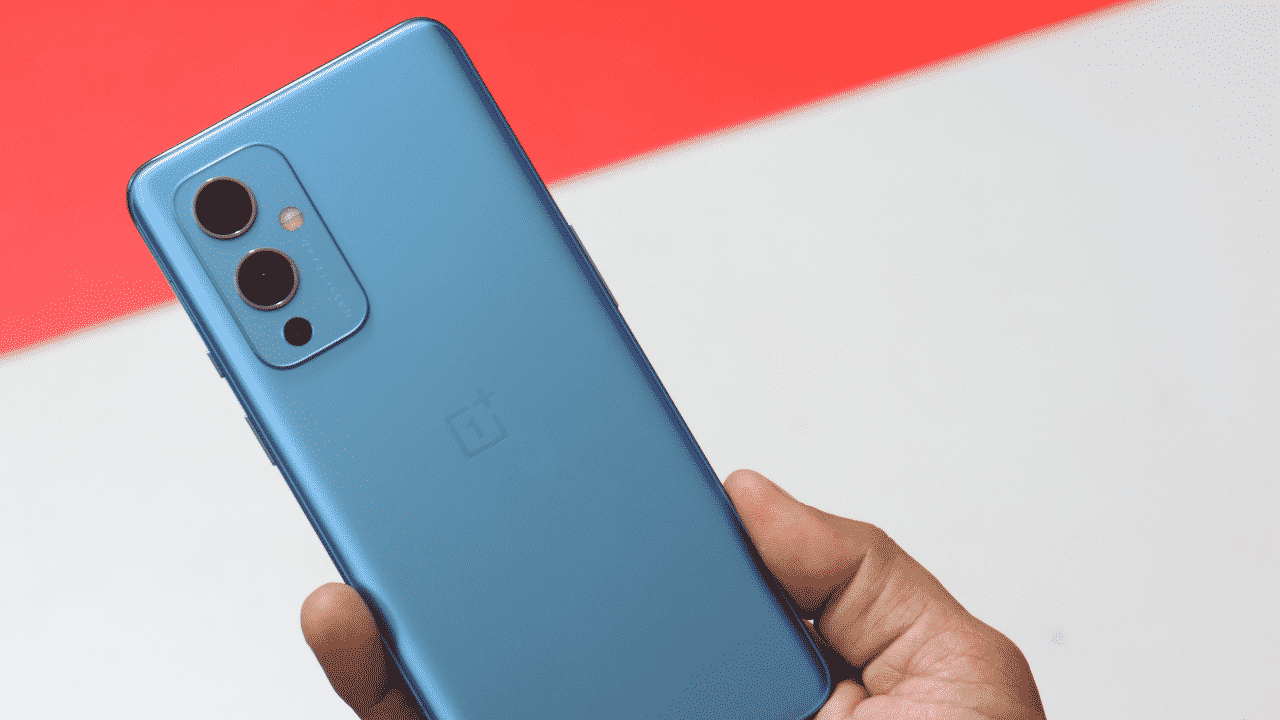
The OnePlus 9 looks identical to the OnePlus 8T in terms of design. The buttons are all in roughly the same places on both phones, and they’re around the same size. The camera array is located in the same general area on the back, but the form is different. The switch to a plastic frame is perhaps the most notable design change, and one that will elicit debate.
The back panel is still glass, but the edge is made of plastic composited with fibreglass and given a metal-like finish. The aluminium frame on the 9 Pro, on the other hand, has a cool, uncompromising feel to it. The power button is on the right, and the volume rocker is on the left.
Although there is no headphone jack, you do receive stereo speakers in the standard earpiece configuration. A 6.55-inch flat OLED screen with a resolution of 1080p and a refresh rate of 120Hz takes up practically the entire front of the phone. The bezels around the screen are almost symmetrical, but they’re not quite there. Even at low brightness, the Oneplus 9’s OLED seems incredibly homogeneous.
Although the brightness range isn’t as remarkable as that of a high-end phones, it’s usable outside and won’t blind you in a dark room. In the upper left corner, there’s a hole-punch for the selfie camera.
The sensor in the OnePlus 9 is only 7mm from the bottom of the display panel. OnePlus has always been near the top of the stack when it comes to haptic feedback, and the OnePlus 9 is no exception. The vibration is precise and tight, but not as powerful as I’d like it to be. A 65W Warp Charge plug and a C-to-C cable are included with this phone.
Performance and Battery
Oxygen OS 11, which is Android 11 with a few changes, comes pre-installed on the OnePlus 9. Google Discover appears on the home screen, and the app drawer scrolls in the right direction. OnePlus includes a few unique features, such as Parallel Apps for services that only support one account at a time and Screen Off Gestures for controlling the device while it is sleeping.
The OnePlus 9 appears to have a few minor flaws. For example, Android Auto crashes roughly 90% of the time, and the system navigation has stopped working on a few times. The animations on OnePlus phones are a little rushed compared to most other Android devices, even after a lot of use and a lot of apps, this phone still feels speedy. The OnePlus 9 stays up with me even when I’m switching between various apps and background services are using up RAM. OnePlus has been chastised for its zealous app control in the background.
However, the OnePlus 9 has provided me with excellent battery life. I normally get about eight hours of screen time spread out over a day or a day and a half of quite serious use. With lighter usage, I don’t see why this phone couldn’t last two days on a charge.
The 65W ceiling on the Warp Charge 65T is the same as previous year’s phones, but it can hold greater power for longer. In around 20 minutes, you’ll have a 75 percent charge. This gadget doesn’t have wireless Warp, but it does have 15W wireless charging, which is better than the OnePlus 8T’s zero watts.
Cameras
We’ve heard of OnePlus’ Hasselblad relationship previously, and it reminds us of Huawei’s Leica cameras. OnePlus, on the other hand, argues that Hasselblad did more than just slap its logo on the back of the phone. The new image natural colour calibration on the OnePlus 9 looks fantastic. The photographs I’m seeing from the OnePlus 9 are far more realistic, with colours that are practically Pixel-accurate.
Even with the improved colour profile, OnePlus’ image processing isn’t fully to my satisfaction. The phone sharpens edges too much and smooths out details too much. Fine textures can sometimes become little more than a hazy pattern, making cropping any of your photographs impossible, which is made more difficult by the lack of a telephoto camera.
In low light, the Oneplus 9 camera suffers from blurriness and dubious white balance. While the OnePlus 9 lacks the 9 Pro’s new primary camera, it does have the higher-resolution ultrawide sensor. It’s a 50MP IMX766 with a “freeform lens” that decreases distortion at the edges when compared to other phones.
Because of the reduced distortion, this sensor is better for close-up objects. It’s also employed for Super Macro mode shots, which produces superior results than any dedicated macro sensor. The third camera sensor is monochromatic and only has a resolution of 2MP. The only photo mode that employs this sensor is the one at the bottom of the filter list.
The lack of optical image stabilization (OIS) for any of the sensors is the OnePlus 9’s major flaw. The OnePlus 8T and the upcoming OnePlus 9 Pro both offer optical image stabilization, whereas the OnePlus 9 only has electrical stabilization.
Worthy or Not???
The OnePlus 9 is speedy, has a wonderful screen, charges really quickly, and is a decent value when compared to the OnePlus 9 Pro. The OnePlus 9 is full-speed forward from the moment you pick it up, with snappy animations and barely a hint of lag. Although the absence of a telephoto camera is disappointing, the new ultrawide sensor is amazing. It shoots excellent macro images and has no discernible edge distortion.
If you want to spend less on a new phone than you would on a flagship, but cheap options aren’t powerful enough, the OnePlus 9 is a good option… for now.
Also read: OnePlus 9 series brings Bitmoji AOD and July 2021 security patches
If you have any issues follow me on Instagram or join our Telegram Group. For the latest TechNews and Reviews, follow Techibee on Twitter, Facebook, and subscribe to our Youtube channel.
For More Such Updates Follow Us On – Telegram, Twitter, Google News, WhatsApp and Facebook
Mobiles
OnePlus Launcher 4.4.2 adds shortcut to access quick search and navigation icon for recent apps
OnePlus Launcher 4.4.2 adds shortcut to access quick search and navigation icon for recent apps.
Last month,OnePlus Launcher 4.3.3 was made availabe for OnePlus devices which were running on OxygenOS 10 based on Android 10.OnePlus 6, OnePlus 6T, OnePlus 7, OnePlus 7 Pro, OnePlus 7T, and OnePlus 7T Pro these devices received Android 10 based on Oxygen OS.
In OnePlus Launcher 4.3.3 settings,there was a new “hide icon label” toggle in the main menu.Once enabled the text underneath the app icons in the home screen and in folders will disappear.This new feature gave your homescreen a new look and made it look less cluttered.
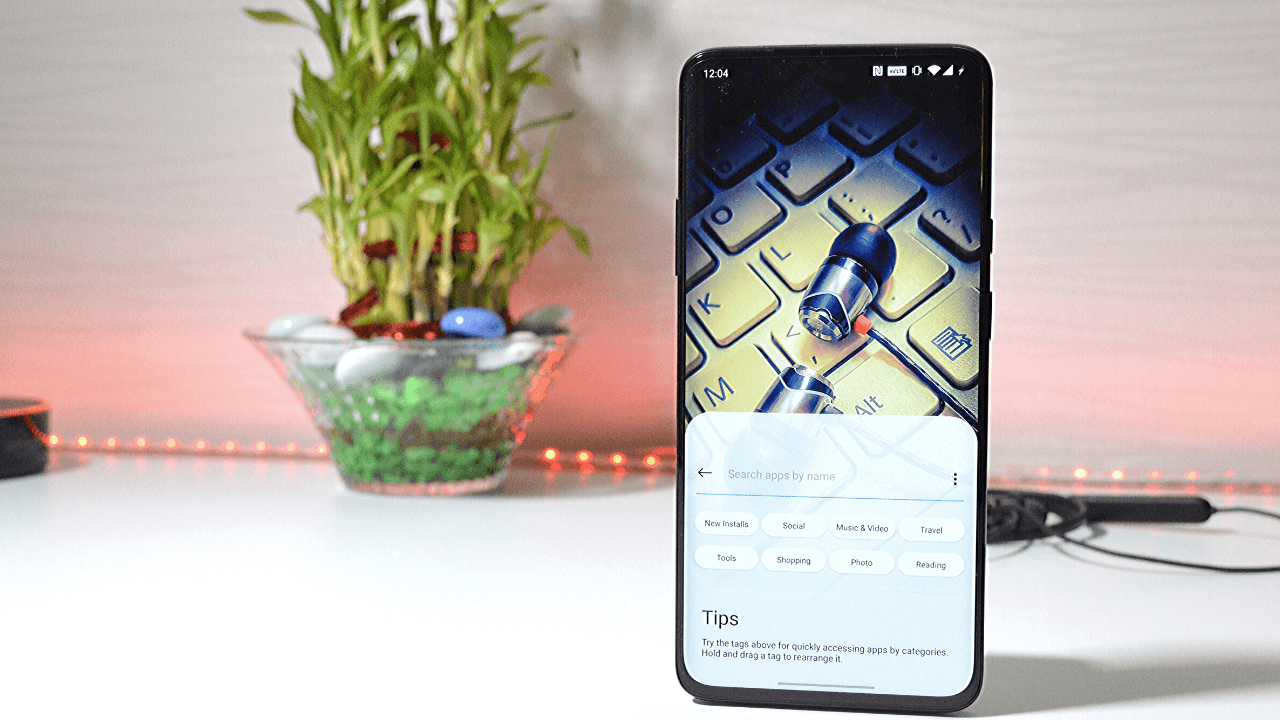
With New Oneplus Launcher 4.4.2 ,Oneplus added shortcut to access quick search and navigation icon for recent apps.
Some of the changelog in this new update are :-
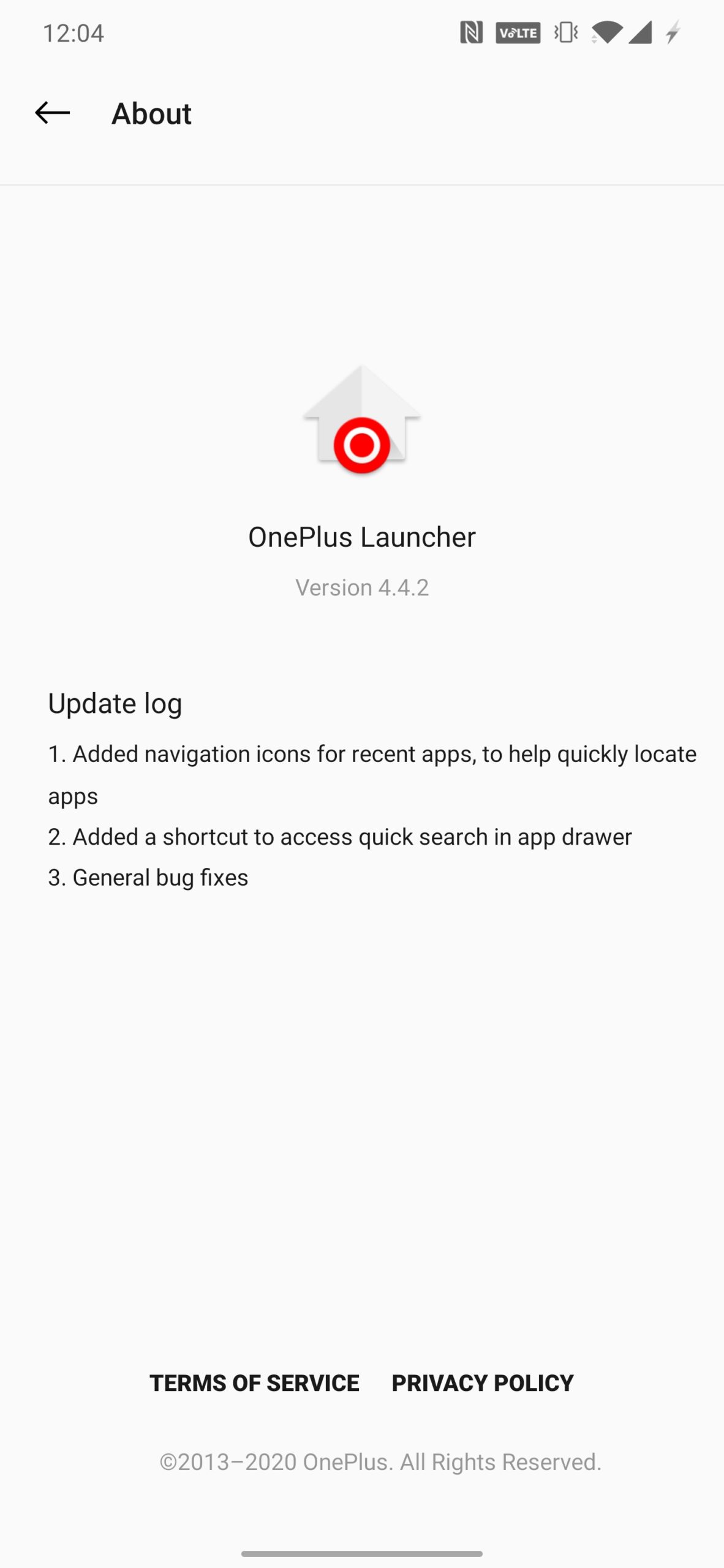
- Added navigation icons for recent apps,to help quickly locate apps.
- Added a shortcut to access quick search in app drawer.
- General bug fixes.
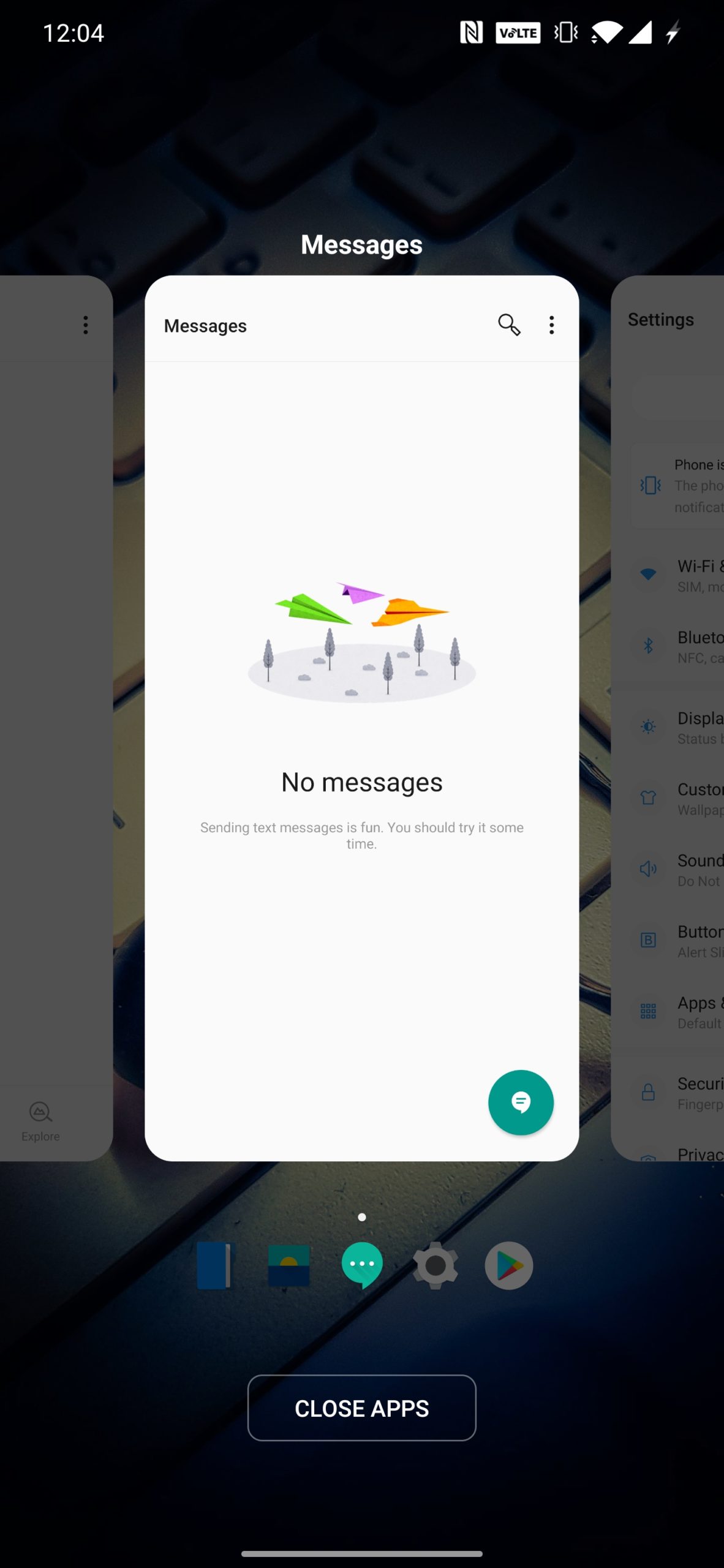
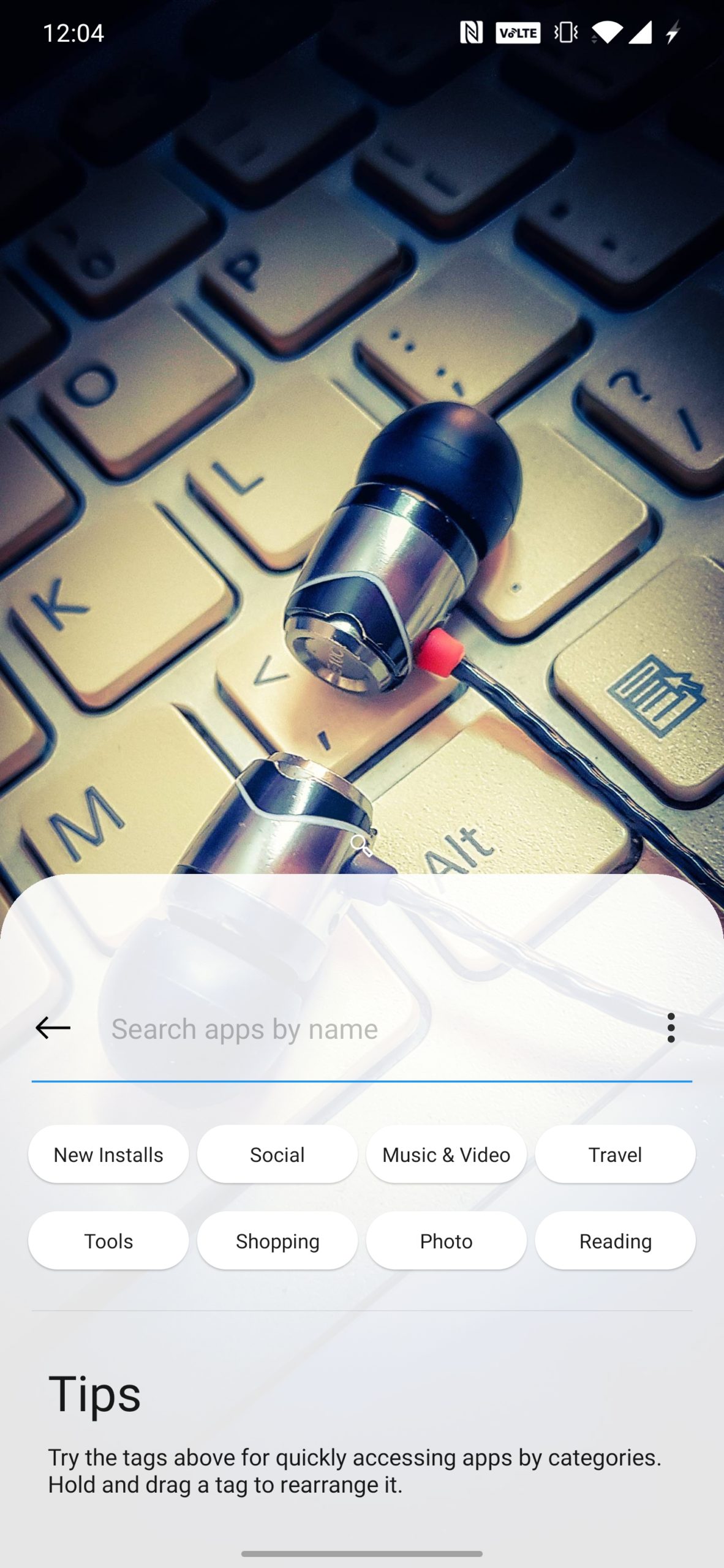
If you have not recived the Oneplus Launcher update Download the Oneplus Launcher 4.4.2 from Apk Mirror.
Video of Oneplus Launcher 4.4.2
For the latest TechNews and Reviews, follow Techibee on Twitter, Facebook, and subscribe to our Youtube channel.
For More Such Updates Follow Us On – Telegram, Twitter, Google News, WhatsApp and Facebook
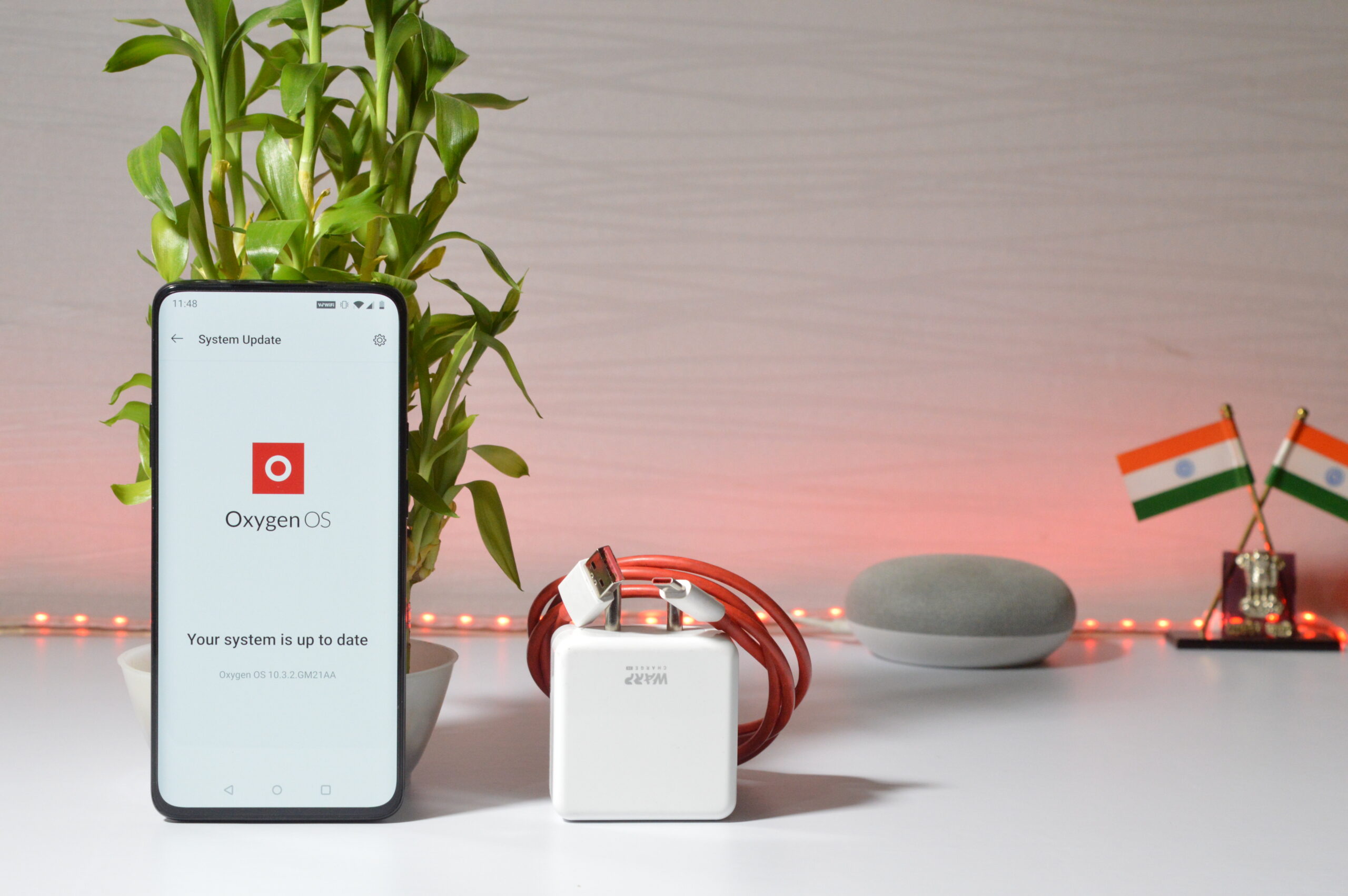
Oxygen OS 10.3.2 OTA update for Oneplus 7 and 7 Pro.
Oneplus last month rolled out Oxygen OS 10.3.1 for Oneplus 7 and 7 pro bringing changes & Improvements to System and also adding Jio Wifi Wifi Calling – Cloud Services &Work Life Balance Mode for Indian Region only.
Now Oneplus is pushing incremental Ota updates for Oneplus 7 & 7Pro which is Oxygen OS 10.3.2 with few improvements and March 2020 Security patch.
The update is rolling out in batches so it might take a while in receiving via over-the-air (Ota), but one can manually flash using the local upgrade method by downloading the zip file from the download links below and then placing the file into the root directory of internal storage- Go to settings> System update > Tap on the gear icon on the top right corner> Select local upgrade > Choose file> Confirm to update.
Oxygen OS 10.3.2 features following improvements:
System
- Optimized RAM Management
- Improved system stability and fixed known issues
- Updated Android security patch to 2020.03
Gallery
- Improved system stability for recording videos in slow-mo
- Fixed the random disappearance of screenshots in gallery
- Now play videos without any lags
Downloads for OnePlus 7 and 7 Pro
Oneplus 7 India/Global (GM57AA) Oxygen OS 10.3.2 for OnePlus 7 Incremental | Full OTA update
OnePlus 7 Pro Global (GM21AA) Oxygen OS 10.3.2 for OnePlus 7 Pro Incremental | Full OTA update
Also read:
- OnePlus Announced to Launch Oneplus 8 Series on April 14
- Watch Youtube Videos in High Resolution with NewPipe APK
For the latest TechNews and Reviews, follow Techibee on Twitter, Facebook, and subscribe to our Youtube channel.
For More Such Updates Follow Us On – Telegram, Twitter, Google News, WhatsApp and Facebook