
Updates
Samsung Begins Testing One UI 6.0 (Android 14) for Galaxy S22 Ultra

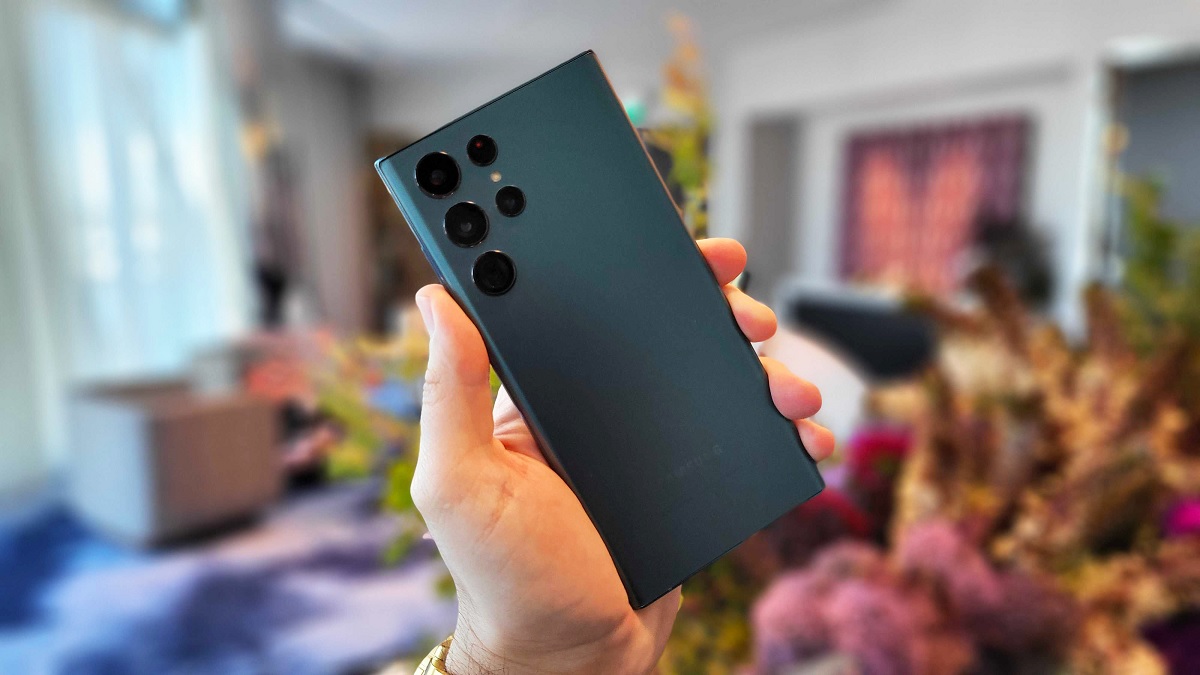
Samsung is reportedly in the early stages of testing its highly anticipated One UI 6.0, based on Android 14, for the upcoming Galaxy S22 Ultra. This news has generated excitement among Samsung enthusiasts who eagerly await the latest software upgrades and features.
Samsung Galaxy S22 Ultra Android 14 One UI 6.0 Update
Although One UI 6.0 is still in the development phase, reports suggest that the tech giant has already started testing the firmware for the Galaxy S22 Ultra. The specific build version, S908USQU2DWF1, indicates that Samsung has begun working on the new One UI upgrade.
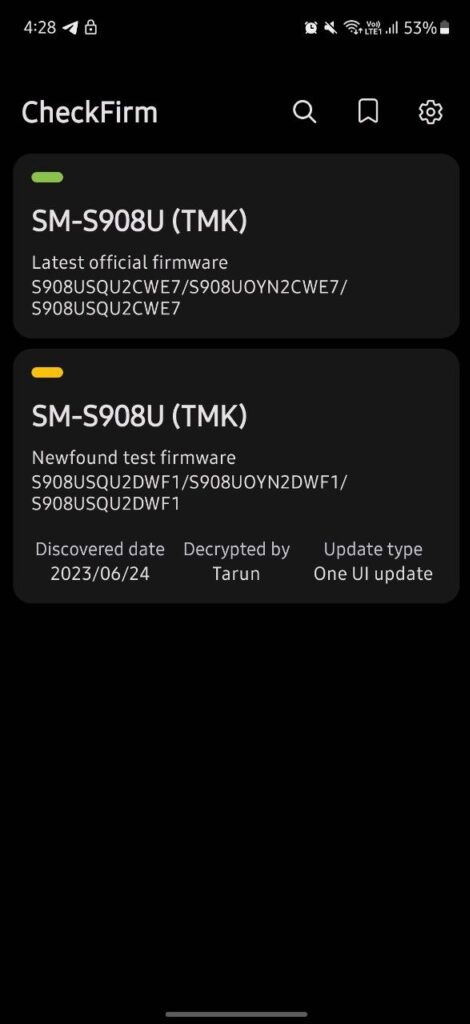
Interestingly, the testing seems to be focused on T-Mobile and Metro network carriers in the United States, as suggested by the update’s CSC code, TMK. This implies that users on these networks may be among the first to experience the new features and enhancements of One UI 6.0.
Rumors have been circulating that Samsung may initiate the One UI 6.0 beta program in the coming month, and this testing could be an integral part of the company’s preparation for the official release. Fans and tech enthusiasts eagerly anticipate further details and information about the upcoming upgrade in the days to come.
As Samsung continues to innovate and refine its user interface, users can expect a host of improvements and new features with One UI 6.0. From enhanced customization options to improved performance and security, Samsung is likely to prioritize user experience and deliver a seamless and intuitive interface for its Galaxy S22 Ultra users.
While specific details regarding the features of One UI 6.0 are yet to be revealed, Samsung’s track record suggests that the company will introduce significant enhancements, aiming to elevate user satisfaction and solidify its position as a leader in the Android smartphone market.
As development and testing of One UI 6.0 progress, Samsung fans are encouraged to stay tuned for further updates, leaks, and official announcements from the company. The release of One UI 6.0 for the Galaxy S22 Ultra promises to be an exciting milestone, offering users a refined and optimized smartphone experience.
For More Such Updates Follow Us On – Telegram, Twitter, Google News, WhatsApp and Facebook










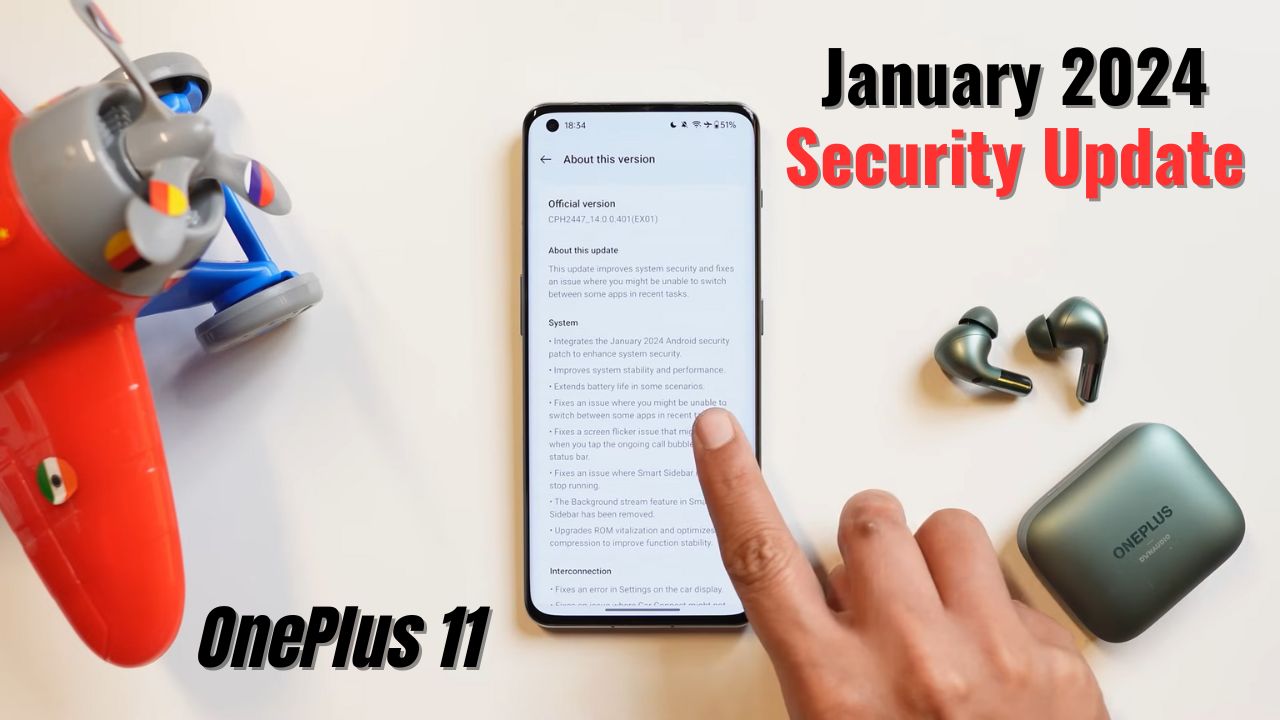
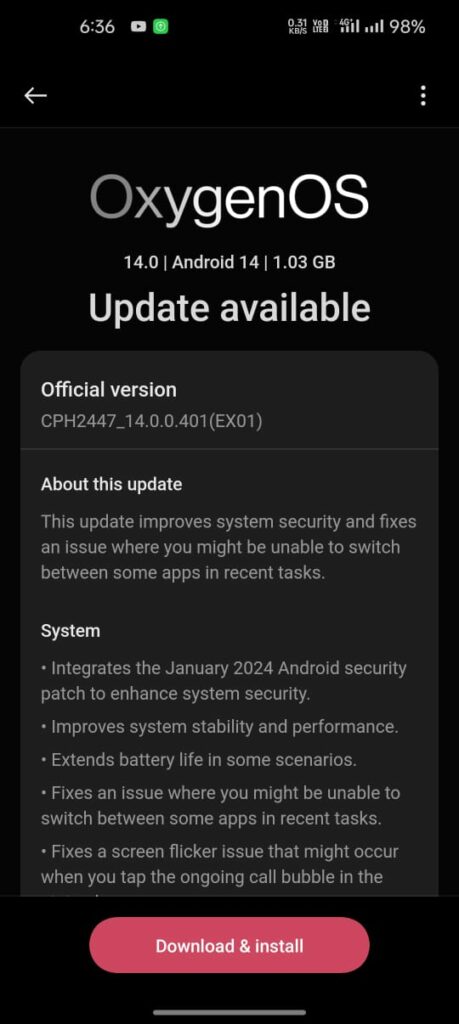
The OnePlus 11 was one of the first devices to grab the January 2024 security patch in the OnePlus group. The update has arrived with many fixes related to battery life improvements, stability, and performance improvements, and it also comes with an upgraded Rom vitalization option.
As mentioned, the new update came with the new and updated January 2024 security patch and improved the device’s stability and performance.
The firmware version for this update is CPH2447_14.0.0.401(EX01) and its size is 1.03 GB.
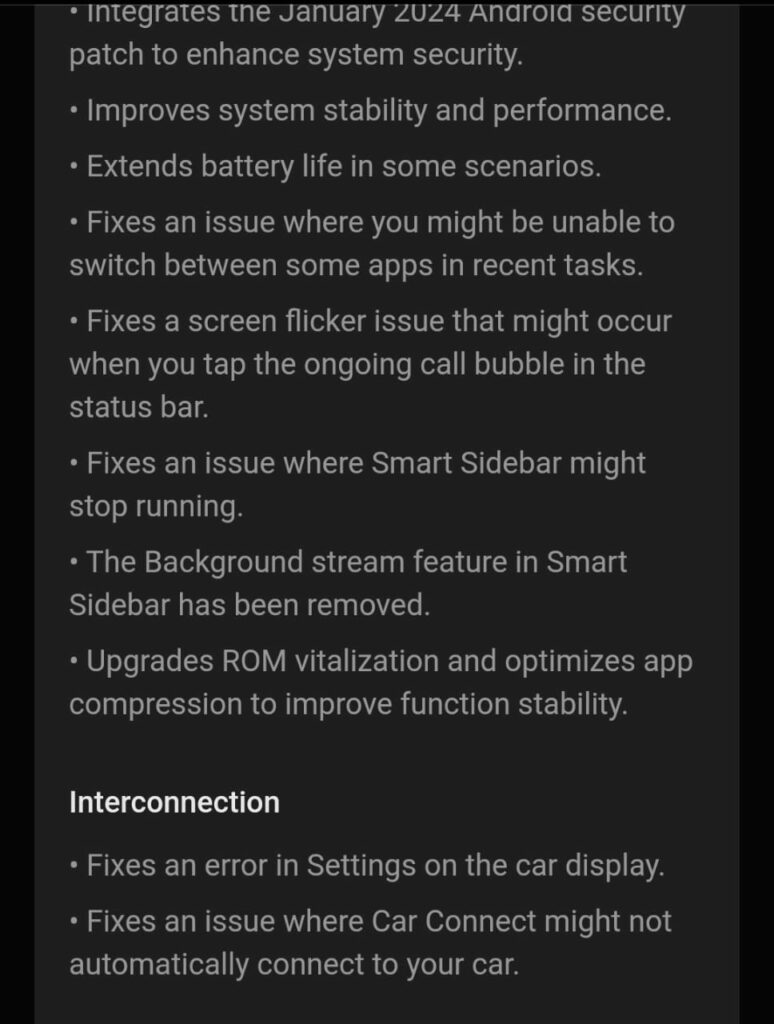
As per the changelog mentioned, they also improved the battery life for getting good battery backup, fixed an issue related to switching between apps on the recent task page, and also fixed the screen flickering issue related to touching the call bubble. Due to some unknown reasons, they removed background streaming in the smart sidebar and improved and fixed some car connection issues
Changelog:
System
- Integrates the January 2024 Android security patch to enhance system security.
- Improves system stability and performance.
- Extends battery life in some scenarios.
- Fixes an issue where you might be unable to switch between some apps in recent tasks.
- Fixes a screen flicker issue that might occur when you tap the ongoing call bubble in the status bar.
- Fixes an issue where Smart Sidebar might stop running.
- The Background stream feature in Smart Sidebar has been removed.
- Upgrades ROM vitalization and optimizes app compression to improve function stability.
Interconnection
- Fixes an error in Settings on the car display.
- Fixes an issue where Car Connect might not automatically connect to your car.
For More Such Updates Follow Us On – Telegram, Twitter, Google News, WhatsApp and Facebook
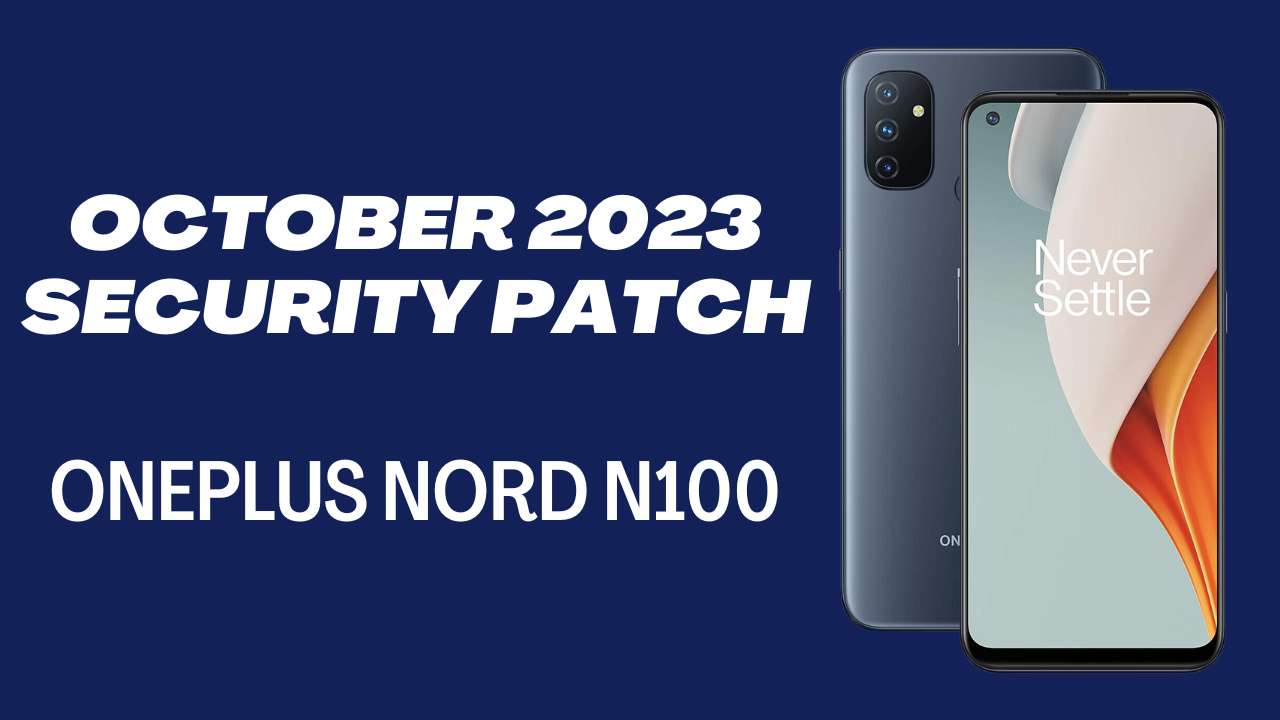
OnePlus has started the incremental rollout of the OxygenOS 11.0.15 update for OnePlus Nord N100 users in Europe and North America. It brings the latest security for this month which improves the device performance as well.
The company skipped the September 2023 security patch for the device and directly gave this update.
To identify the firmware versions in their particular regions for this update:
- EU: 11.0.15.BE83AA
- NA: 11.0.15.BE81AA
The update size is not specified for this on the community post yet. If we find any screenshots or something we will update the information here.
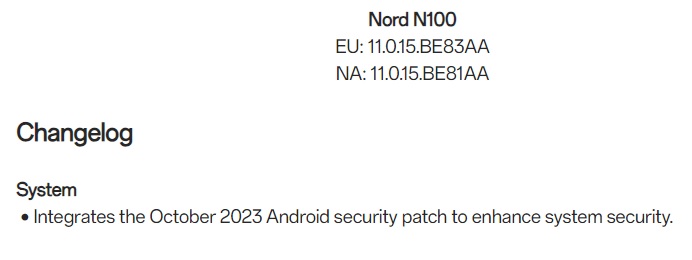
The OxygenOS 11.0.15 update only integrated the October 2023 Android security patch for the OnePlus Nord N100. It improves device security more than before and also protects from risks.
For More Such Updates Follow Us On – Telegram, Twitter, Google News, WhatsApp and Facebook
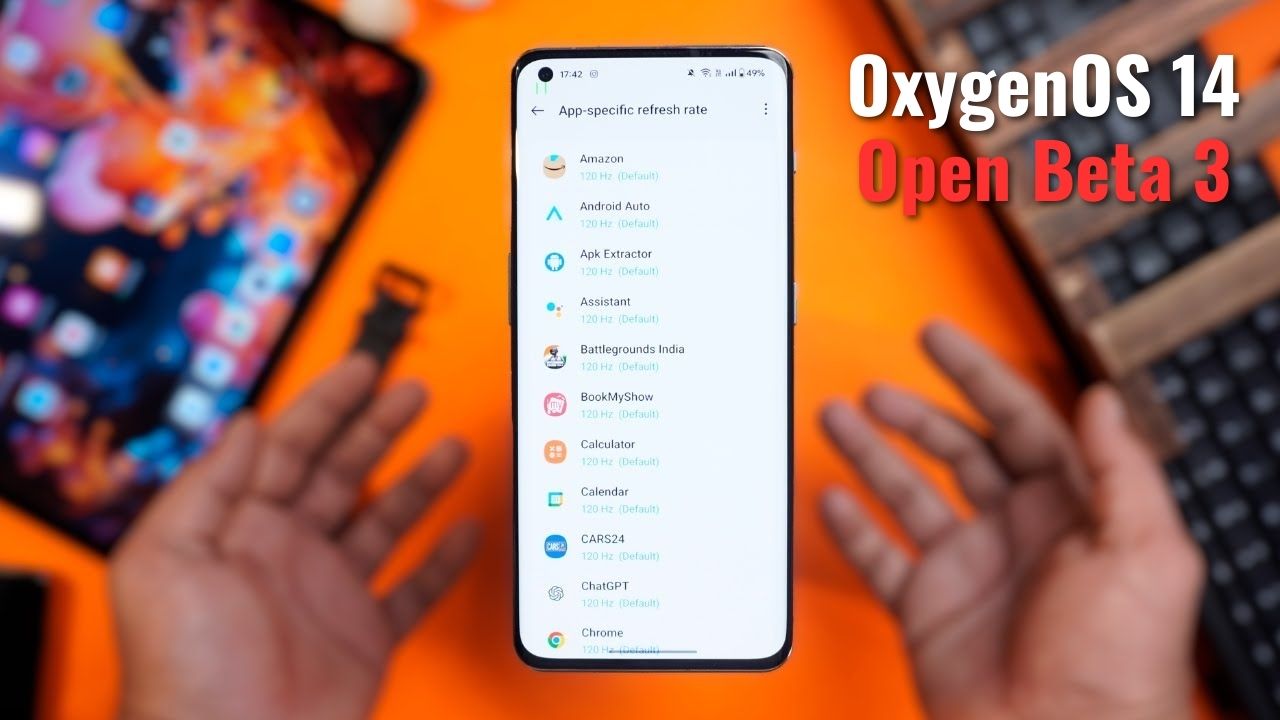
OnePlus is continuously working to enhance and improve the user experience. In a move to gather more feedback and refine the OxygenOS experience, the company has released the OxygenOS 14 Open Beta 3 for the OnePlus 11. This beta version comes packed with features that surpass its predecessors, the first and second Open Betas.
These beta updates are totally based on Android 14 and they bring lots of new features and bugs as well so be ready for everything.
However, users are reminded that beta versions might not always offer the same stability as official OTAs. Installing this update means acknowledging potential software risks. Presently, this open beta release is confined to India and North America. Those in other regions should keep an eye out for future updates.
An exclusive feature is also added to the OxygenOS 14 beta version which is not mentioned in the changelog. As per TechibeeReview our another website, you can set a custom refresh rate for particular apps or all apps at 120 Hz. This was much need feature in the smartphone as some apps were default set to 60 Hz which was not that smooth. Now if the user sets it to 120Hz for all apps then you will smooth and faster experience within the apps.
Known Issues:
- Music sound glitches with wired headphones during photo capture.
- Errors like “The system desktop has stopped running” when using third-party fonts.
- Occasional screen flashing when using the navigation bar for app switching.
- Unexpected return to desktop when swiping to close cards in Shelf.
- Dark mode incompatibility with Play Store.
- Missing incoming call notification banner on the desktop.
- “The system interface irresponsible” error on Play Store usage.
OxygenOS 14 Open Beta 3 Changelog:
System:
- Integration of October 2023 Android security patch for better security.
- System stability and performance enhancements.
- Battery life improvements in specific situations.
- Resolved display glitch affecting widgets in Dark mode.
Apps:
- Fixed issues with third-party payment apps.
- Resolved a sharing problem where photos from an album might not be sent to a chosen app.
Upgrade Instructions:
For a successful upgrade, ensure:
- Your OnePlus 11 is on the latest OxygenOS 13.1.
- Battery level is above 30%.
- At least 4 GB storage is available.
- Note: Carrier version devices from TMO/Verizon aren’t compatible with this beta.
India Users:
A new recruitment process for the Open Beta Test is now in place. Applications are open from October 12 until the quota is reached. Once you’ve applied and passed the review, the version will be available for download in Settings.
North American Users:
For those transitioning from the Stable Official version to the Open Beta, follow the given guidelines, ensuring you have the required OxygenOS 13.1 version and have backed up your data.
Rolling Back:
If you wish to revert to OxygenOS 13, the company has provided a rollback package. However, caution is advised: the rollback will erase all phone data. Hence, a backup is essential.
For detailed upgrade, installation, and rollback steps, refer to OnePlus’ official guidance.
Links:
Download the relevant files for OnePlus 11 [IN version] and [NA version] to upgrade or roll back your software.
For More Such Updates Follow Us On – Telegram, Twitter, Google News, WhatsApp and Facebook