
Nothing
Nothing CEO Carl Pei Unveils Transparent USB Type-C Cable Design Ahead of Nothing Phone (2) Launch

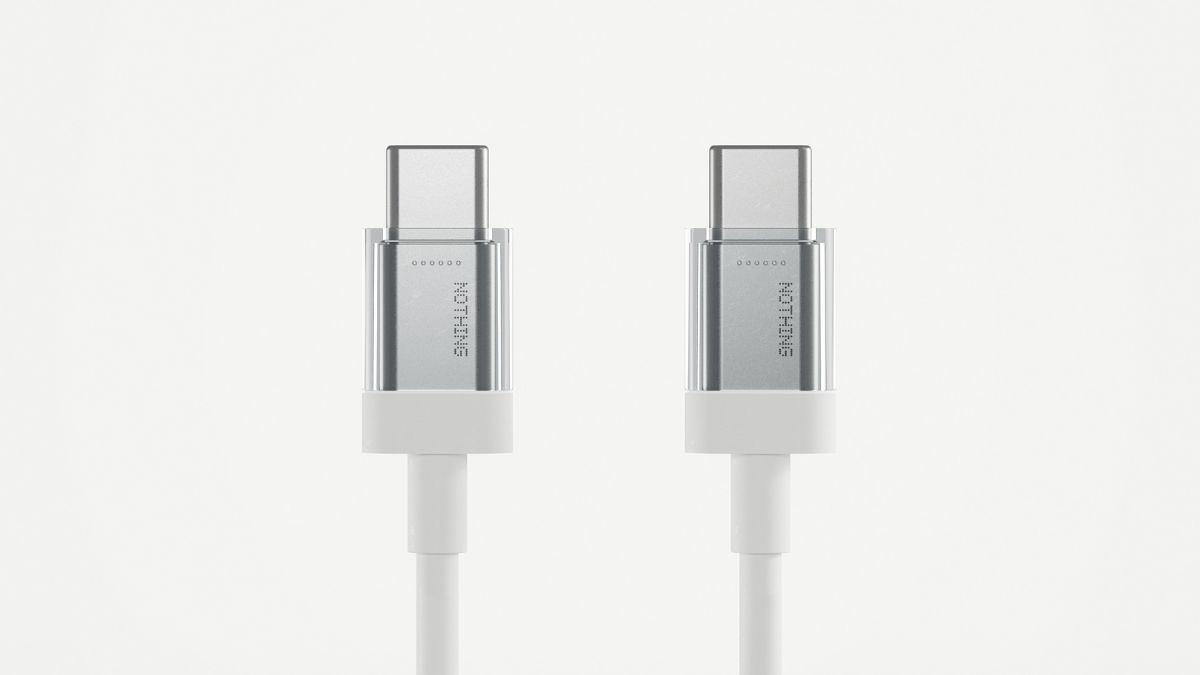
In anticipation of the upcoming launch of the Nothing Phone (2) in July, the renowned tech company’s founder, Carl Pei, has unveiled an intriguing glimpse of the smartphone’s USB Type-C cable. The newly revealed cable boasts a sleek silver-colored finish and a transparent design, intended to complement the phone’s overall transparent aesthetic. Adorned with the distinctive ‘Nothing‘ branding, the cable retains a classic white color reminiscent of its predecessor, the Nothing Phone (1).
One notable departure from industry norms is that the Phone (2) is expected to be sold without a charger included in the box. Notably, Nothing already offers a 45W PD wall charger for the Phone (1), despite its maximum support for up to 33W PD charging. As we await the Phone (2)’s launch, speculation lingers about whether the company intends to enhance the charging speed in its latest iteration.
— Carl Pei (@getpeid) June 19, 2023
Furthermore, the launch event will unveil whether the new USB Type-C cable will be made available as a separate accessory, considering its distinctive design. This additional offering would provide users with the opportunity to further enhance their Nothing Phone (2) experience.
Boasting a generous 6.7-inch display, the Nothing Phone (2) will be powered by the Snapdragon 8+ Gen 1 SoC and house a formidable 4700mAh battery. Importantly, the company emphasizes its commitment to sustainability, with the Phone (2) being manufactured in India specifically for Indian consumers. Nothing asserts that this device will stand as one of the most eco-friendly smartphones on the market.
The tech community eagerly anticipates the official release of the Nothing Phone (2) in July, hoping to experience firsthand the innovative features and stylish design that Nothing has become synonymous with. As fans and industry experts alike prepare to delve into the realm of transparency, only time will reveal the true potential and impact of this much-anticipated device.
For More Such Updates Follow Us On – Telegram, Twitter, Google News, WhatsApp and Facebook







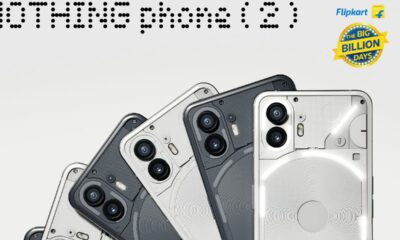



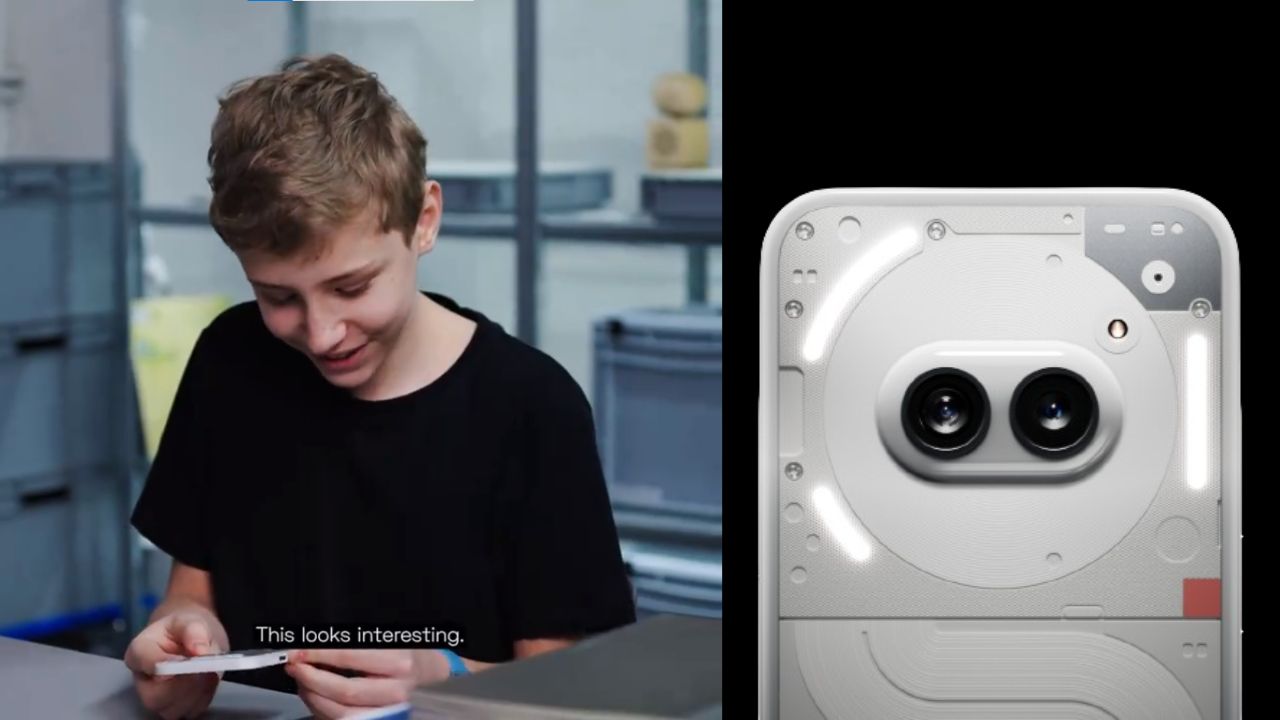
A few hours ago, Nothing which is a London-based smartphone tech manufacturing company, posted a thread on their X formerly Twitter account. In the thread, the company has mentioned “Get ready to unbox Phone (2a). Tomorrow, 10:00 GMT”. The length of the teaser video is 22 seconds.
Maximilian (Max), who is a superfan of Nothing was invited by the Nothing Team to their design studio. Max has unboxed and sees the upcoming Phone (2a). At the end of the teaser video, Max is holding the upcoming Phone (2a). Max has found the phone interesting.
If you want to see the full unboxing video of the Nothing Phone (2a), then it will be Live tomorrow i.e. 28 February at 10:00 GMT (Greenwich Mean Time) on the official YouTube channel of Nothing. If we convert 10:00 GMT (Greenwich Mean Time) to IST (Indian Standard Time), then it is “3:30 P.M.”
Personally, I am super excited about the video of Nothing Phone (2a), do you as well? Do let us know in the comment box. Also, tell us whether you like this post or not.
For More Such Updates Follow Us On – Telegram, Twitter, Google News, WhatsApp and Facebook
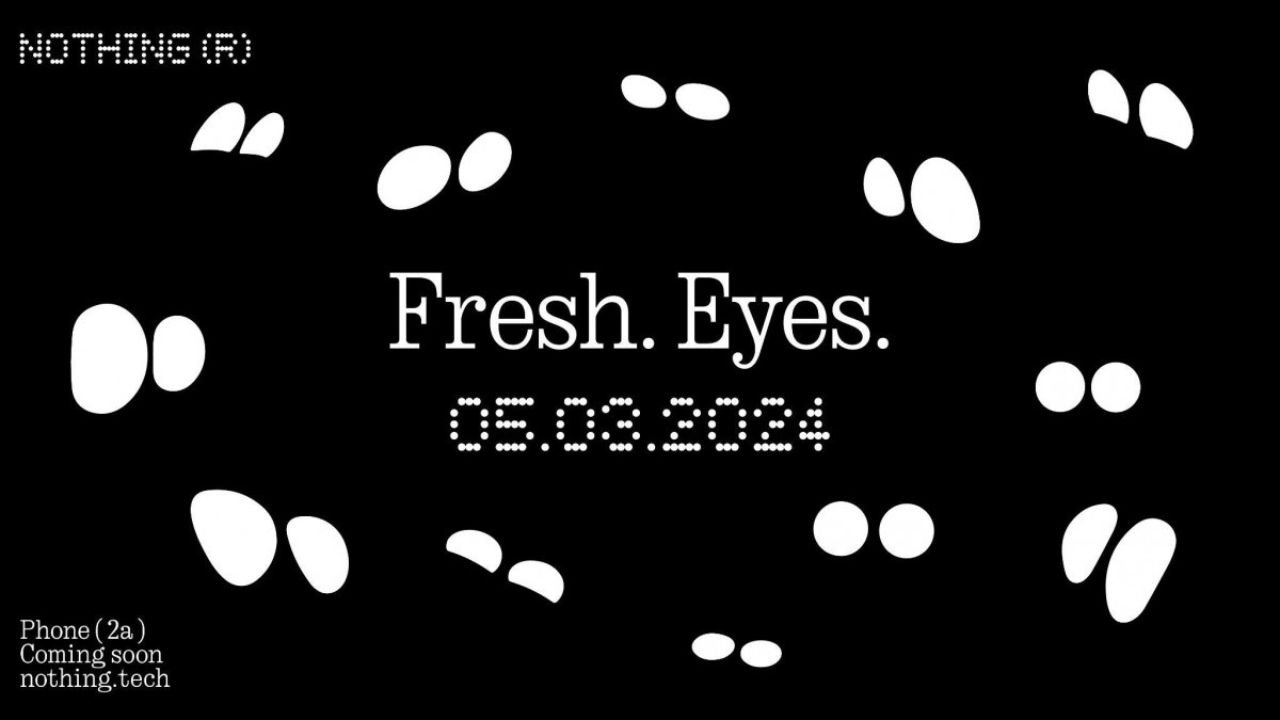
Nothing has recently confirmed the launch date of their upcoming Nothing Phone (2a) through a video on their YouTube channel. The upcoming Nothing Phone (2a) is going to launch on 5 March 2024.
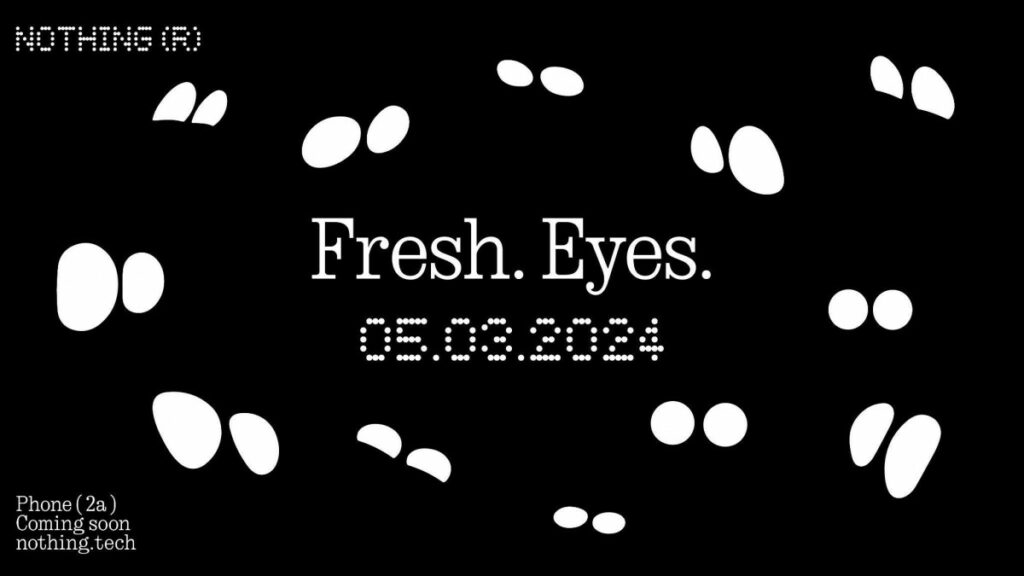
The title which is given to the launch event of Nothing Phone (2a) is Fresh Eyes. If we see the teaser image, then it shows the outline of the eyes. Moreover, the teaser image of the Phone (2a) gives us a hint that the rear camera has dual camera lenses which are aligned sideways and are closer to the center of the back.
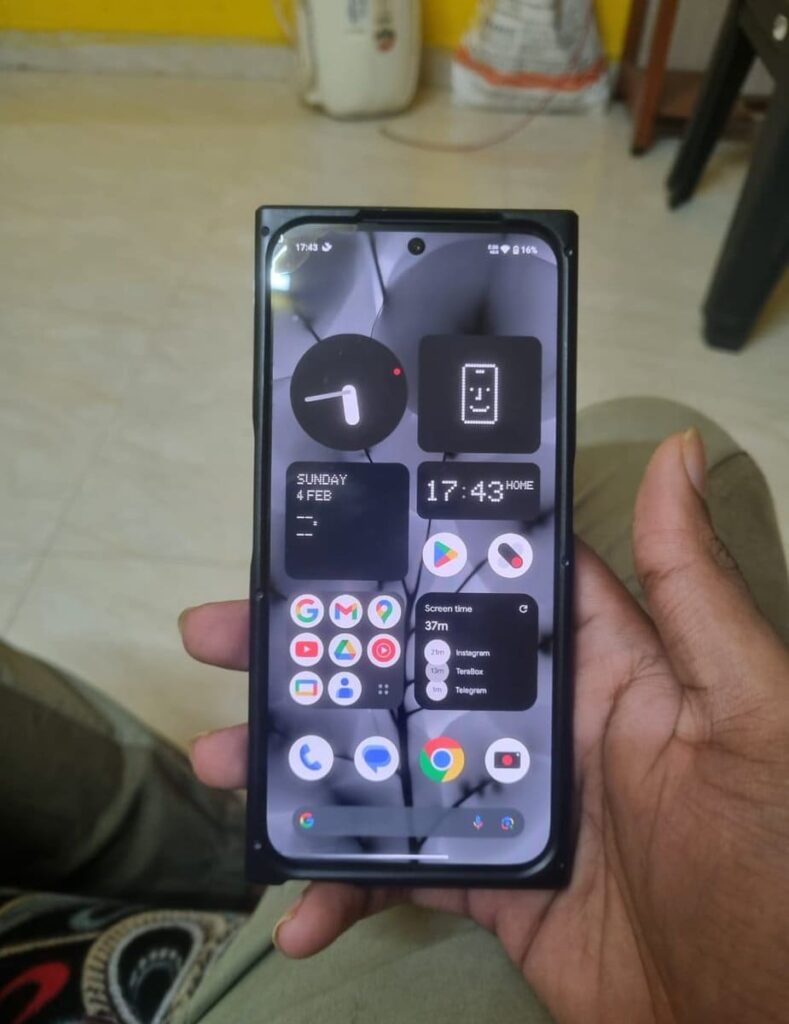
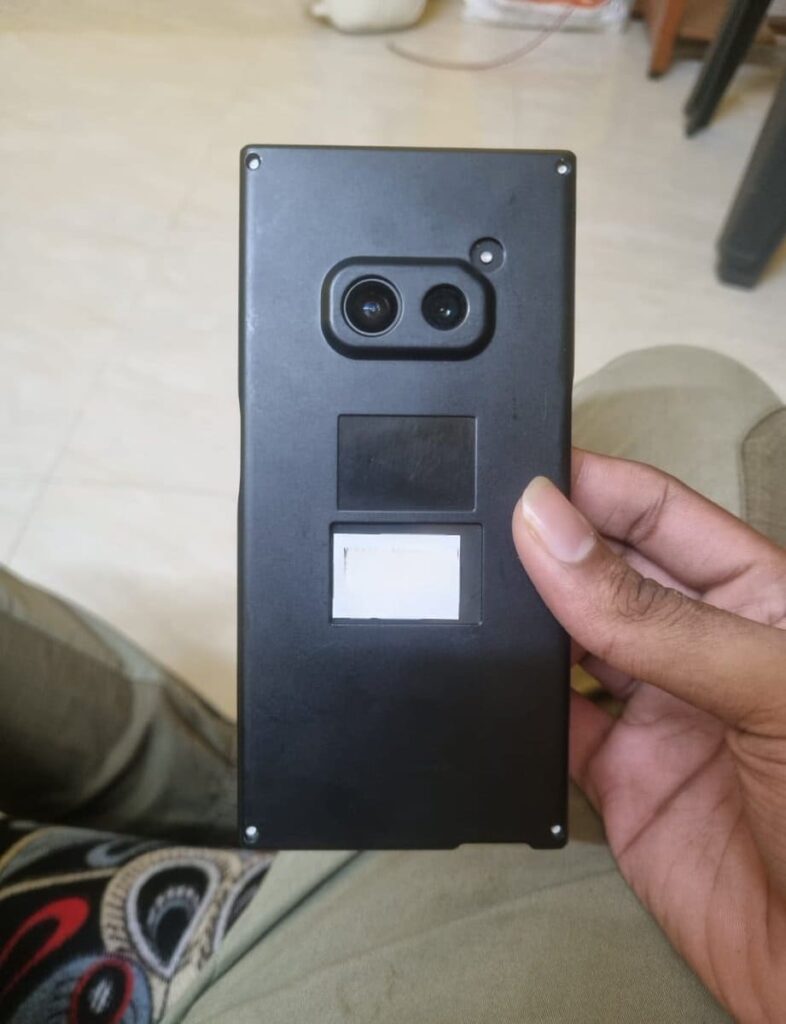
The codename of the Nothing Phone (2a) is Aerodactyl, which is going to be launched by next month. This is expected to be a budget-level smartphone from Nothing. Also, this is the first phone from Nothing that comes with a MediaTek Processor. Nothing claims that this phone pawns elements for Nothing Phone (2), which is an expensive phone from Nothing.
This Nothing Phone (2a) is a clear upgrade from Nothing Phone (1), which is the company’s first smartphone launched back in July 2022. If you want to know more about the specifications of Nothing Phone (2a), then consider this post. Furthermore, Nothing has recently launched the Glyph Developer Kit for developers which allows developers to implement the use of glyph interface in their apps.
Are you guys interested in the Nothing Phone (2a)? Do let us know in the comment box. Also, do let us know whether you like this post or not.
For More Such Updates Follow Us On – Telegram, Twitter, Google News, WhatsApp and Facebook
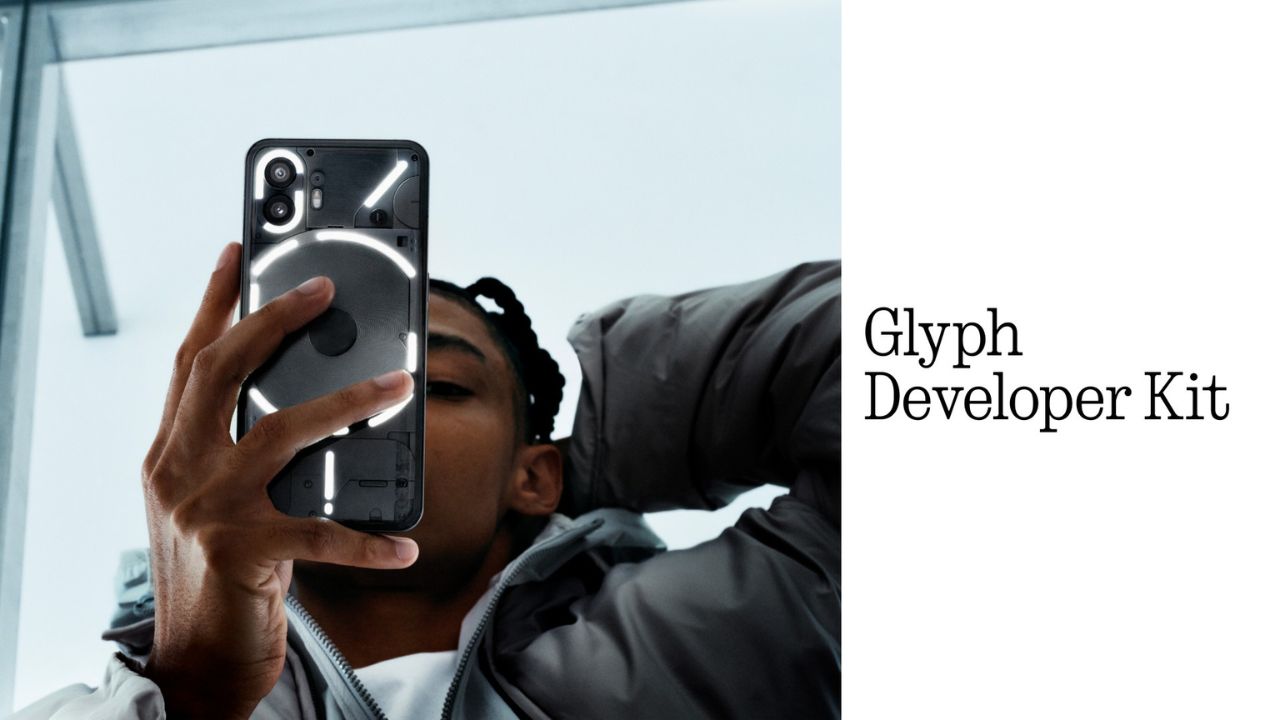
Nothing, a UK-based smartphone manufacturing company has recently released its Glyph Developer Kit which allows developers to take the benefit of the LED lights that are present on the back panel of the Nothing Phone (1) and Nothing Phone (2). With this Glyph Developer Kit, developers can integrate the Glyph functionality in their apps.
Currently, the Software Development Kit also known as SDK is live on GitHub for both Nothing Phone (1) and Nothing Phone (2). If we talk about the programmable LED lighting zones, then Nothing Phone (1) has 12 but on the other hand, Nothing Phone (2) has 33 programmable LED lighting zones which you can see in the images listed below:
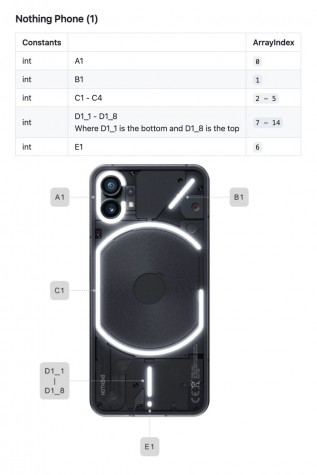
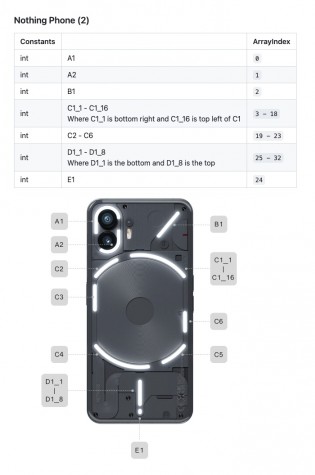
Developers can start Twiddle with the Glyph Developer Kit. Moreover, they can sign up, so that they will be notified whenever the registration of the API Key opens. As the Glyph Developer Kit is Live, so we can expect Glyph Interface functionality to be working in more apps.
What do you guys think regarding this, whether we got this Glyph Interface functionality to be working in more apps? Do let us know in the comment box. Also, tell us whether you like this post or not.
For More Such Updates Follow Us On – Telegram, Twitter, Google News, WhatsApp and Facebook