
Nothing
Nothing Phone (1) grabbed Nothing OS 1.5.4 Update with New Feedback Feature and More

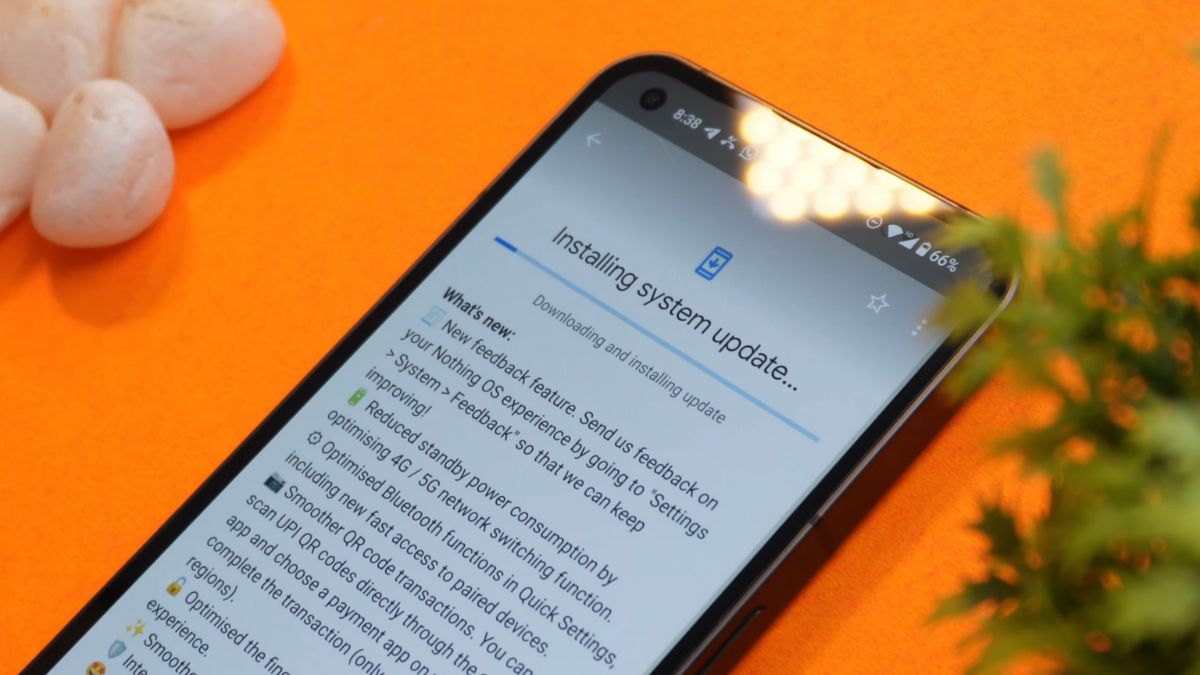
Nothing, the tech startup that made waves with the launch of their first phone, has released a new OTA update for its Nothing Phone (1). The update brings the latest April 2023 security patch and upgrades the OS to version Nothing OS 1.5.4.
The update, which is 119 MB in size, comes after the company skipped the release of the March 2023 update. Nothing has not provided an explanation for this, but the update release will surely bring relief to many users who have been waiting for an upgrade.
Installing the update is a breeze and took us only 20 minutes to complete. The update provides a long list of new features and improvements that enhance the performance and security of the phone.
One of the key features introduced in the update is the feedback feature, which allows users to provide feedback on their Nothing OS experience. This feedback will help the company continue to improve its operating system.
Additionally, the update optimizes the 4G/5G network switching function, reduces standby power consumption, and improves Bluetooth functions in Quick Settings, including fast access to paired devices. QR code transactions are now smoother, allowing users to scan UPI QR codes directly through the camera app and complete transactions through a payment app on their device.
The fingerprint pattern unlocking experience has also been optimized, and Pop-up view animations have been made smoother. Furthermore, the update includes Google Safety Center and added NDot Cyrillic font support for Belarusian, Bulgarian, Macedonian, Russian, Serbian, and Ukrainian.
Other improvements include resolving freeze issues during Pop-up view, improving notification display in Quick Settings, fixing incoming call notifications delay, and improving time-stamp accuracy for photos.
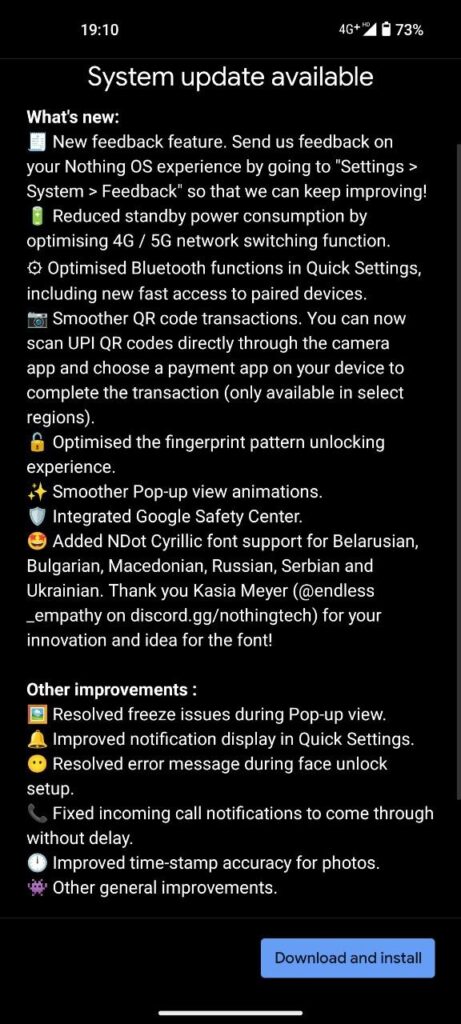
Here is the complete changelog for Nothing OS 1.5.4 Update:
What’s new:
- New feedback feature. Send us feedback on your Nothing OS experience by going to “Settings > System > Feedback” so that we can keep improving!
- Reduced standby power consumption by optimising 4G/5G network switching function.
- Optimised Bluetooth functions in Quick Settings, including new fast access to paired devices.
- Smoother QR code transactions. You can now scan UPI QR codes directly through the camera app and choose a payment app on your device to complete the transaction (only available in select regions).
- Optimised the fingerprint pattern unlocking experience.
- Smoother Pop-up view animations.
- Integrated Google Safety Center.
- Added NDot Cyrillic font support for Belarusian, Bulgarian, Macedonian, Russian, Serbian and Ukrainian. Thank you Kasia Meyer (@endless_empathy on discord.gg/nothingtech) for your innovation and idea for the font!)
Other improvements:
- Resolved freeze issues during Pop-up view.
- Improved notification display in Quick Settings.
- Resolved error message during face unlocksetup.
- Fixed incoming call notifications to come through without delay.
- Improved time-stamp accuracy for photos.
- Other general Improvements.
How to Update:
Nothing Phone users can access the update by going to “Settings > System > Software Update” and checking for updates. The update is available now, and we highly recommend installing it to take advantage of the new features and security improvements.
Download Nothing OS 1.5.4 Update:
Global/ EEA Region
- Incremental over 1.5.3
- Full zip (link will be added soon)
Note: The update link was extracted from the Indian region. So be careful while installing.
Also read:
- Motorola’s Upcoming Moto Razr 40 Ultra Impresses with Leaked Specs and Features
- List of OnePlus Devices that received April 2023 Security Patch Update
If you like our article, follow us on Google News and Instagram, or join our Telegram Group.
For More Such Updates Follow Us On – Telegram, Twitter, Google News, WhatsApp and Facebook






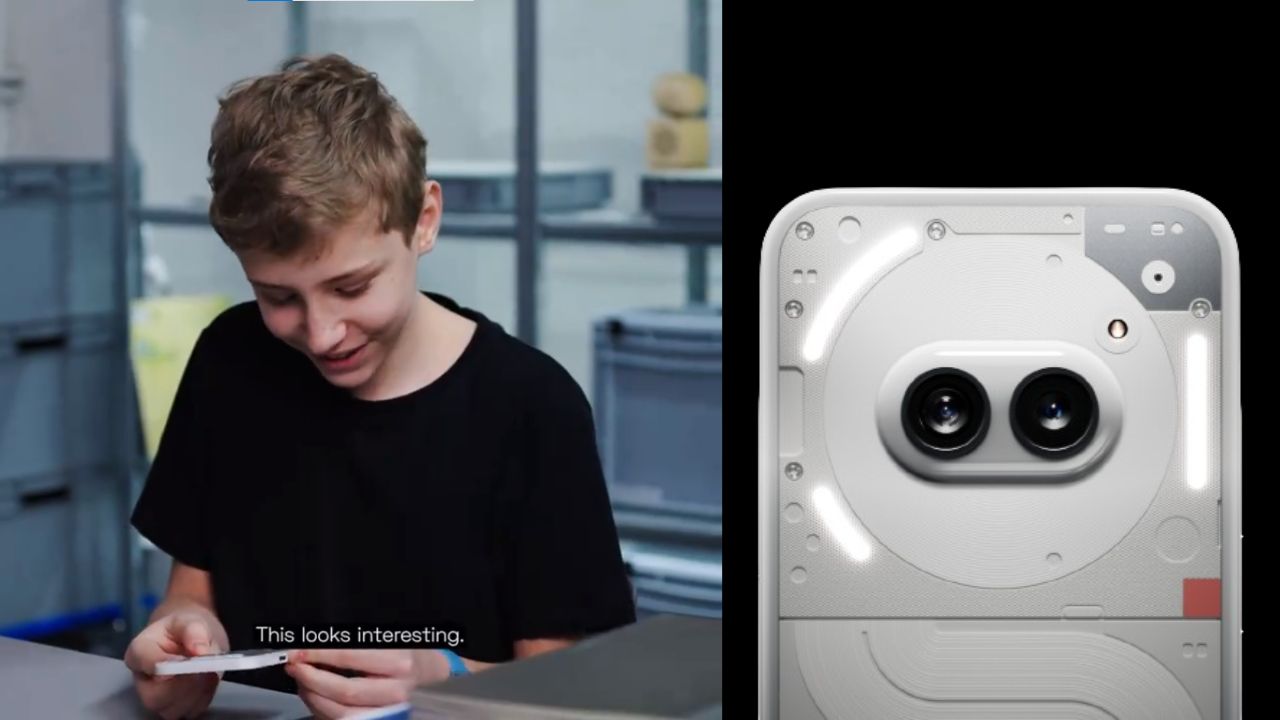
A few hours ago, Nothing which is a London-based smartphone tech manufacturing company, posted a thread on their X formerly Twitter account. In the thread, the company has mentioned “Get ready to unbox Phone (2a). Tomorrow, 10:00 GMT”. The length of the teaser video is 22 seconds.
Maximilian (Max), who is a superfan of Nothing was invited by the Nothing Team to their design studio. Max has unboxed and sees the upcoming Phone (2a). At the end of the teaser video, Max is holding the upcoming Phone (2a). Max has found the phone interesting.
If you want to see the full unboxing video of the Nothing Phone (2a), then it will be Live tomorrow i.e. 28 February at 10:00 GMT (Greenwich Mean Time) on the official YouTube channel of Nothing. If we convert 10:00 GMT (Greenwich Mean Time) to IST (Indian Standard Time), then it is “3:30 P.M.”
Personally, I am super excited about the video of Nothing Phone (2a), do you as well? Do let us know in the comment box. Also, tell us whether you like this post or not.
For More Such Updates Follow Us On – Telegram, Twitter, Google News, WhatsApp and Facebook
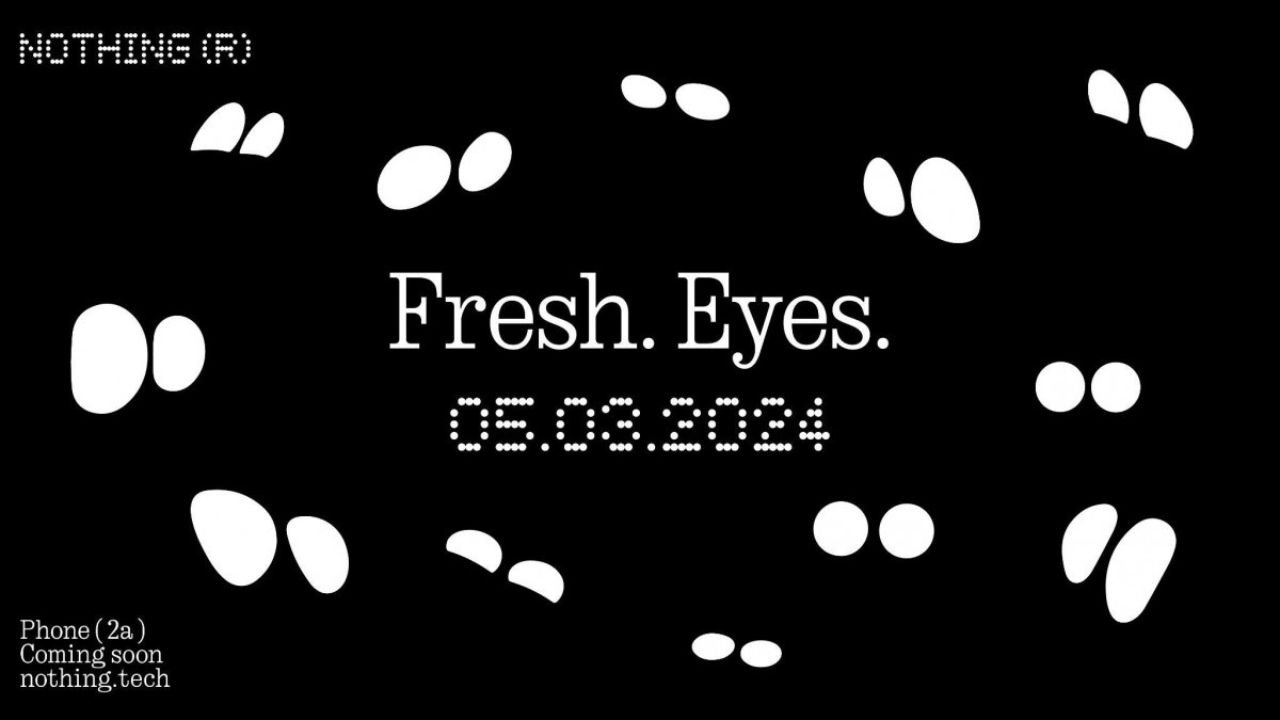
Nothing has recently confirmed the launch date of their upcoming Nothing Phone (2a) through a video on their YouTube channel. The upcoming Nothing Phone (2a) is going to launch on 5 March 2024.
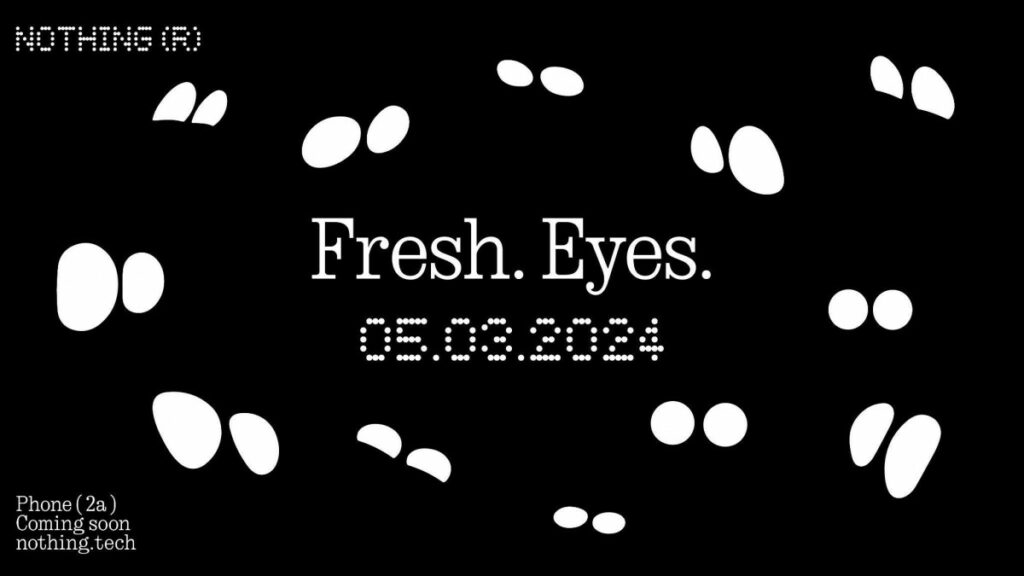
The title which is given to the launch event of Nothing Phone (2a) is Fresh Eyes. If we see the teaser image, then it shows the outline of the eyes. Moreover, the teaser image of the Phone (2a) gives us a hint that the rear camera has dual camera lenses which are aligned sideways and are closer to the center of the back.
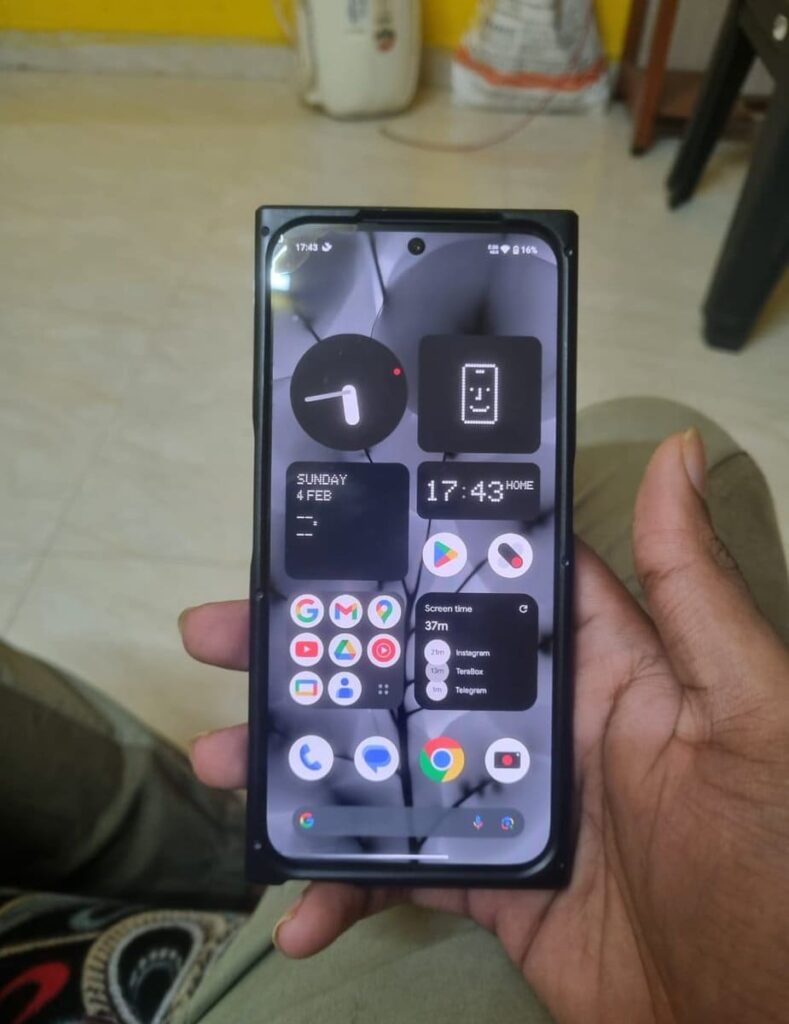
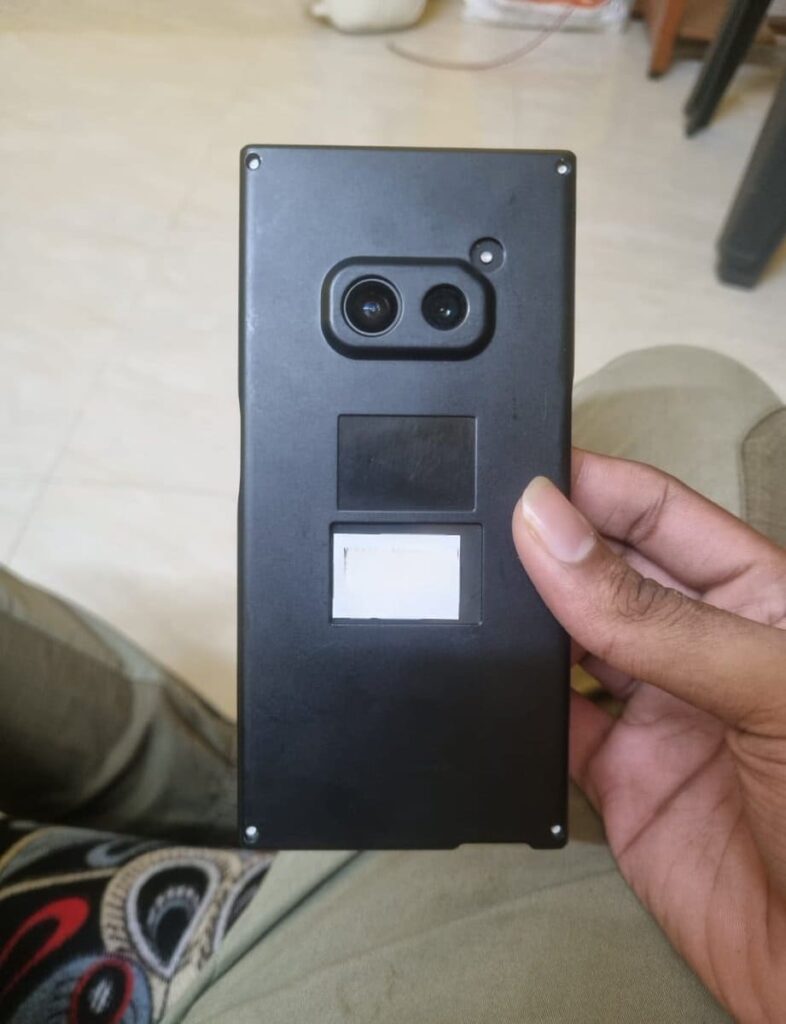
The codename of the Nothing Phone (2a) is Aerodactyl, which is going to be launched by next month. This is expected to be a budget-level smartphone from Nothing. Also, this is the first phone from Nothing that comes with a MediaTek Processor. Nothing claims that this phone pawns elements for Nothing Phone (2), which is an expensive phone from Nothing.
This Nothing Phone (2a) is a clear upgrade from Nothing Phone (1), which is the company’s first smartphone launched back in July 2022. If you want to know more about the specifications of Nothing Phone (2a), then consider this post. Furthermore, Nothing has recently launched the Glyph Developer Kit for developers which allows developers to implement the use of glyph interface in their apps.
Are you guys interested in the Nothing Phone (2a)? Do let us know in the comment box. Also, do let us know whether you like this post or not.
For More Such Updates Follow Us On – Telegram, Twitter, Google News, WhatsApp and Facebook
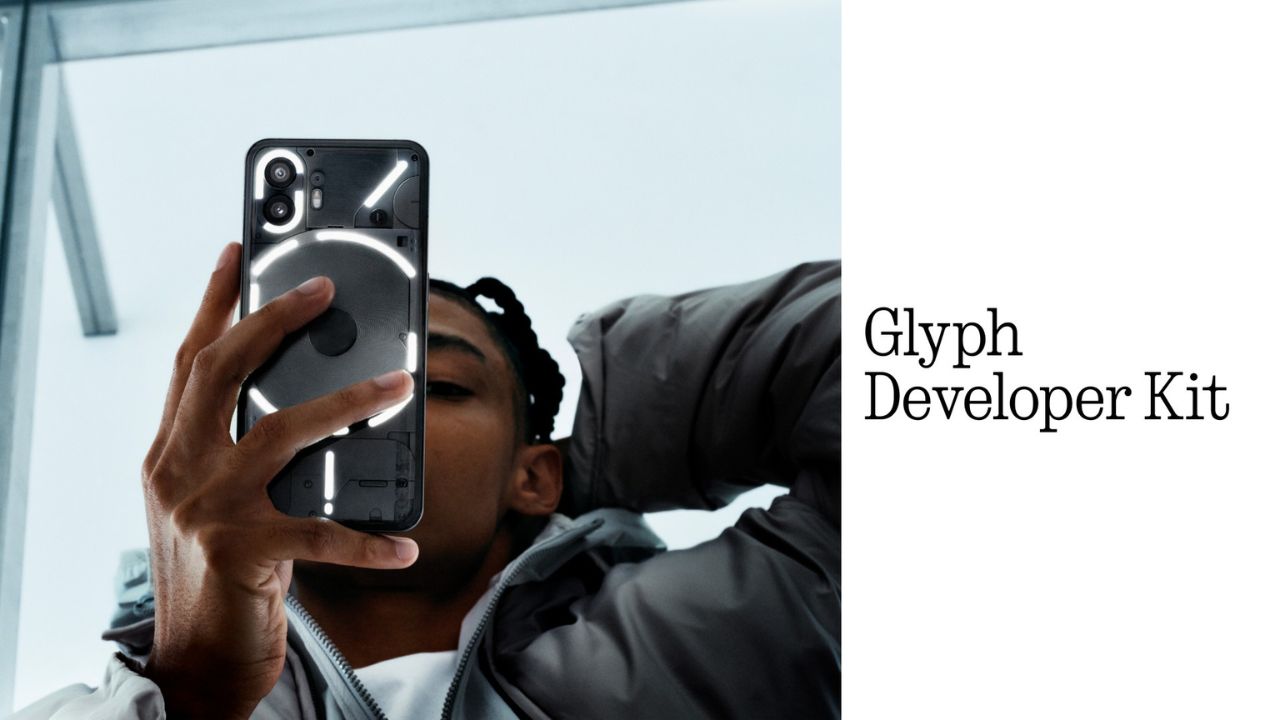
Nothing, a UK-based smartphone manufacturing company has recently released its Glyph Developer Kit which allows developers to take the benefit of the LED lights that are present on the back panel of the Nothing Phone (1) and Nothing Phone (2). With this Glyph Developer Kit, developers can integrate the Glyph functionality in their apps.
Currently, the Software Development Kit also known as SDK is live on GitHub for both Nothing Phone (1) and Nothing Phone (2). If we talk about the programmable LED lighting zones, then Nothing Phone (1) has 12 but on the other hand, Nothing Phone (2) has 33 programmable LED lighting zones which you can see in the images listed below:
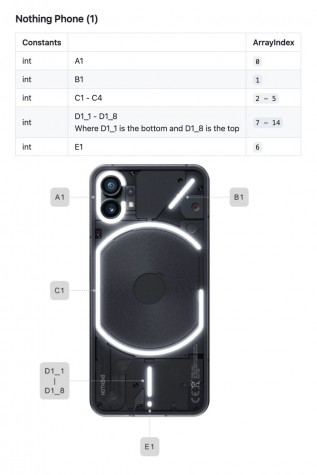
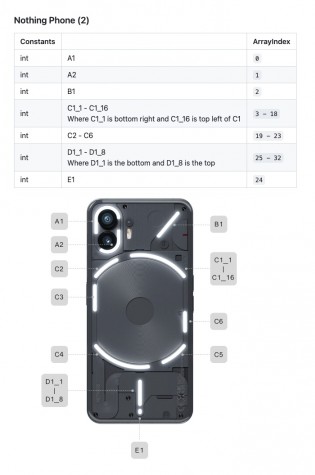
Developers can start Twiddle with the Glyph Developer Kit. Moreover, they can sign up, so that they will be notified whenever the registration of the API Key opens. As the Glyph Developer Kit is Live, so we can expect Glyph Interface functionality to be working in more apps.
What do you guys think regarding this, whether we got this Glyph Interface functionality to be working in more apps? Do let us know in the comment box. Also, tell us whether you like this post or not.
For More Such Updates Follow Us On – Telegram, Twitter, Google News, WhatsApp and Facebook