
Apple
Apple Unveils Exciting New AirDrop Features with iOS 17

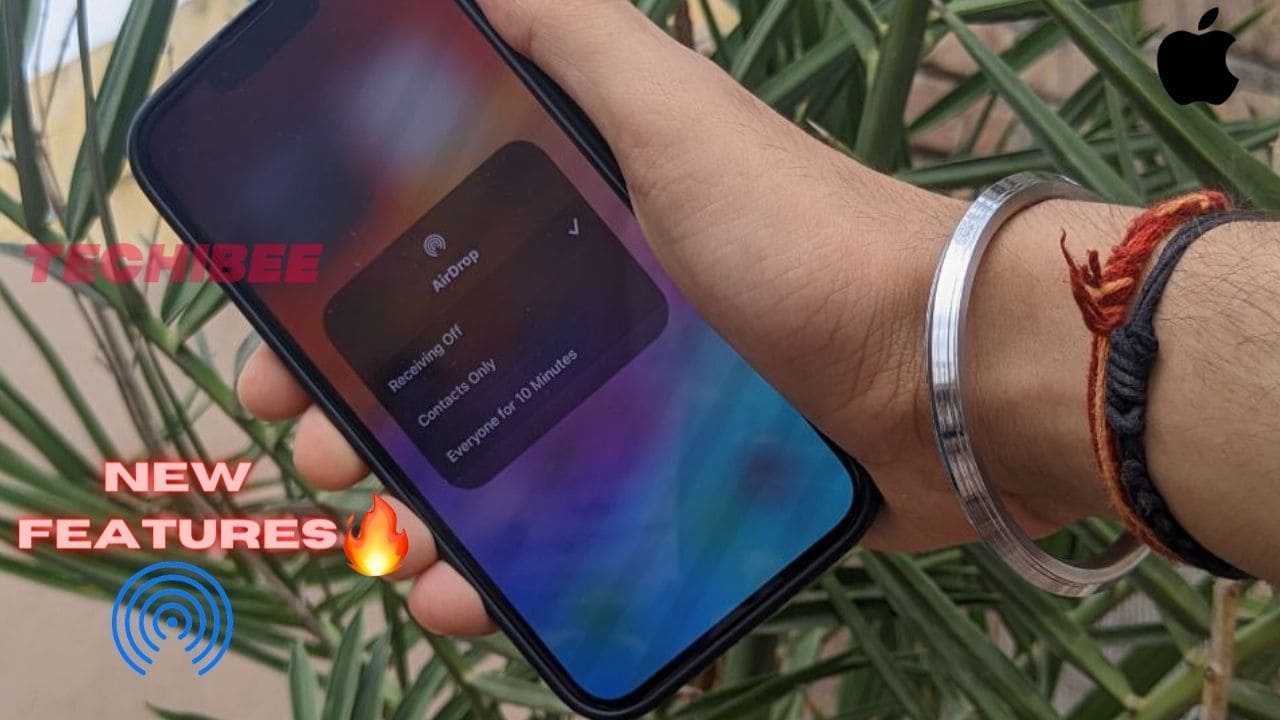
Airdrop was introduced in iOS 7 by Apple. It is used to send or receive photos, videos, documents, etc. Airdrop is the most popular and fastest sharing app between Apple products such as iPhone to iPhone, or iPhone to iMac. As Google has introduced Nearby Share Beta for PC. So, to compete with that Apple has introduced these new features in Airdrop with iOS 17.
1. NameDrop
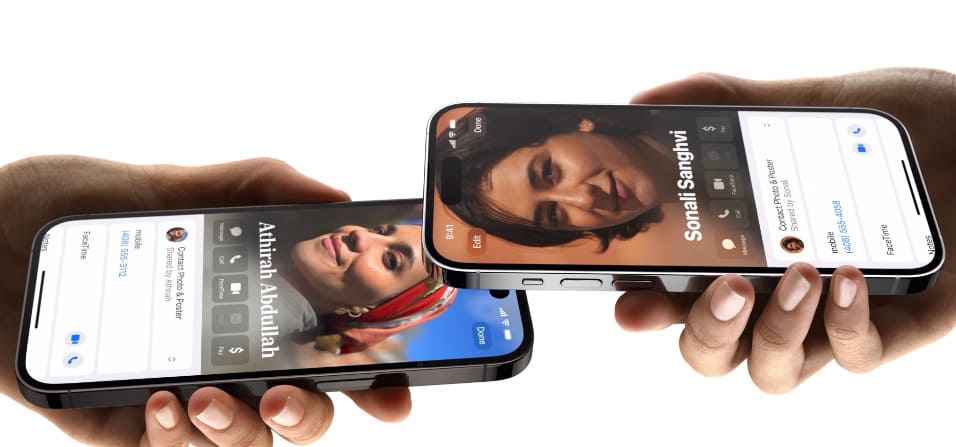
With iOS 17, Apple has introduced a new way of sharing in AirDrop. With Namedrop proximity gesture we can easily share contacts just by bringing both phones together. You can also use this to share contacts between your Apple Watch and your iPhone. But do keep in mind you got this feature for Apple Watch later this year as said by Apple. With this same proximity gesture, you can send photos and videos also, you can also start SharePlay for listening to music, watching a movie, or playing a game you just have to proximity between iPhone devices.
How to Share Contacts?
When two iPhones are held together as shown above. Then Contact Posters (a feature introduced by Apple in iOS 17) of both users appeared that were edited or customized by you. Users who want to share their contacts have to select the numbers and email addresses in their contact cards that he/she wants to share.
2. Use of SharePlay Over AirDrop
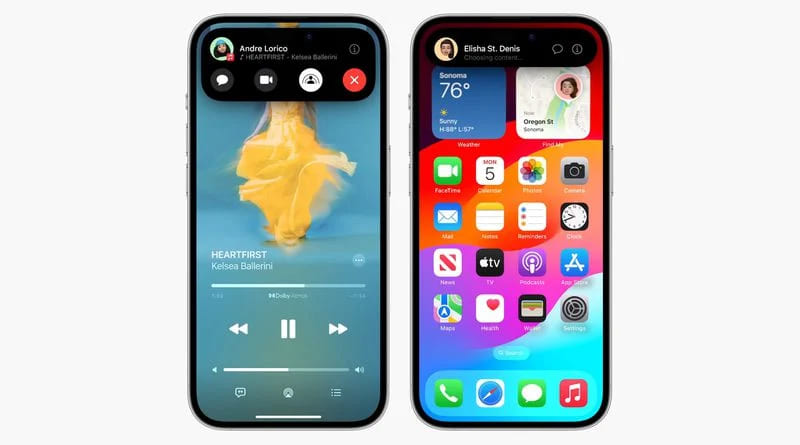
As we mentioned above that with the help of SharePlay we can watch a movie, and listen to music together just by holding two iPhones close together. This is only possible because of the new SharePlay API. Some third-party developers can make their apps support this gesture which allows you to drop in while watching a stream or movie and while playing a game together on separate devices.
3. Share data from AirDrop Over the Internet
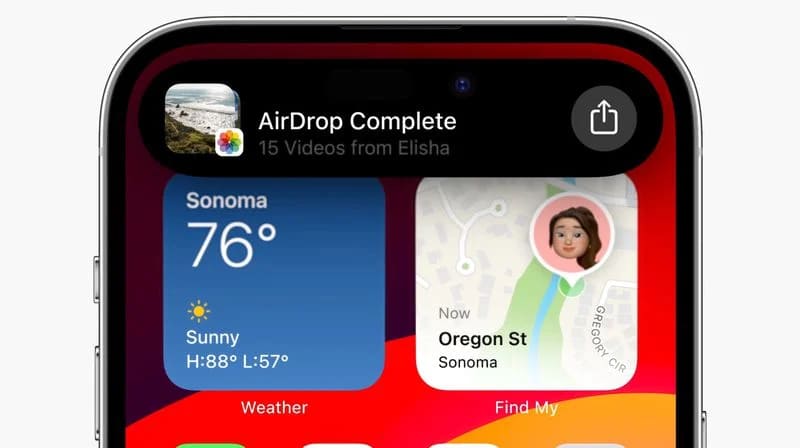
If we talk about sharing files with AirDrop. So, we have to close our iPhone to the proximity of another user’s iPhone till the completion of the transfer. As we know, if we are away from the range. So, the transfer got canceled. But Apple has introduced a new feature. Now, with iOS 17 if you are away from the range the transfer won’t be canceled it can be continued with the help of the internet and there is no impact on the quality of the content. But you have to note one thing that both the users have signed in to their iCloud.
4. Blurring Explicit Photos
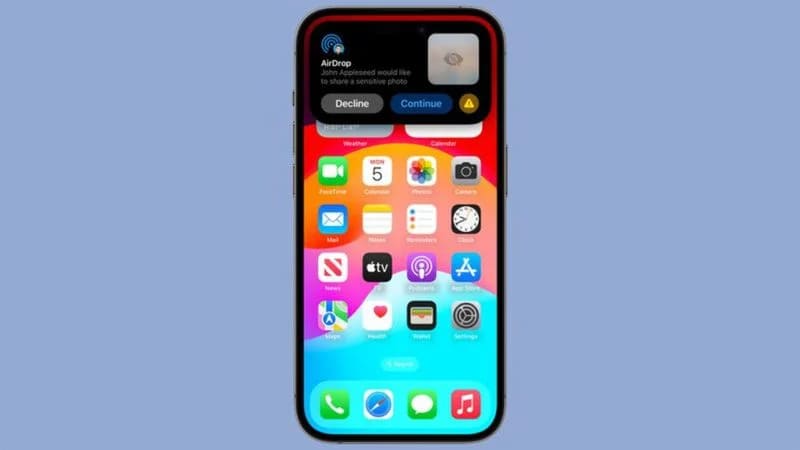
Last but not least, As we know iOS won’t allow anyone to share a photo, video, or document until you choose to accept it. An issue was present in AirDrop for a long time, AirDrop displays a preview of the content on the display screen which is being shared. It led people to bring some unasked nude and explicit pictures. To prevent this, with iOS 17 Apple has introduced a new feature that will automatically detect and blur these types of explicit pictures that contains sensitive content. This type of content can be automatically blocked but you can view it just by tapping the “Show” button. This step was implemented by Apple in iOS for the safety of Children.
If you know any other feature in AirDrop after iOS 17 then do let us know in the comment box.
For More Such Updates Follow Us On – Telegram, Twitter, Google News, WhatsApp and Facebook













Apple
Is your iPhone or iPad eligible for iOS 18 and iPadOS 18 Update – Here is a list of eligible devices
Every year, Apple announces its new iOS, iPadOS, and MacOS versions in its WWDC (World Wide Developer Conference) which will held at Apple Park in June. This year, Apple will announce iOS 18, iPadOS 18, and MacOS 15. The developer Beta of iOS 18 will be available after the announcement at the WWDC event but if we talk about the stable version of iOS 18 and iPadOS 18 update, then it will be available by September. In this post, we will tell you the list of iPhones and iPads that are eligible for the iOS 18 and iPadOS 18 update.
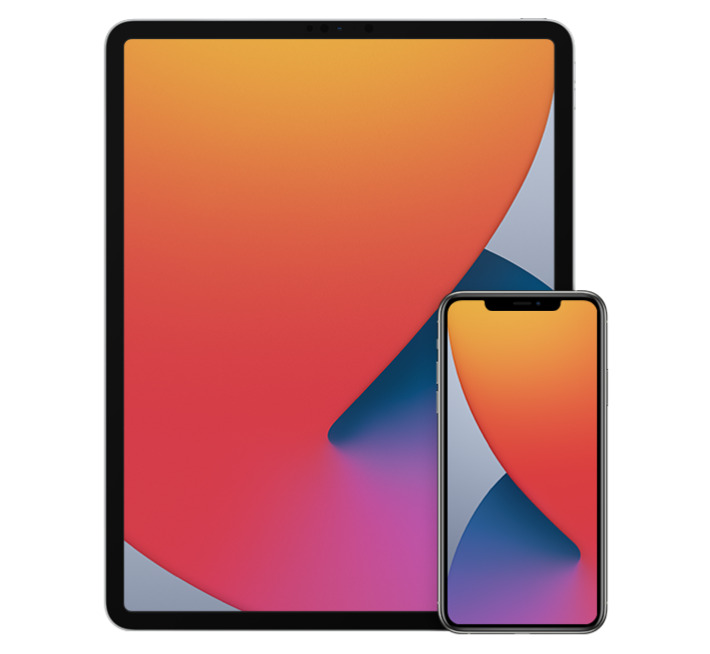
Devices Eligible for iOS 18 and iPadOS 18 Update
First, let’s talk about the list of iPhones, that are eligible for the iOS 18 Update:
- iPhone 15
- iPhone 15 Plus
- iPhone 15 Pro
- iPhone 15 Pro Max
- iPhone 14
- iPhone 14 Plus
- iPhone 14 Pro
- iPhone 14 Pro Max
- iPhone 13
- iPhone 13 mini
- iPhone 13 Pro
- iPhone 13 Pro Max
- iPhone 12
- iPhone 12 mini
- iPhone 12 Pro
- iPhone 12 Pro Max
- iPhone 11
- iPhone 11 Pro
- iPhone 11 Pro Max
- iPhone XS
- iPhone XS Max
- iPhone XR
- iPhone SE (2nd generation)
- iPhone SE (3rd generation)
Now, let’s talk about the list of iPads, that are eligible for the iPadOS 18 Update:
- iPad Pro: 2018 and later
- iPad Air: 2019 and later
- iPad mini: 2019 and later
- iPad: 2020 and later
iOS 18 brings new Generative AI support with Siri, design changes, and RCS message support in Apple’s iMessage. If you want to know more about the features of the iOS 18 update, then we have already created a dedicated post for that, do check that out.
Is your iPhone or iPad eligible for iOS 18 or iPadOS 18 update? Do let us know in the comment box. Also, do tell us whether you like this post or not.
For More Such Updates Follow Us On – Telegram, Twitter, Google News, WhatsApp and Facebook
Apple, an American-based Tech Giant has recently shared full release notes for the iOS 17.4 update, which is expected to be launched in the first week of the next month i.e. March. If you want to know the upcoming changes or new addons that we get after updating the iPhone to stable iOS 17.4, then we have already posted a dedicated post for that, you can simply check that out by clicking here.
If we talk about them in short, then the upcoming iOS 17.4 update brings major App Store changes in the EU, new emojis, Apple Podcasts transcripts, and an upgrade in the security of Apple’s iMessage. Furthermore, this update also prepares for the launch of the next-generation Apple CarPlay later this year.

As we know, Apple has to follow the EU’s Digital Markets Act. So, to avoid fines, Apple has to roll out the new iOS 17.4 update before the deadline which was given by the EU i.e. 6 March (Wednesday). So, we can expect the iOS 17.4 stable update before or on 6 March. Below listed are the iOS 17.4 U.S. released notes:
Emoji
– New mushroom, phoenix, lime, broken chain, and shaking heads emoji are now available in the emoji keyboard
– 18 people and body emoji add the option to face them in either directionApple Podcasts
– Transcripts let you follow an episode with text that highlights in sync with the audio in English, Spanish, French and German
– Episode text can be read in full, searched for a word or phrase, tapped to play from a specific point and used with accessibility features such as Text Size, Increase Contrast, and VoiceOverThis update includes the following enhancements and bug fixes:
– Music recognition lets you add songs you have identified to your Apple Music Playlists and Library, as well as Apple Music Classical
– Siri has a new option to announce messages you receive in any supported language
– Stolen Device Protection supports the option for increased security in all locations
– Battery Health in Settings shows battery cycle count, manufacture date, and first use on iPhone 15 and iPhone 15 Pro models
– Call Identification displays Apple-verified business name, logo, and department name when available
– Business updates in Messages for Business provide trusted information for order status, flight notifications, fraud alerts or other transactions you opt into
– Apple Cash virtual card numbers enable you to pay with Apple Cash at merchants that don’t yet accept Apple Pay by typing in your number from Wallet or using Safari AutoFill
– Fixes an issue where contact pictures are blank in Find My
– Fixes an issue for Dual SIM users where the phone number changes from primary to secondary and is visible to a group they have messaged
Some features may not be available for all regions or on all Apple devices. For information on the security content of Apple software updates, please visit this website: https://support.apple.com/kb/HT201222
Devices that are eligible for iOS 17.4 Update
At last, if we talk about the eligible devices for iOS 17.4 Update, then iPhone XS and above models are eligible for this update. Whenever you receive the iOS 17.4 update. To update your iPhone, simply head to Settings > General > Software Update.
Are you guys also waiting for the iOS 17.4 stable update? Do let us know in the comment box. Also, tell us whether you like this post or not.
For More Such Updates Follow Us On – Telegram, Twitter, Google News, WhatsApp and Facebook

As we already know the iPhone 15 Pro Max’s tetraprism camera comes with 5x optical zoom. But now, Apple is planning to add it in both Pro models of iPhone 16 i.e. iPhone 16 Pro and iPhone 16 Pro Max.
This is a rumor that we have already heard from many big sources such as MacRumors, Taiwanese research firm Trendforce, and Apple analyst Ming-Chi Kuo. In today’s press release, Taiwanese research firm Trendforce has adverted regarding this.
Following the successful launch of the iPhone 15 Pro Max with its exclusive Tetraprism telephoto zoom lens, the industry is expected to see an increase in the adoption of periscopic lens modules. Apple plans to bring this advanced hardware upgrade to the iPhone 16 Pro, making it accessible to more users in the Pro series.
The design of the tetraprism camera system in the iPhone 15 Pro Max is folded due to which it can be easily fitted into the smartphone. This tetraprism camera system enables 5x optical zoom and 25x digital zoom. The Pro Max models of iPhones i.e. iPhone 15 Pro Max have a bigger display size i.e. 6.7 inches.
But, on the other hand, if we talk about the Pro models i.e. iPhone 15 Pro, then the display is 6.1 inches as like the iPhone 15 which is small if we compare it with Pro Max. So, as per rumors, Apple will increase the size of the iPhone 16 Pro from 6.1 inches to 6.3 inches to fit the tetraprism camera system in the Pro model of the iPhone 16.
What do you guys think whether we get 5x optical zoom in iPhone 16 Pro and 16 Pro Max? Do let us know in the comment box. Also, tell us whether you like this post or not.
Featured Image from MacRumors
For More Such Updates Follow Us On – Telegram, Twitter, Google News, WhatsApp and Facebook